
Water Loop is a smart rainwater collection system for a private backyard. Its goal is to turn rainwater into reusable water for the home.
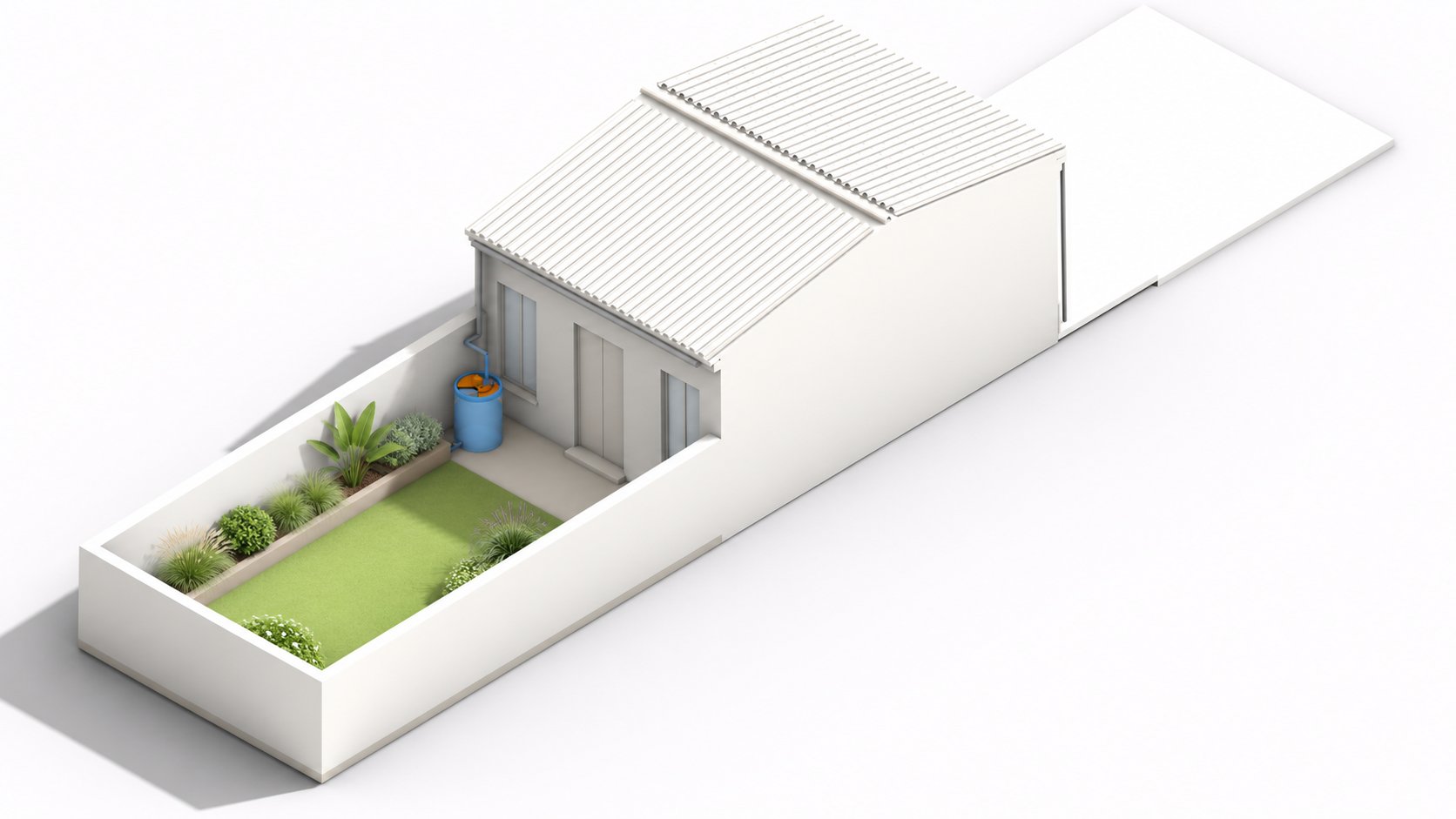
“From the rain, to the tank, back to the soil.”
01 / Concept
Water Loop is about reusing water. The idea is to save rainwater in your own backyard.
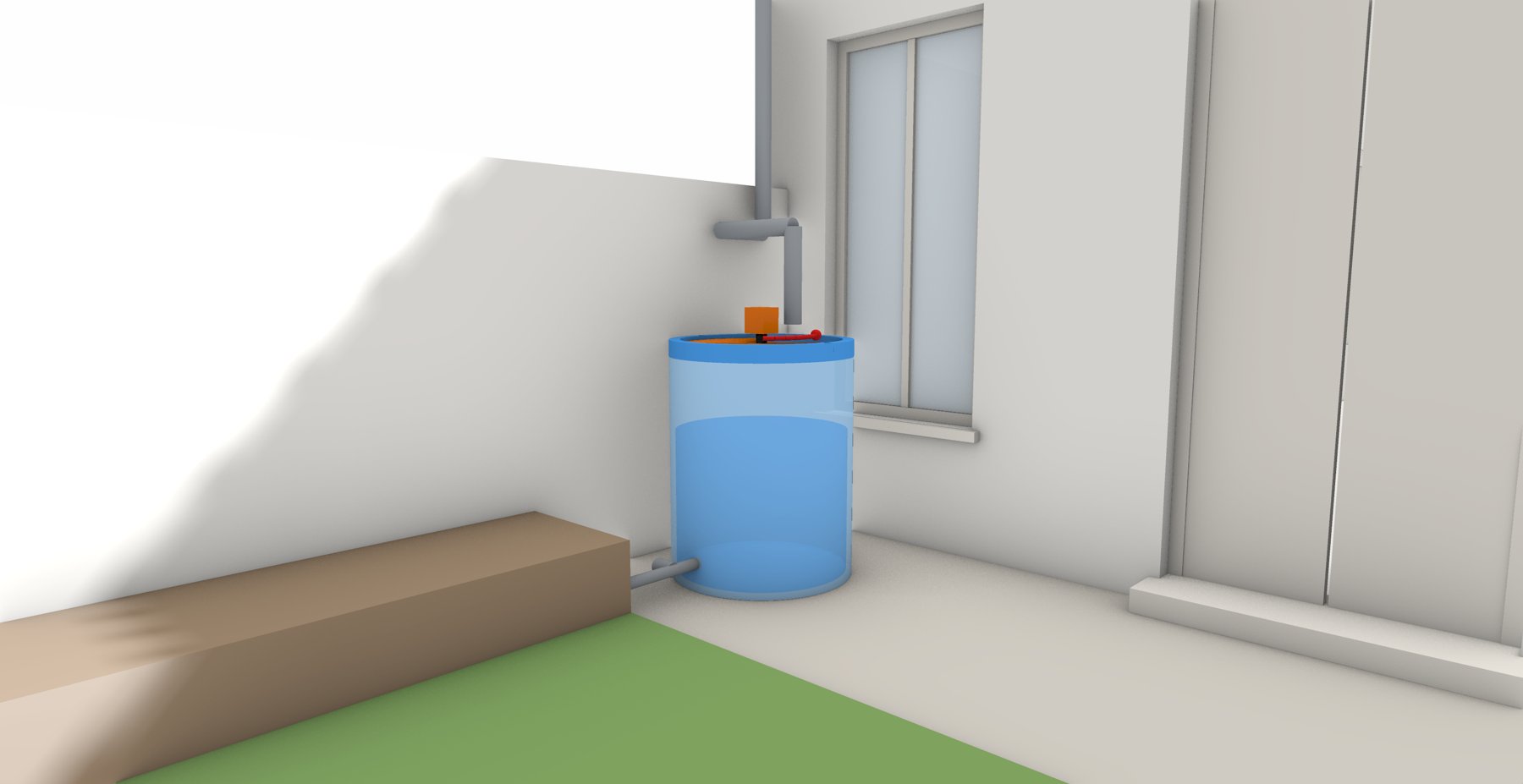
The system collects the rain from the roof and stores it in a tank in the garden. A sensor measures the water level inside the tank. When it rains, a servo motor opens the lid so the water can come in, and a display shows the percentage of water inside the tank. When it reaches 100%, the servo motor closes the lid.
As a future expansion, this water could go directly to the garden, closing the loop: from the rain, to the tank, back to the soil.
02 / How it works
No rain
The rain sensor on the roof is dry. The lid stays closed, the LED is off and the OLED shows NO RAIN and the tank level.
Rain detected
The rain sensor gets wet. The servo motor rotates the lid 90° to let the water in, the LED turns on and the OLED shows COLLECTING WATER.
Tank full
The level sensor inside the tank reaches 100%. The servo closes the lid, the LED turns off and the OLED shows TANK FULL!
03 / Technical drawing
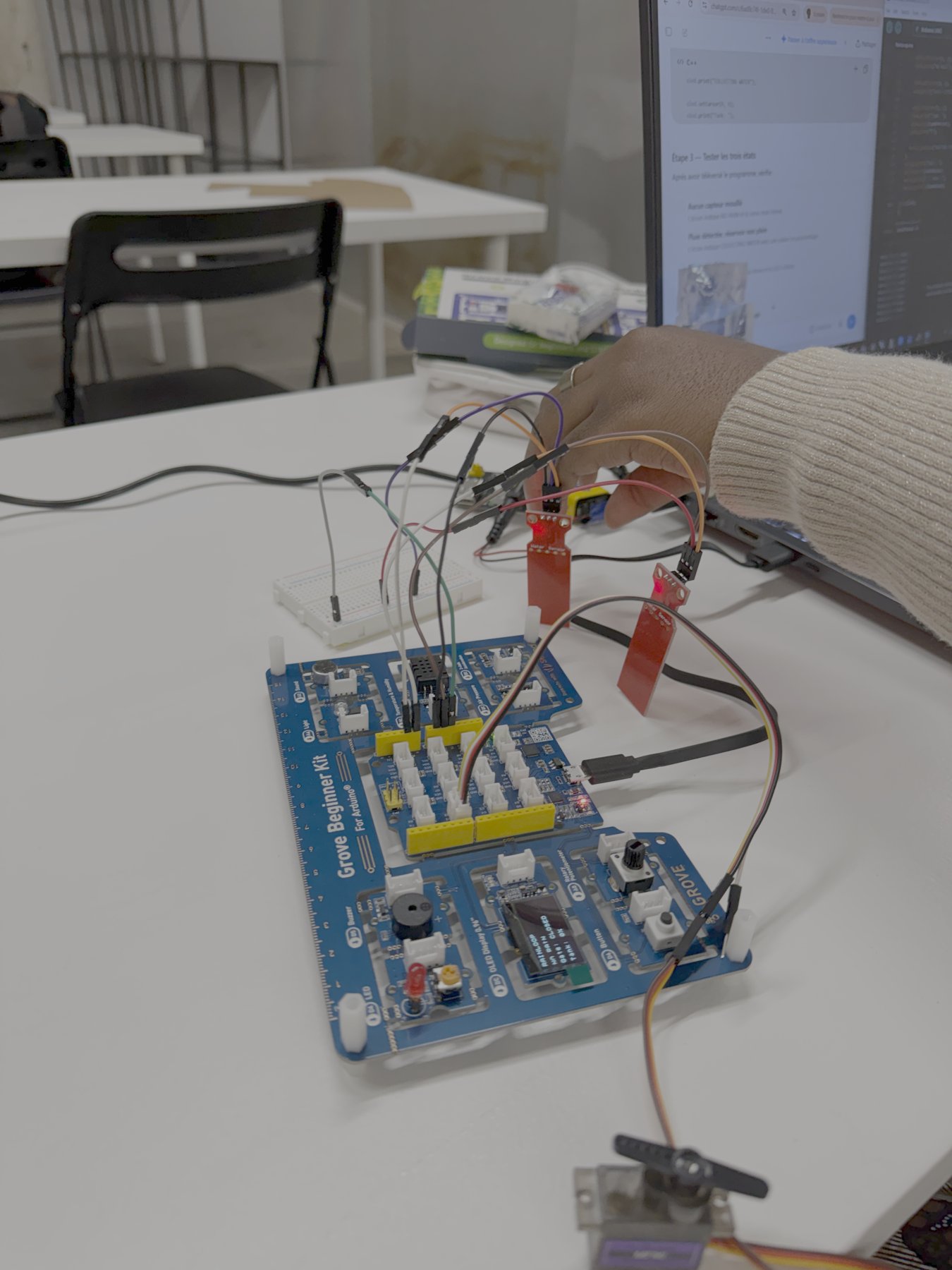
The circuit was drawn in Cirkit Designer IDE, based on the Grove Beginner Kit for Arduino.

- Rain sensor: signal to A0
- Tank level sensor: signal to A1
- Servo motor: signal to D2
- LED: built-in on D4
- OLED display: built-in on I2C
- Breadboard: distributes 5V and GND to the sensors and the servo
04 / Materials
- Arduino Grove Beginner Kit (1): The main controller: it reads the sensors and controls the servo, LED and display
- Water sensors (2): One detects rain, the other measures the water level inside the tank
- Servo motor (1): Rotates the tank lid 90° to open it when it rains and close it when the tank is full
- OLED display (1): Shows the system status and the tank percentage
- LED (1): Visual signal that rain was detected and the tank is collecting water
- Breadboard (1): Distributes 5V and GND to the sensors and the servo
- Wires: Connect the sensors, servo and breadboard to the Arduino
- Foam board: Builds the walls and facades of the house model
- MDF board: Strong base for the model and support for the electronics
- Glass pot (1): Represents the rainwater tank, so the water level is visible
- Tube (1): Carries the rainwater from the roof to the tank
05 / Fabrication strategy
Creating the system
- Connected two water level sensors: one for rain (A0) and one for the tank (A1).
- Added a servo motor (D2) to open and close the tank lid.
- Used the kit’s built-in LED and OLED screen to show rain detection and the tank percentage.
- Wrote and uploaded the Arduino code, then tested each sensor with a glass of water.

Model making
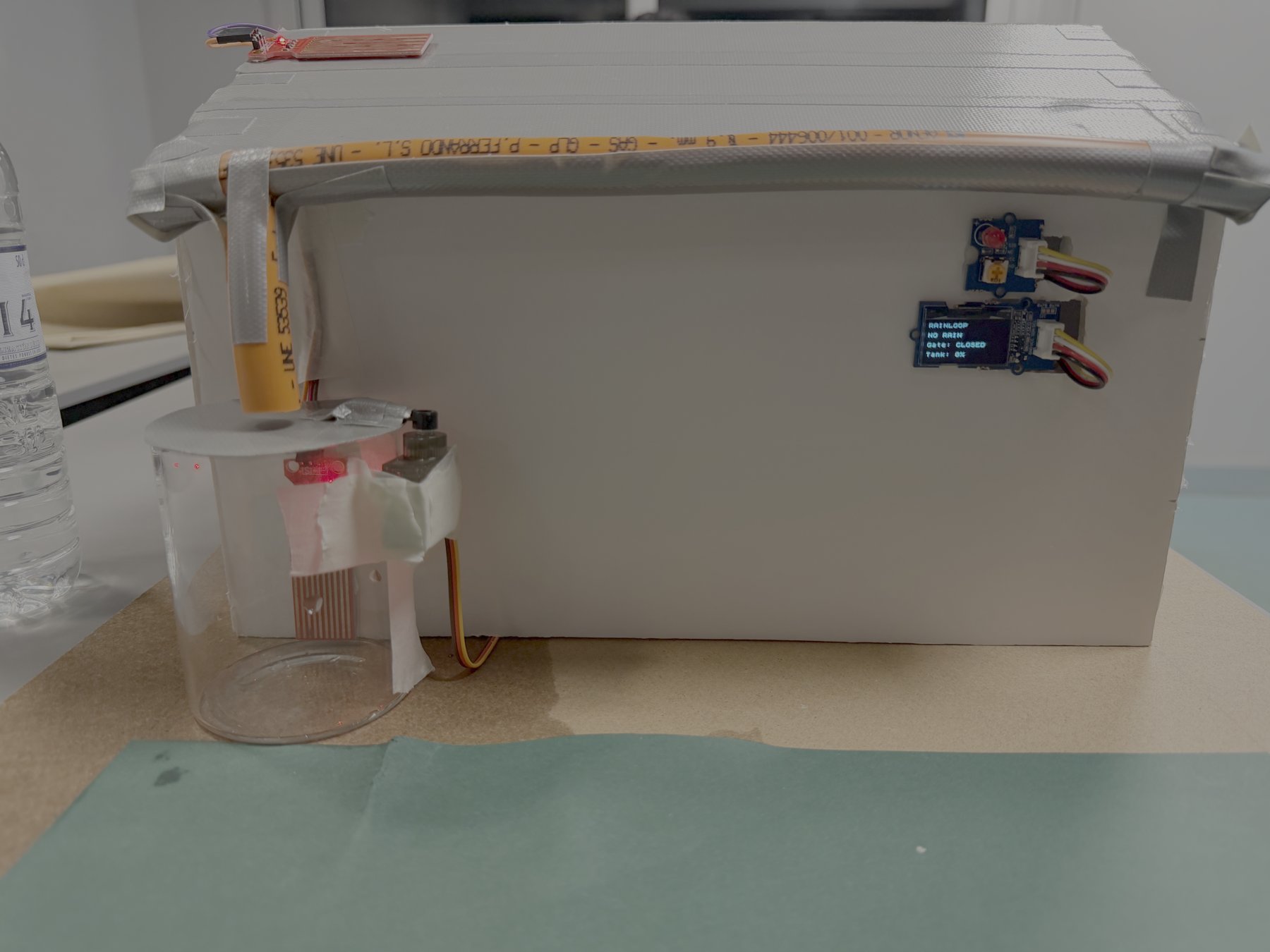
- Cut the facades and walls from foam board using the dimensioned sketch.
- Used a 7 × 8 cm glass jar as the rainwater tank.
- Made a circular lid and attached it to the servo arm so it rotates 90°.

Testing
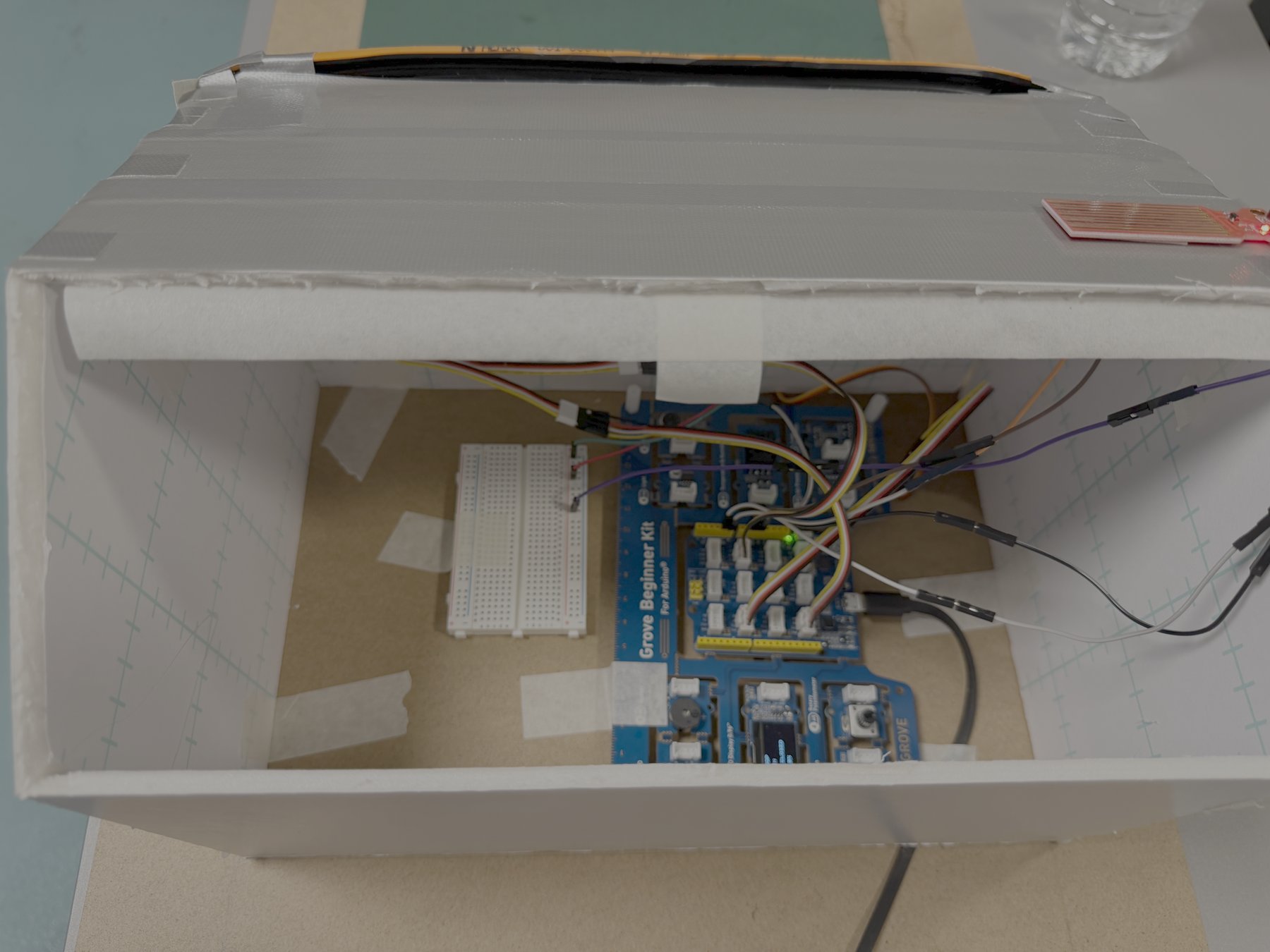
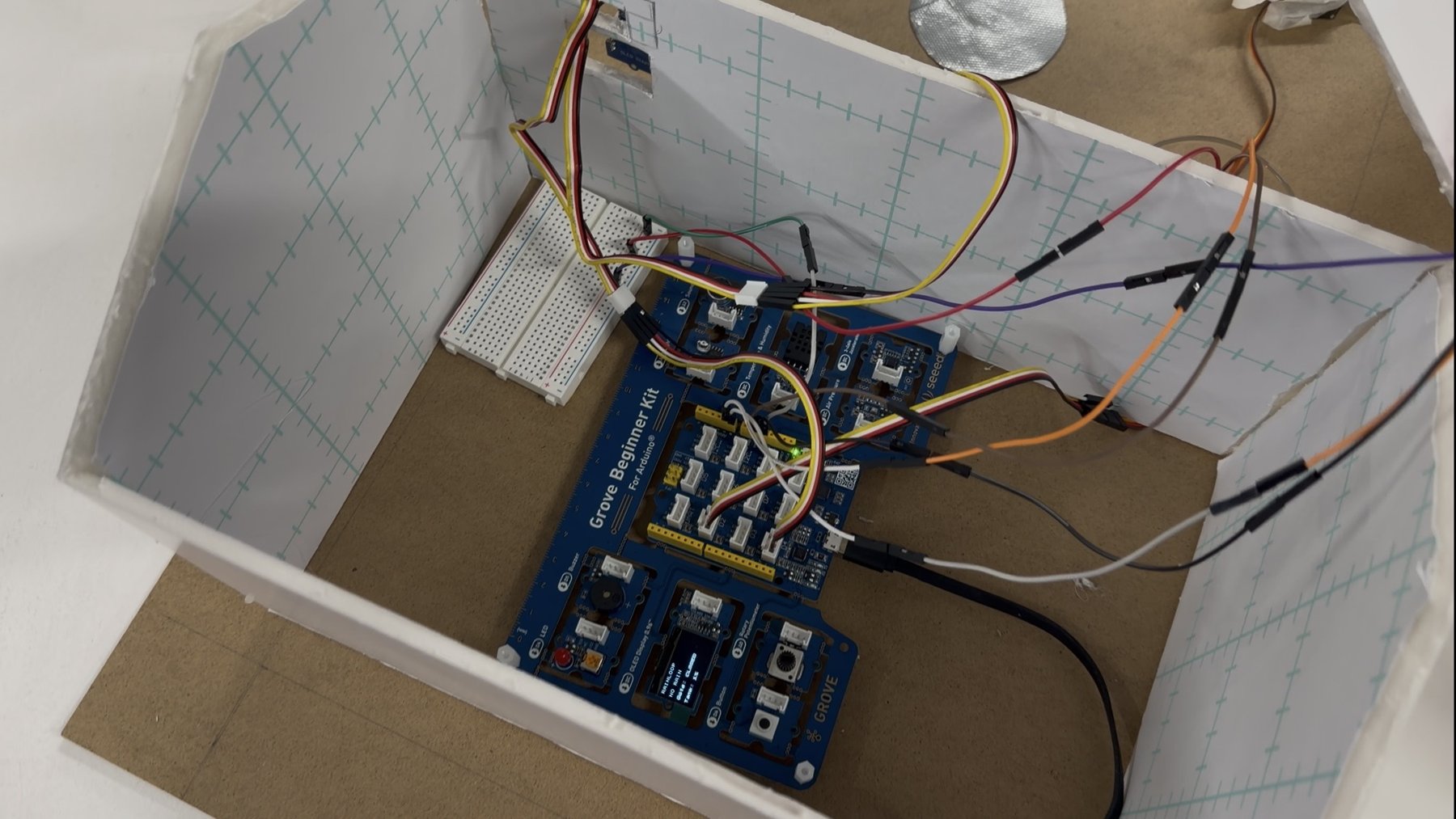
- Placed the kit and breadboard inside the house, with the wires going out to the tank and sensors.
- Simulated rain with water: the LED turned on, the OLED showed “RAIN DETECTED” and the lid opened.
- Filled the tank until the screen showed 100%, then the servo closed the lid.
06 / Prototype video
07 / Arduino code
Full code of the RainLoop system, written for the Grove Beginner Kit (Arduino Uno compatible).
Show the full Arduino code
#include <Servo.h>
#include <Arduino.h>
#include <U8x8lib.h>

const int rainSensorPin = A0;
const int tankSensorPin = A1;

const int ledPin = 4;
const int servoPin = 2;

const int rainThreshold = 200;
const int tankFullThreshold = 375;

Servo rainGate;

U8X8_SSD1306_128X64_NONAME_HW_I2C oled(
  U8X8_PIN_NONE
);

void setup() {
  // put your setup code here, to run once:
Serial.begin(9600);

pinMode(ledPin, OUTPUT);

rainGate.attach(servoPin);
rainGate.write(0);

digitalWrite(ledPin, LOW);

oled.begin();
oled.setFlipMode(1);
oled.setFont(u8x8_font_chroma48medium8_r);
oled.clear();

oled.setCursor(0, 0);
oled.print("RAINLOOP");
oled.setCursor(0, 2);
oled.print("System starting");
delay(1500);

Serial.println("RainLoop started");
}

void loop() {
  // put your main code here, to run repeatedly:
int rainValue = analogRead(rainSensorPin);
int tankValue = analogRead(tankSensorPin);

bool rainDetected = rainValue >= rainThreshold;
bool tankFull = tankValue >= tankFullThreshold;

int tankPercent = map(
  tankValue, 0, tankFullThreshold, 0, 100
);
tankPercent = constrain(tankPercent, 0, 100);

oled.clear();
oled.setCursor(0,0);
oled.print("RAINLOOP");

if (tankFull) {
    rainGate.write(0);
    digitalWrite(ledPin, LOW);

    oled.setCursor(0, 2);
    oled.print ("TANK FULL!");

    oled.setCursor(0, 4);
    oled.print("Gate: CLOSED");

    Serial.println("TANK FULL - GATE CLOSED");
  }
  else if (rainDetected) {
    rainGate.write(90);
    digitalWrite(ledPin, HIGH);

    oled.setCursor(0, 2);
    oled.print("RAIN DETECTED");

    oled.setCursor(0, 4);
    oled.print ("COLLECTING WATER");

    oled.setCursor(0, 6);
    oled.print("Tank: ");
    oled.print(tankPercent);
    oled.print("%");

    Serial.println("COLLECTING WATER");
  }
  else {
    rainGate.write(0);
    digitalWrite(ledPin, LOW);

    oled.setCursor(0, 2);
    oled.print("NO RAIN");

    oled.setCursor(0, 4);
    oled.print("Gate: CLOSED");

    oled.setCursor(0, 6);
    oled.print("Tank: ");
    oled.print(tankPercent);
    oled.print("%");

    Serial.println("WAITING FOR RAIN");
  }
  Serial.print("Rain: ");
  Serial.print(rainValue);
  Serial.print(" | Tank: ");
  Serial.println(tankValue);

delay(500);
}
08 / Future development
The next step is a second system that uses the stored rainwater to irrigate the garden automatically. A soil moisture sensor in the garden bed would measure how dry the soil is. When the soil is too dry, the Arduino would turn on a small water pump through a relay. The pump moves water from the tank to the plants and stops once the soil is moist again.
Water Loop is a project of IAAC, Institute for Advanced Architecture of Catalonia, developed in the Master in Advanced Architecture (MAA01) 2026/2027, in the course Introduction to Programming and Physical Computing.
Students: Adjokê Amoussou and Priscila Dohler
Faculty: Ángel Muñoz
Faculty assistants: Akshay Madapura and Koosha Abdolahifar
