
Hyperbuilding 02 Data Team: From KPI Calculation to Native BIM Documentation
Introduction
Hyperbuilding 02 Data Team developed an interoperability workflow that transforms analytical performance data into native BIM documentation. Instead of keeping KPI evaluation outside the architectural model, the project uses Rhino.Inside.Revit to transfer computed values into Revit, where they can be read through schedules, color-coded views, annotated drawings, and sheet-based documentation.
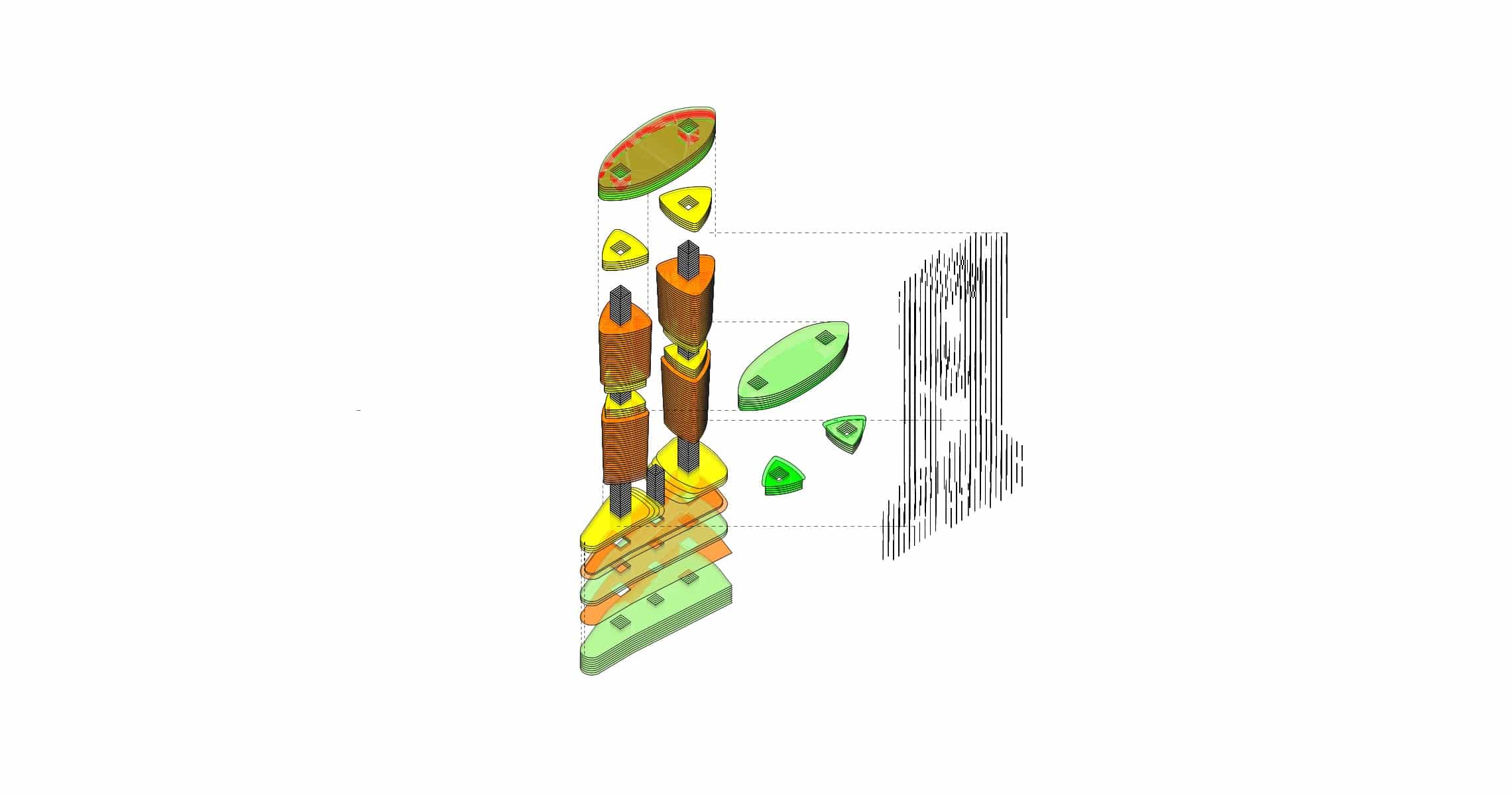
This approach addresses a recurring problem in computational design workflows: geometry, analysis, and documentation are often produced in separate environments. As a result, performance data becomes harder to communicate, review, and compare during design development. The goal of this work was to close that gap by embedding performance logic directly into the Revit model environment.
Within the Integrative Modeling seminar, interoperability is not only a technical issue. It is a design problem, a data problem, and a documentation problem. The contribution of the Data Team was to define a shared framework where geometry, metadata, validation, and visualization could work together. In this workflow, analytical values are no longer isolated in spreadsheets or external simulation interfaces. They become part of the architectural model itself.
Interoperability as a Design Problem
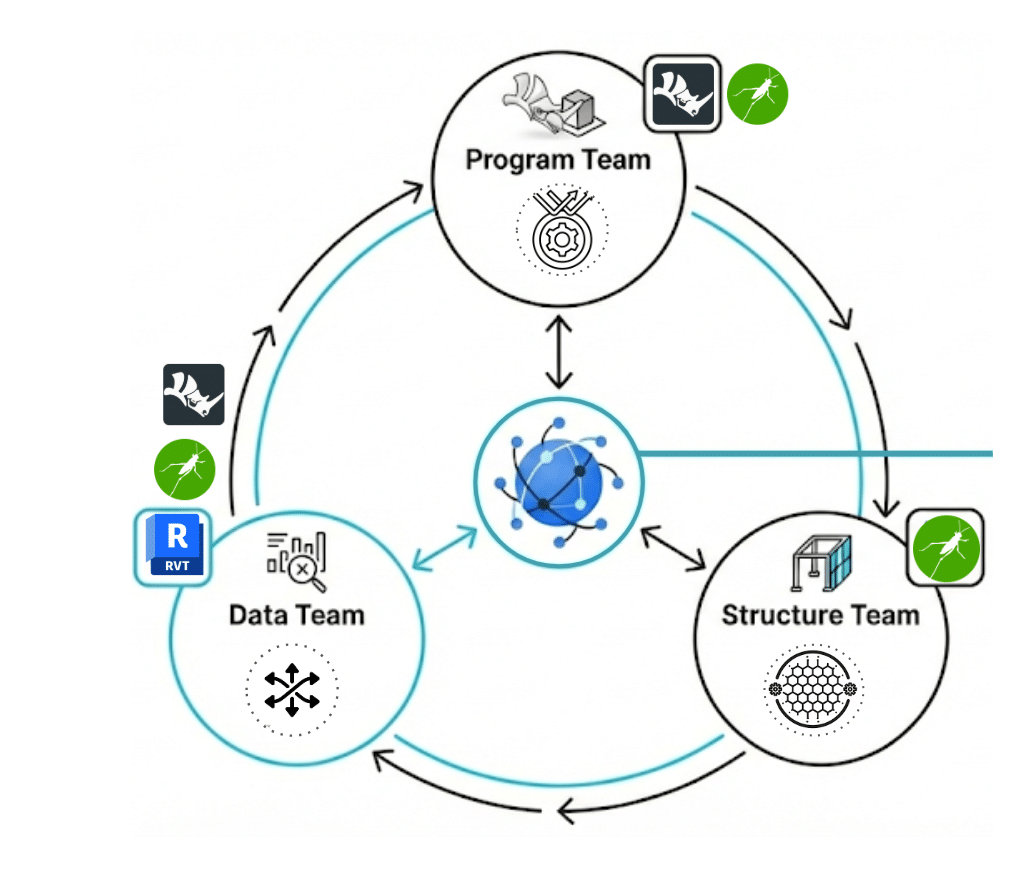
Interoperability Workflow
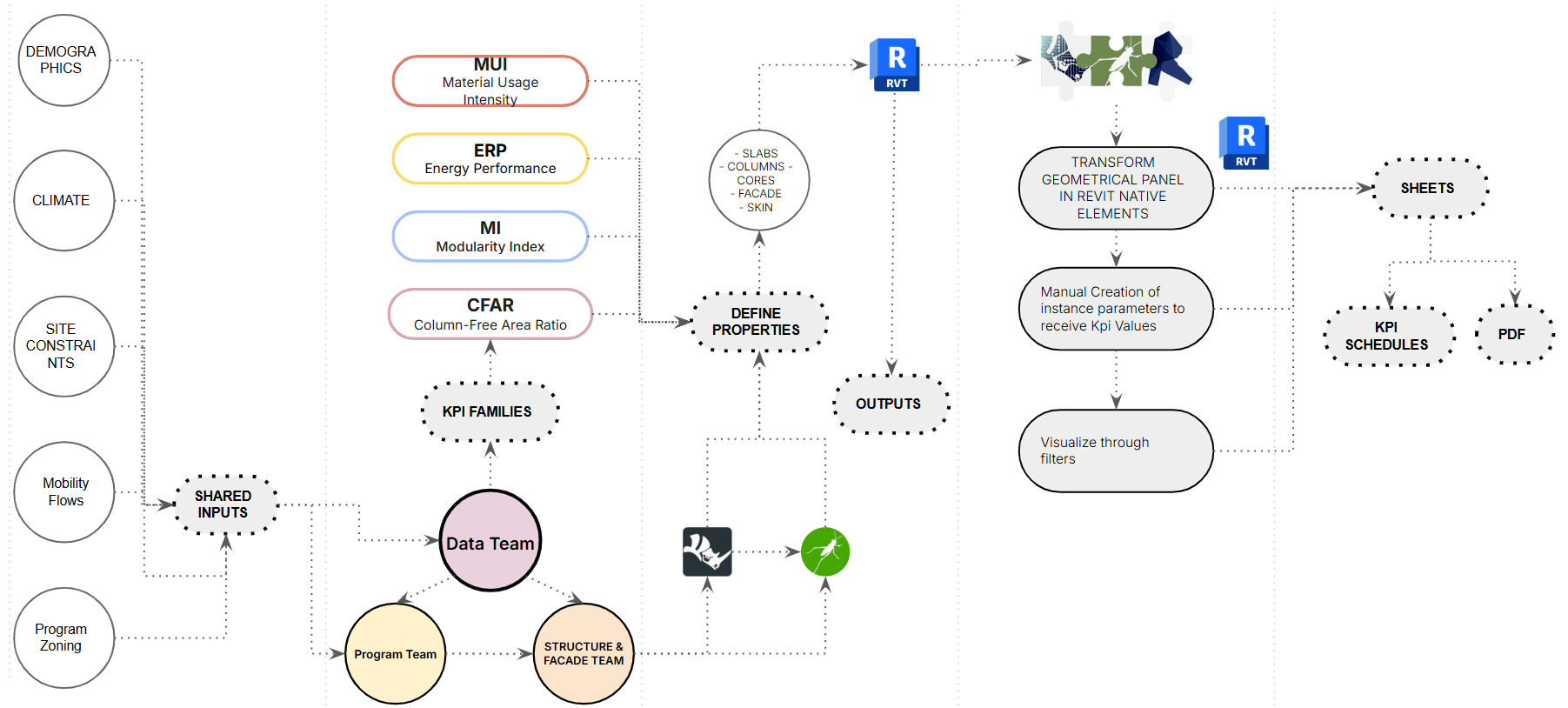
The workflow begins with shared geometric and analytical inputs coming from Rhino, Grasshopper, and team-based model exchange. Areas, volumes, levels, and element identifiers are extracted and structured in Grasshopper. KPI values are then calculated and organized per level or per element. Through Rhino.Inside.Revit, this data is pushed into Revit as instance-based information, making it available for filters, schedules, legends, and sheets.
This workflow does not treat Revit as a passive receiver of geometry. Revit becomes the final information environment where performance is visualized, checked, and documented. The result is a model that supports both design interpretation and final communication.
KPI Framework
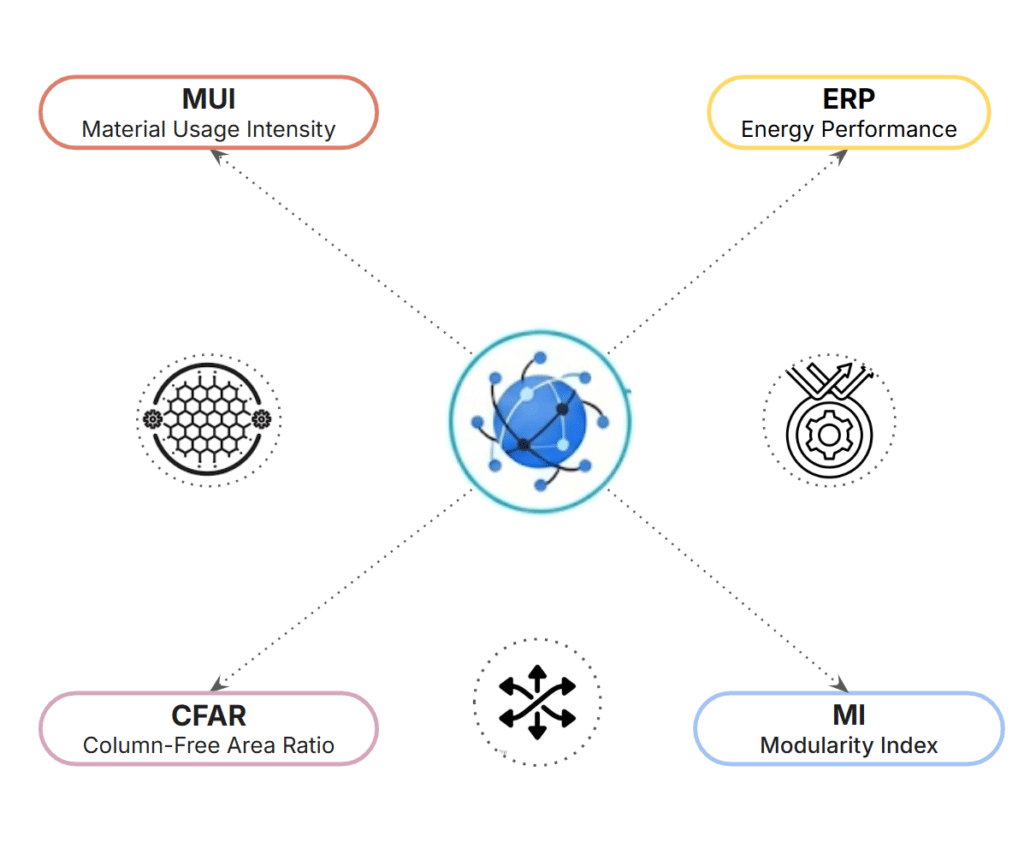
The KPI system was restructured into four clearly defined groups based on measurable outputs:
Spatial KPI
- CFAR (Circulation Factor Ratio): evaluates the proportion of circulation area relative to usable floor area.
Material KPI
- MUI (Material Usage Index): measures material distribution efficiency across different levels.
Façade Rationalization KPI
- Modularity-I: evaluates the degree of façade standardization based on panel typologies.
Solar Exposure KPIs
- ISR (Incident Solar Radiation): measures solar radiation exposure per façade panel.
- DSH (Direct Sun Hours): measures annual direct sunlight exposure per façade panel.
Unlike the previous classification, this framework removes the ambiguity of “energy performance” and focuses on measurable solar exposure indicators.
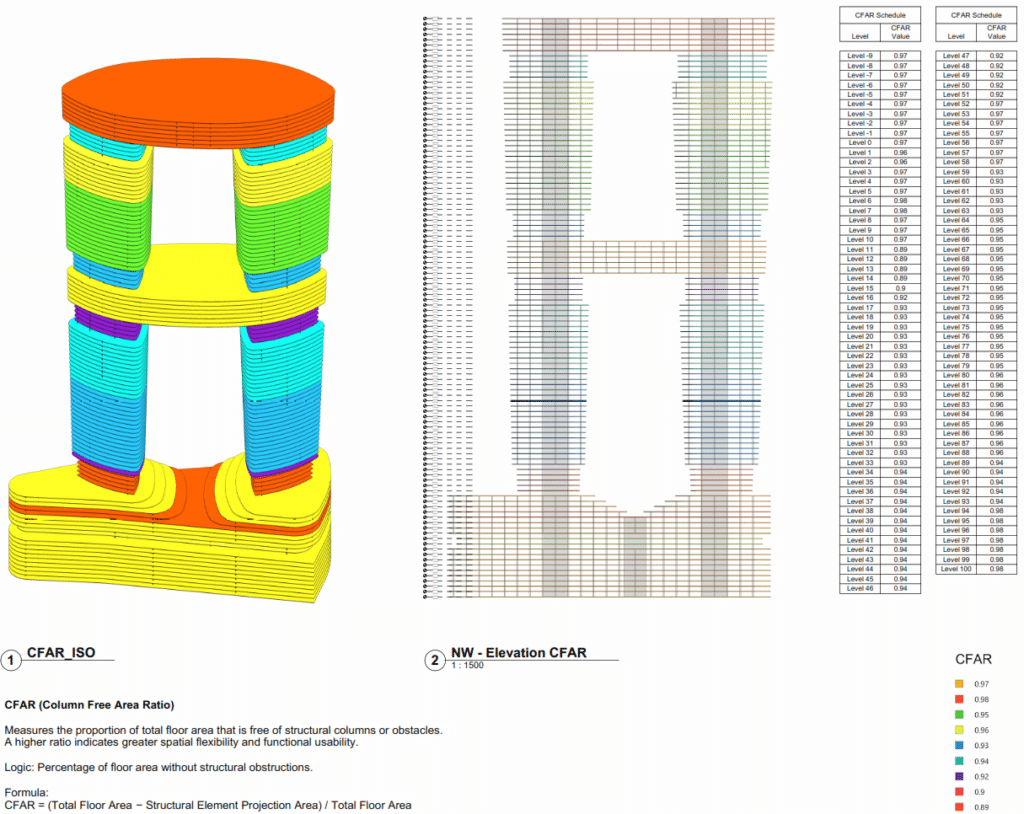
1. Column-Free Area Ratio (CFAR)
Definition. CFAR evaluates how much of the floor plate remains spatially free and usable.
How it is generated. In this workflow, CFAR is derived by relating slabs, columns, and core conditions at each level and transferring the resulting values into Revit for filtering and scheduling.
Why it matters. It makes spatial efficiency legible inside the BIM model and supports direct comparison between floor plates.
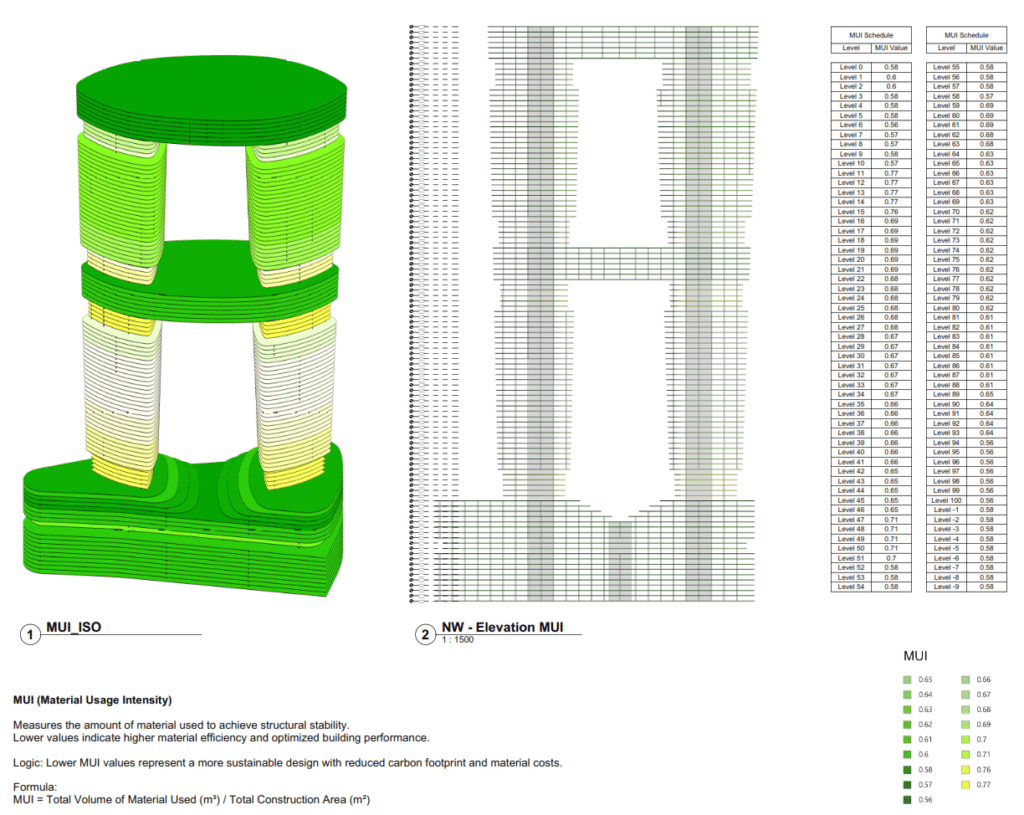
2. Material Usage Intensity (MUI)
Definition. MUI estimates the material demand of the system relative to the building dataset.
How it is generated. It depends on quantity extraction, parameter mapping, and the consistent association of material-related data across the workflow.
Why it matters. It connects geometry to constructability and shows how data structure affects performance-based documentation.
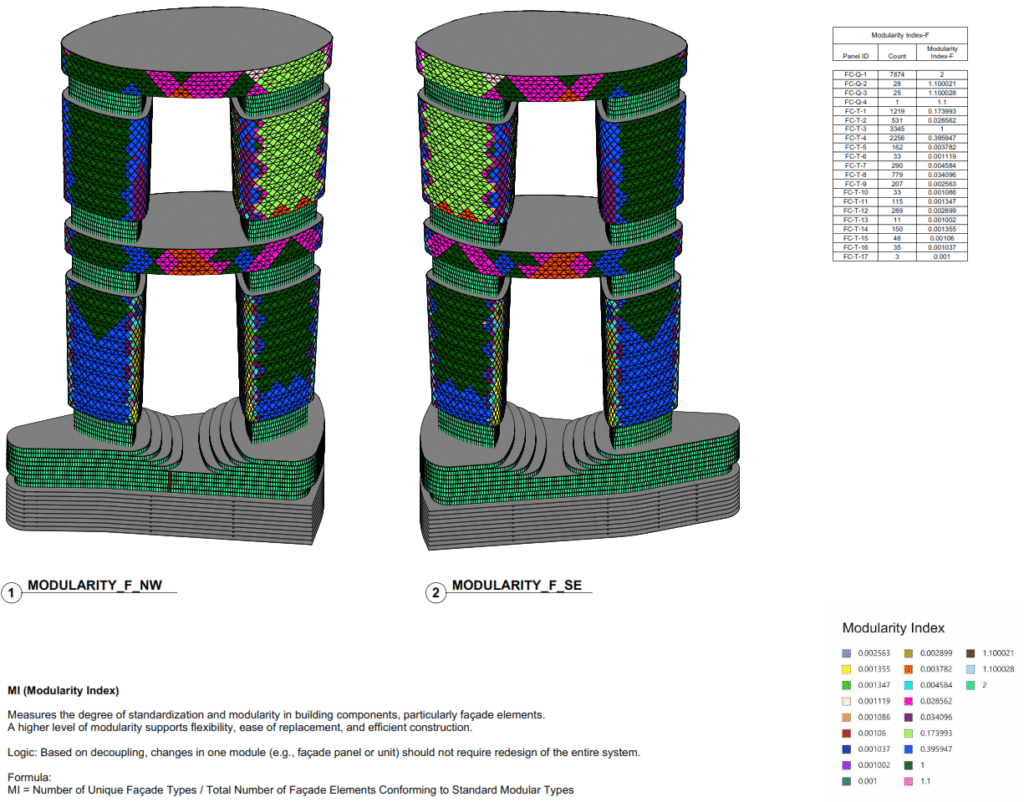
3. Modularity Index (MI)
Definition. MI measures the degree of repetition and standardization within the system.
How it is generated. It is inferred from recurring modules, family logic, and repeated component relationships across the model.
Why it matters. It links computational variation to rationalization and supports coordination-oriented thinking.
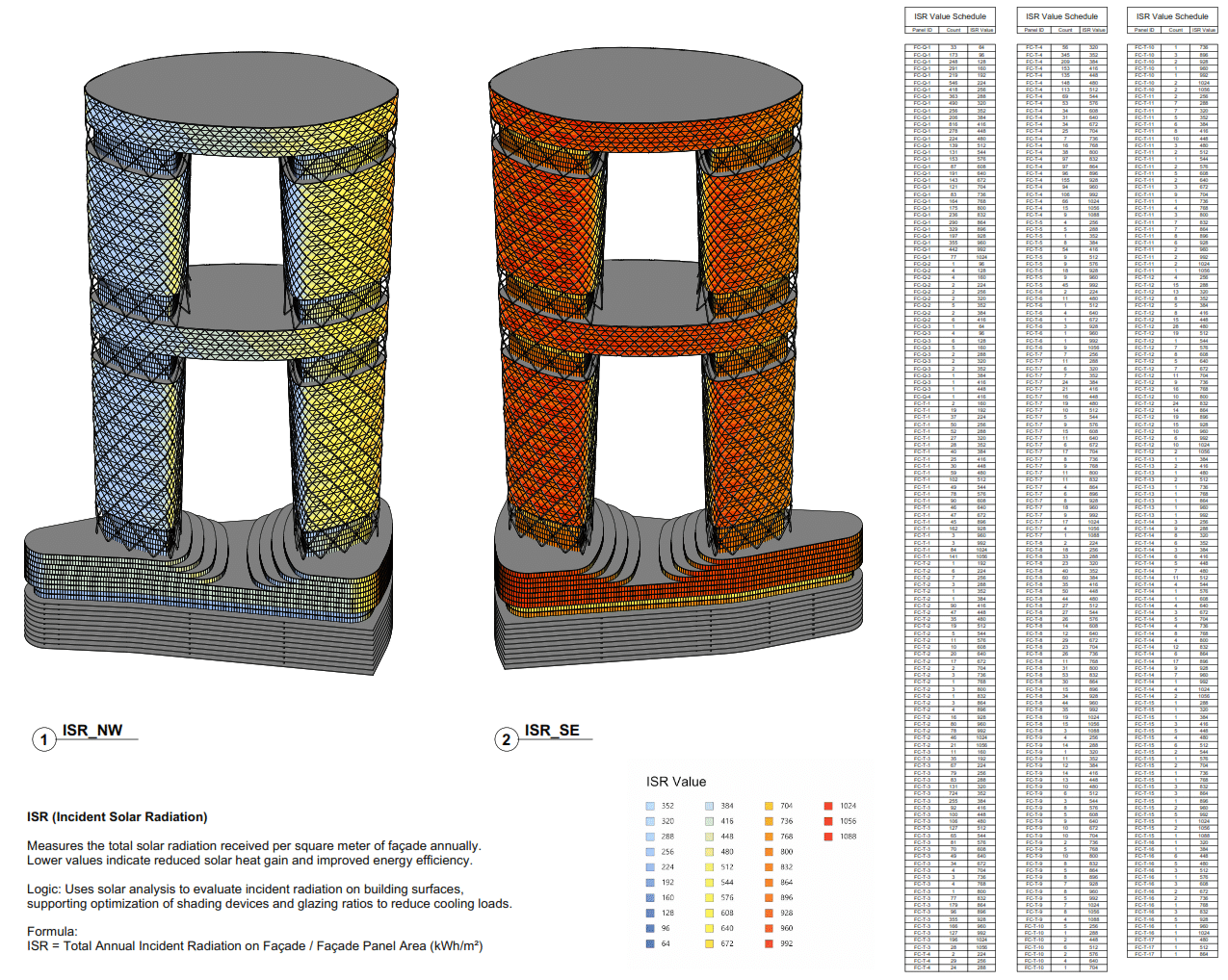
4. Energy and Radiation Performance (ERP)
Definition. ERP captures the environmental behavior of the envelope through radiation-related and performance-based readings.
How it is generated. Environmental values are translated into Revit-compatible parameters and visualized through graded outputs and color-coded representations.
Why it matters. It makes environmental intelligence visible inside the documentation layer and connects facade behavior to design evaluation.
ISR (Incident Solar Radiation)
Measures the total solar radiation received per square meter of façade annually. Lower values indicate reduced solar heat gain and improved energy efficiency. Logic: Uses solar analysis to evaluate incident radiation on building surfaces, supporting optimization of shading devices and glazing ratios to reduce cooling loads.
Formula: ISR = Total Annual Incident Radiation on Façade / Façade Panel Area (kWh/m²)
DSH (Direct Sun Hours)
Measures the number of hours a façade or surface is exposed to direct sunlight over a given period. Lower values can help minimize overheating and improve thermal comfort. Logic: Evaluates direct sun exposure to inform façade design, shading strategies, and orientation for better energy performance.
Formula: DSH = Total Annual Direct Sunlight Hours on Façade / Façade Panel Area (hrs/m²)
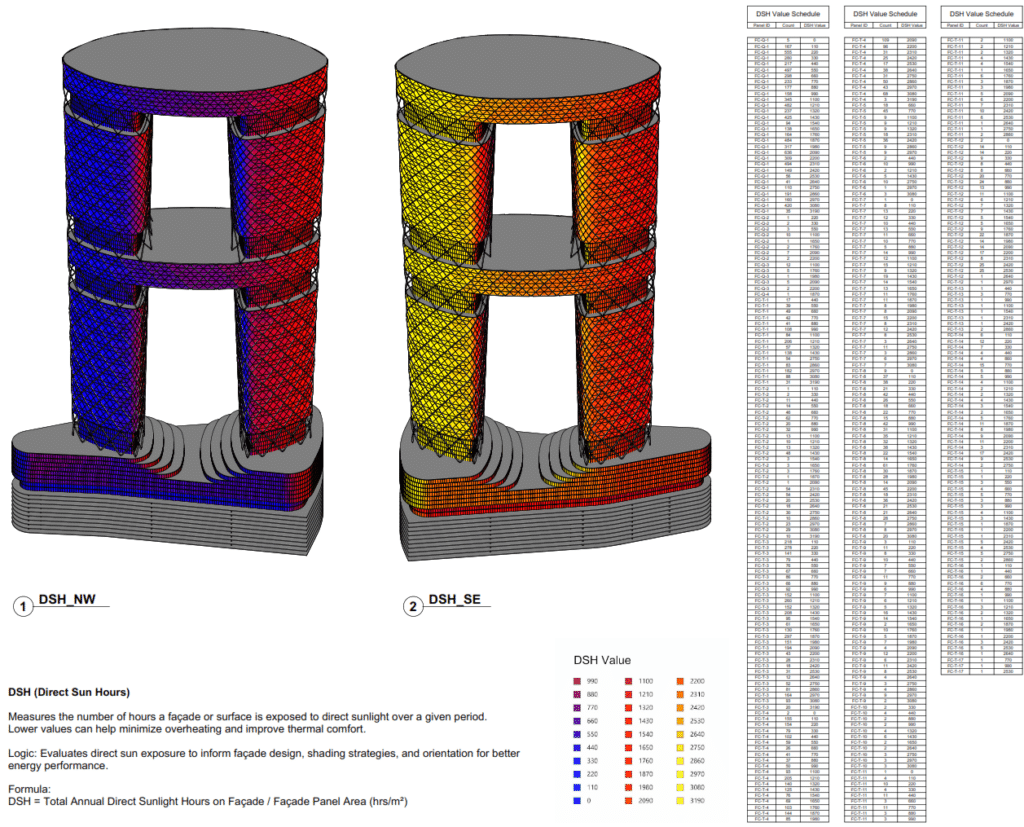
From Data to Native Revit Documentation
The final output of the workflow is not a dashboard detached from the model. It is a coordinated documentation set where KPI values appear in schedules, diagrams, elevations, exploded views, and color-coded sheets. This gives designers and reviewers access to numerical information, visual interpretation, and architectural representation within the same Revit environment.
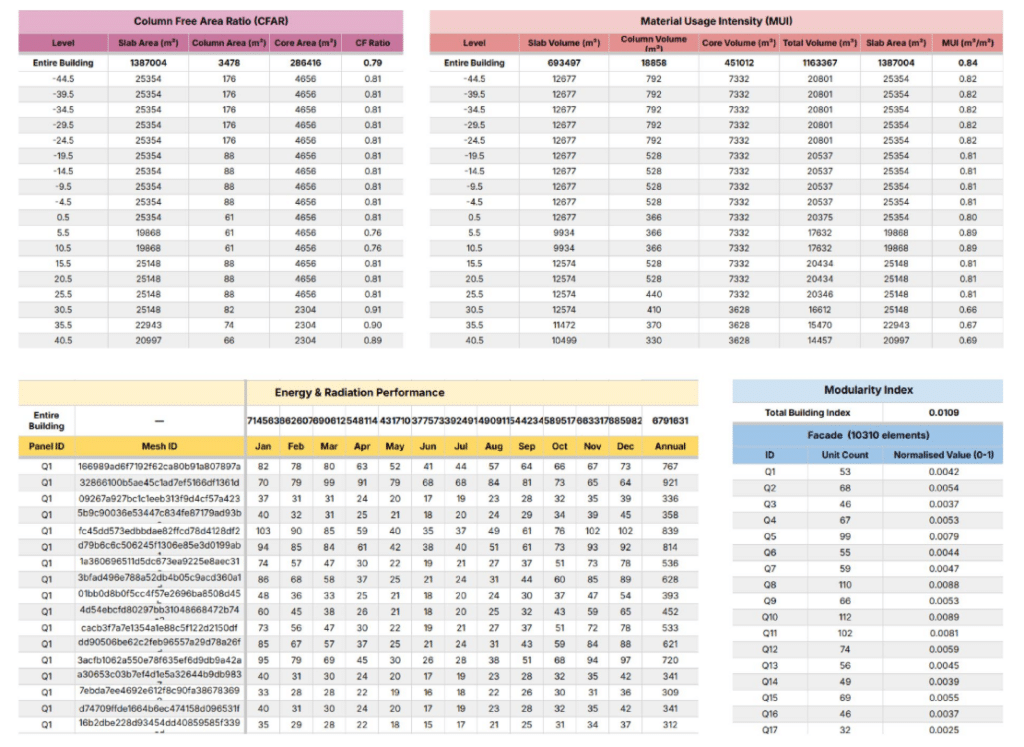
Workflow Success Criteria
Integration. Performance metrics become part of the BIM model.
Readability. The same data drives both visual interpretation and formal documentation.
Reliability. Structured parameter mapping improves consistency across outputs.
Current Limitations and Improvement Areas
The workflow still depends on robust parameter naming, consistent element association, and stable mapping between Grasshopper and Revit. Any mismatch in those structures can affect KPI assignment and documentation accuracy. In addition, current color visualization relies on predefined value ranges, which limits dynamic threshold control directly inside Revit.
Conclusion
Hyperbuilding 02 Data Team did not simply calculate metrics. It built a framework where KPI evaluation becomes interoperable, visual, and documentable. In that sense, the project demonstrates a key ambition of integrative modeling: not only to move geometry between platforms, but to move intelligence, criteria, and decision-making into the BIM model itself.
