
From Parametric Design to Web-Based Configurator: A Computational Design Workflow
This project presents the development of a web-based parametric configurator for a graph-driven freeform wall assembly system. The project integrates Rhinoceros 3D, Grasshopper, and Rhino Compute with a Vue.js frontend to create an interactive design tool that allows users to explore, customize, and export fabrication-ready geometry through a browser interface. By connecting computational design logic directly to a live web application, the project demonstrates how parametric architecture can be made accessible, interactive, and directly linked to digital fabrication workflows — from concept to cutting sheet in a single browser session
Introduction
The relationship between computational design and digital fabrication has long been mediated by file transfers, manual exports, and software-specific workflows that create friction between the act of designing and the act of making. A designer working in Rhinoceros 3D or Grasshopper must navigate multiple export steps before a design reaches a laser cutter or CNC machine — a process that discourages iteration and limits accessibility for non-expert users.
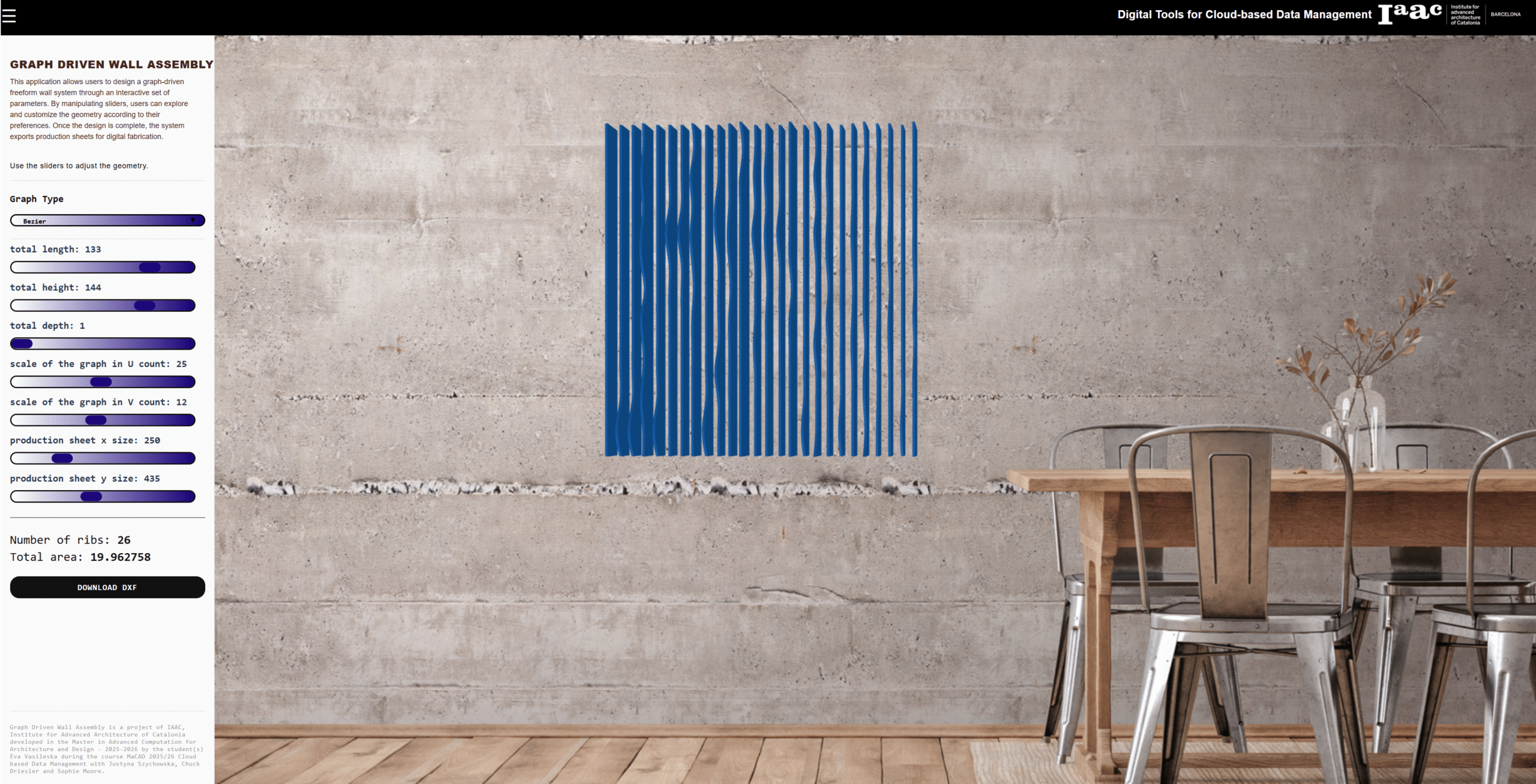
The Graph Driven Wall Assembly project proposes an alternative: a web-based configurator that puts parametric design directly in the browser. By leveraging Rhino Compute — a headless server-side implementation of Rhinoceros 3D — and connecting it to a reactive Vue.js frontend, the application allows any user with a browser to manipulate the geometry of a freeform wall system in real time, visualize the result in three dimensions, and immediately download the corresponding cutting sheets as DXF files ready for digital fabrication.
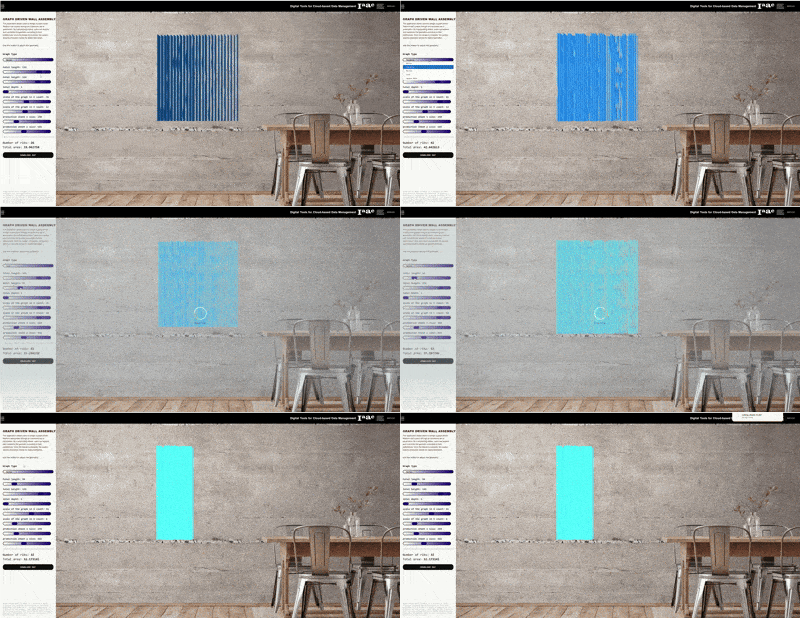
The wall system itself is driven by mathematical graph functions — Bezier curves, parabolas, Perlin noise, sine waves, and square root functions — which define the surface curvature of the assembly. This graph-driven approach gives the designer precise control over the formal language of the wall while maintaining a consistent structural logic across all configurations.
Design Concept and Intent
The assembly consists of a series of vertical ribs arranged along a double-curved surface. Each rib is a flat profile that can be cut from sheet material using a laser cutter or CNC router. The curvature of the overall surface — and therefore the individual shape of each rib — is determined by a graph function applied along the U and V directions of the surface. By selecting different graph types and adjusting parameters such as total length, height, depth, and rib spacing, the designer can produce a wide range of formal outcomes from a single underlying system.
The project draws conceptual inspiration from precedents in parametric surface design — in particular the tradition of ruled surface structures in contemporary architecture — but proposes a browser-based interface that removes the requirement for expert software knowledge. A contractor, a client, or a student can open the application, adjust the sliders, and generate fabrication-ready files without ever opening Rhinoceros 3D.
The Workflow
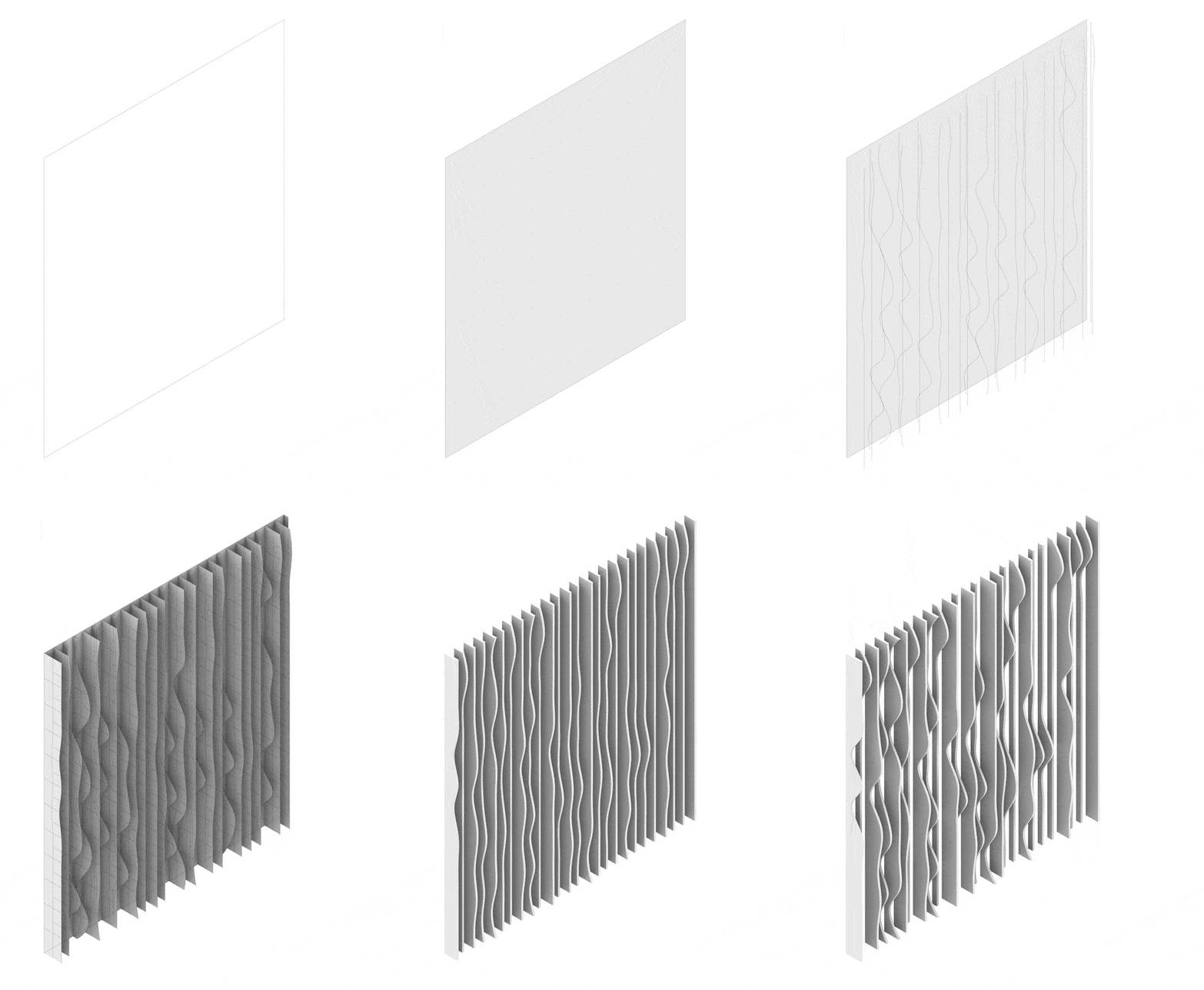
The base surface is generated from a set of input parameters: total length, total height, and total depth. A graph mapper component applies the selected mathematical function — Bezier, Parabola, Perlin noise, Sine, or Square Root — to remap the surface in the U direction, creating the characteristic undulation of the wall. The U count and V count sliders control the density of surface subdivisions, which directly affects the number and resolution of the ribs
Once the surface is generated, vertical rib profiles are extracted by dividing the surface along the U direction at regular intervals defined by the distance-between-ribs parameter.Each rib section is then flattened to a planar profile — the unique shape that must be cut from flat sheet material in order to produce the three-dimensional assembly when the ribs are combined. This flattening step is critical: it translates the complex three-dimensional curvature of each rib into a two-dimensional cutting profile.
Each rib section is then flattened to a planar profile — the unique shape that must be cut from flat sheet material in order to produce the three-dimensional assembly when the ribs are combined. This flattening step is critical: it translates the complex three-dimensional curvature of each rib into a two-dimensional cutting profile.
The Grasshopper definition exposes several output parameters to Rhino Compute. The primary geometry output — the three-dimensional wall assembly — is returned as a mesh and rendered in the browser’s Three.js viewer. A secondary output — the flat rib profiles as meshes — is labeled ‘cutting file’ and reserved exclusively for DXF export, keeping the fabrication data separate from the visualization geometry. Two additional numerical outputs — ‘number of ribs’ and ‘total area of ribs’ — return metadata that is displayed in the application’s sidebar, giving the user immediate feedback on the scale and material requirements of their design.
Rhino Compute: Connecting Design to the Web
Rhino Compute is a headless, server-side implementation of Rhinoceros 3D that exposes Grasshopper definitions as REST API endpoints. The frontend sends slider values as JSON, Compute processes them through the Grasshopper definition, and returns the resulting geometry as encoded data. A dedicated compute.js module handles serialization, communication, and decoding using the compute-rhino3d and rhino3dm JavaScript libraries. The raw Compute response is cached locally after each run so that the DXF export can reuse it without triggering a second server request.
The interface is built with Vue.js 3. Each slider corresponds to a reactive ref, and all values are collected into a single compute Data computed property that automatically triggers a new Compute request whenever any parameter changes. The geometry viewer is built with Three.js and renders the returned 3dm geometry against a photographic background image, situating the abstract form in an architectural context.
Conclusion
The Graph Driven Wall Assembly configurator demonstrates that parametric architectural design tools can be brought directly into the browser without sacrificing geometric sophistication. By connecting Grasshopper to a web interface through Rhino Compute, the project collapses the distance between design exploration and fabrication output — from slider adjustment to downloadable cutting file in a single workflow. The result is a tool that is simultaneously a design instrument, a visualization environment, and a fabrication interface.
