
A simple app that turns a draggable profile curve into a fully customizable pottery form and exports a 3D-printable shaping tool to bridge the gap between computational design and hands-on wheel throwing.
Pottery is one of humanity’s oldest crafts, shaped by hand and refined through repetition. ThrowForm is a web-based tool that lets you sculpt a virtual vessel with draggable control points, apply ceramic-inspired colors, add ridge textures, and export both the pot and a custom rib tool as 3D-printable files. It runs on Grasshopper, Rhino Compute, and Three.js, all in the browser.
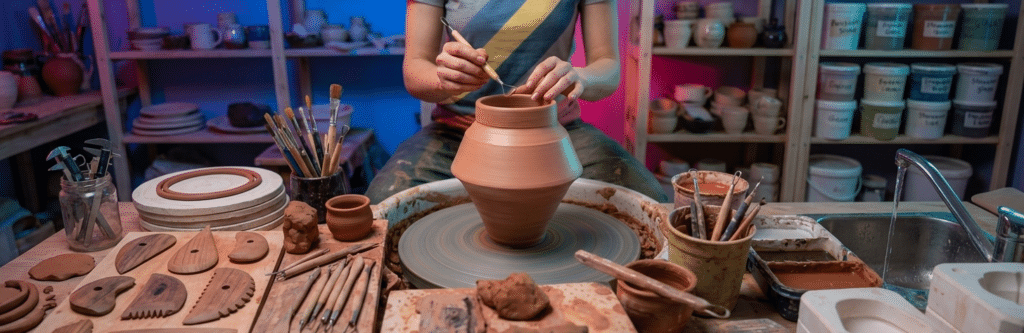
ThrowForm starts where pottery starts, at the wheel. The tool draws from the ceramicist’s process: shaping a profile, smoothing walls with a rib, making decisions by feel. I wanted to take that workflow and make it parametric without losing the hands-on quality.
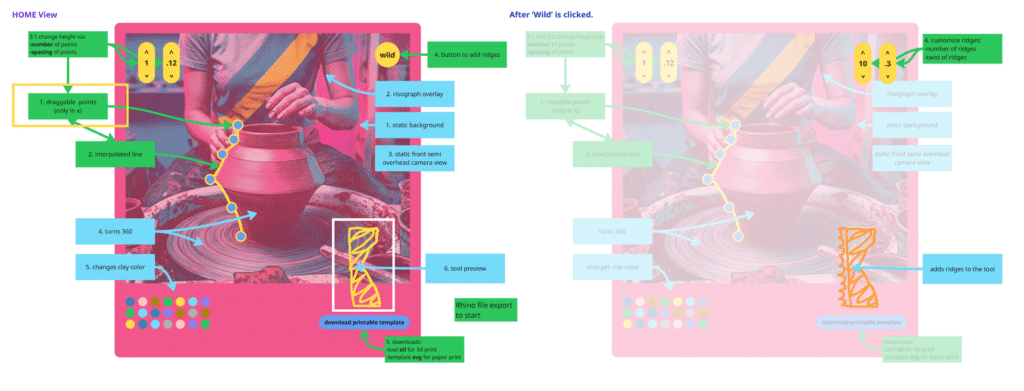
INITIAL SKETCHES
Before writing any code, I sketched the interface to map each step of the potter’s process to a panel in the app. The layout ended up being completely different!
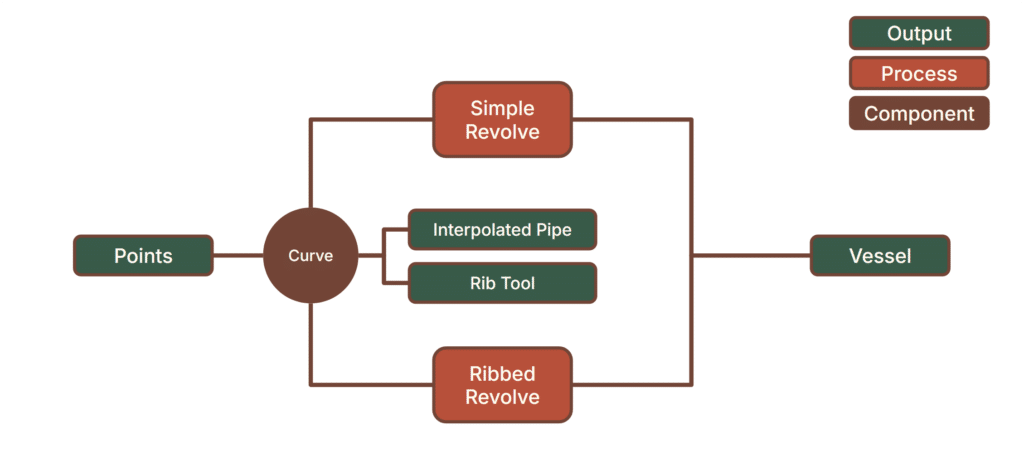
GRASSHOPPER PSEUDOCODE
The parametric logic lives in a Grasshopper definition running on a remote Rhino Compute server. The pseudocode simply maps the outputs, the processes, and components.
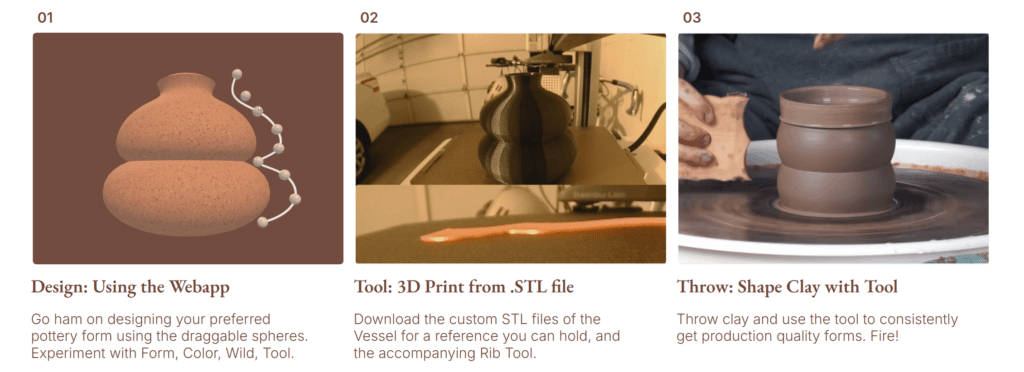
USER WORKFLOW
The workflow is simple. You land on the app and see your vessel in a 3D viewport. Drag the control point spheres directly on the model to sculpt the profile. Adjust sliders for height and thickness. Download and 3D Print the Tool. Then use the tool to slowly shape clay on the clay wheel for easy repetition and production quality results.
Step 1: Form the Vessel
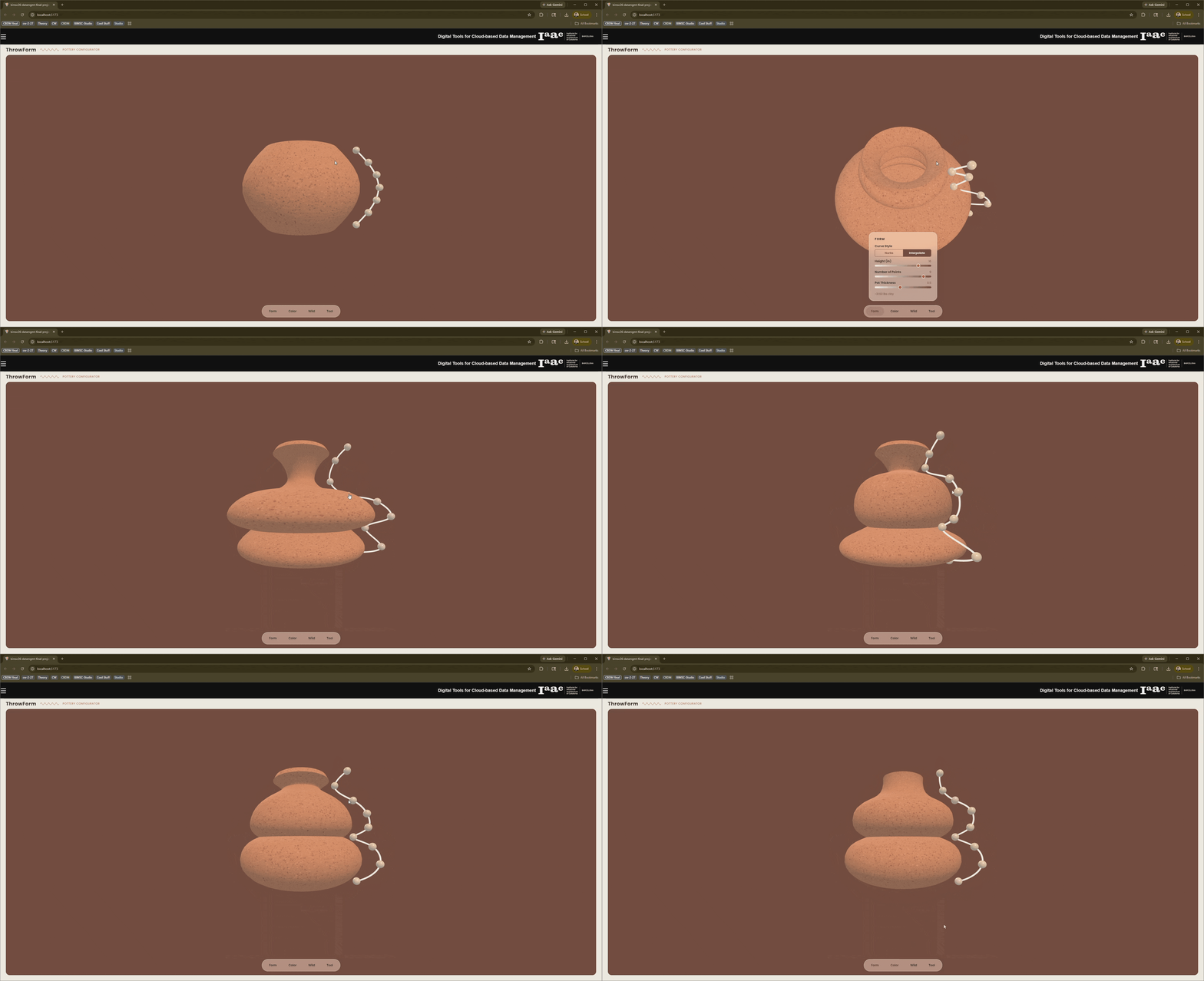
In the Form panel, you define the vessel’s silhouette. Choose between Nurbs or Interpolate curve styles, set the height, the number of control points, and the wall thickness. Then drag the interactive spheres in the 3D view to shape the profile. The geometry recomputes after each adjustment, and the estimated clay weight updates alongside it.
Step 2: Color it up
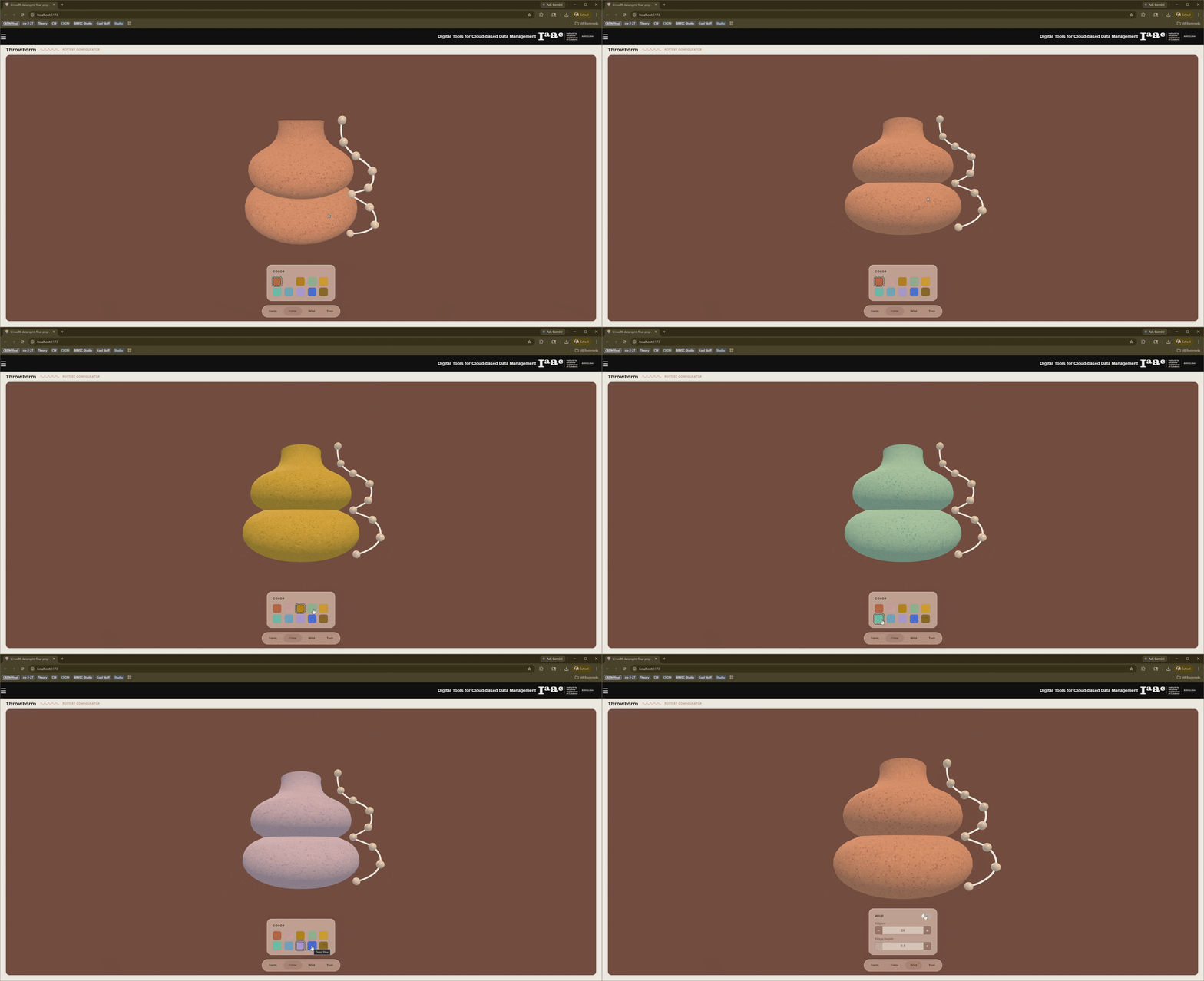
The Color panel offers ten ceramic-inspired presets: Terracotta, Rose, Ochre, Sage, Sunflower, Mint, Sky, Lavender, Deep Blue, and Bronze. Selecting a swatch instantly applies a speckle texture to the vessel, generating subtle darker and lighter variations from the base hue to mimic the natural variation in real glazes.
Step 3: Make Wild!
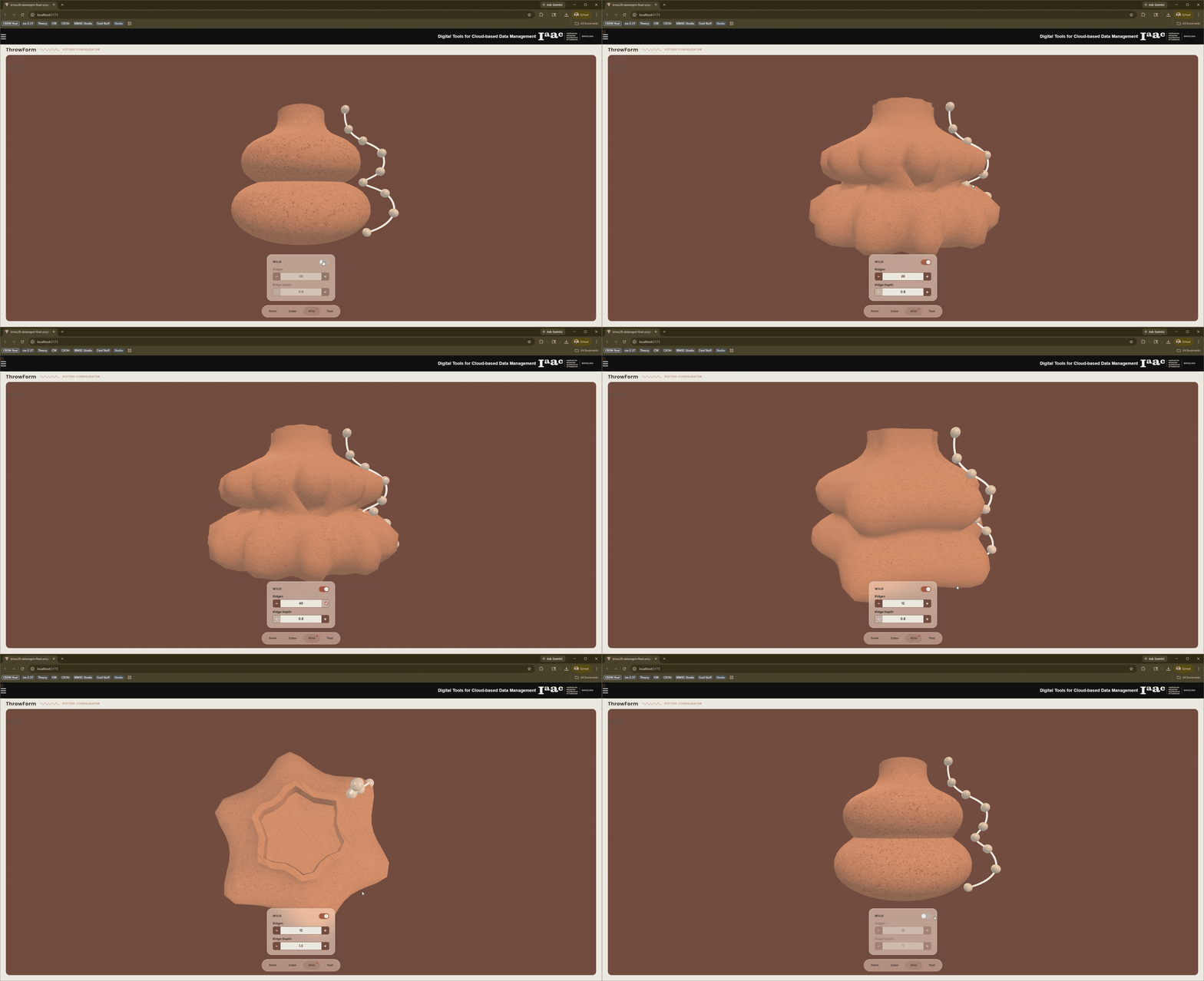
Toggle Wild mode on and the vessel transforms. Ridges multiply to 28 and deepen to 0.8, giving the surface an aggressive, textured quality, like a pot shaped with heavy rib strokes. You can fine-tune the ridge count and depth manually with the numeric steppers.
Step 4: Tool Export
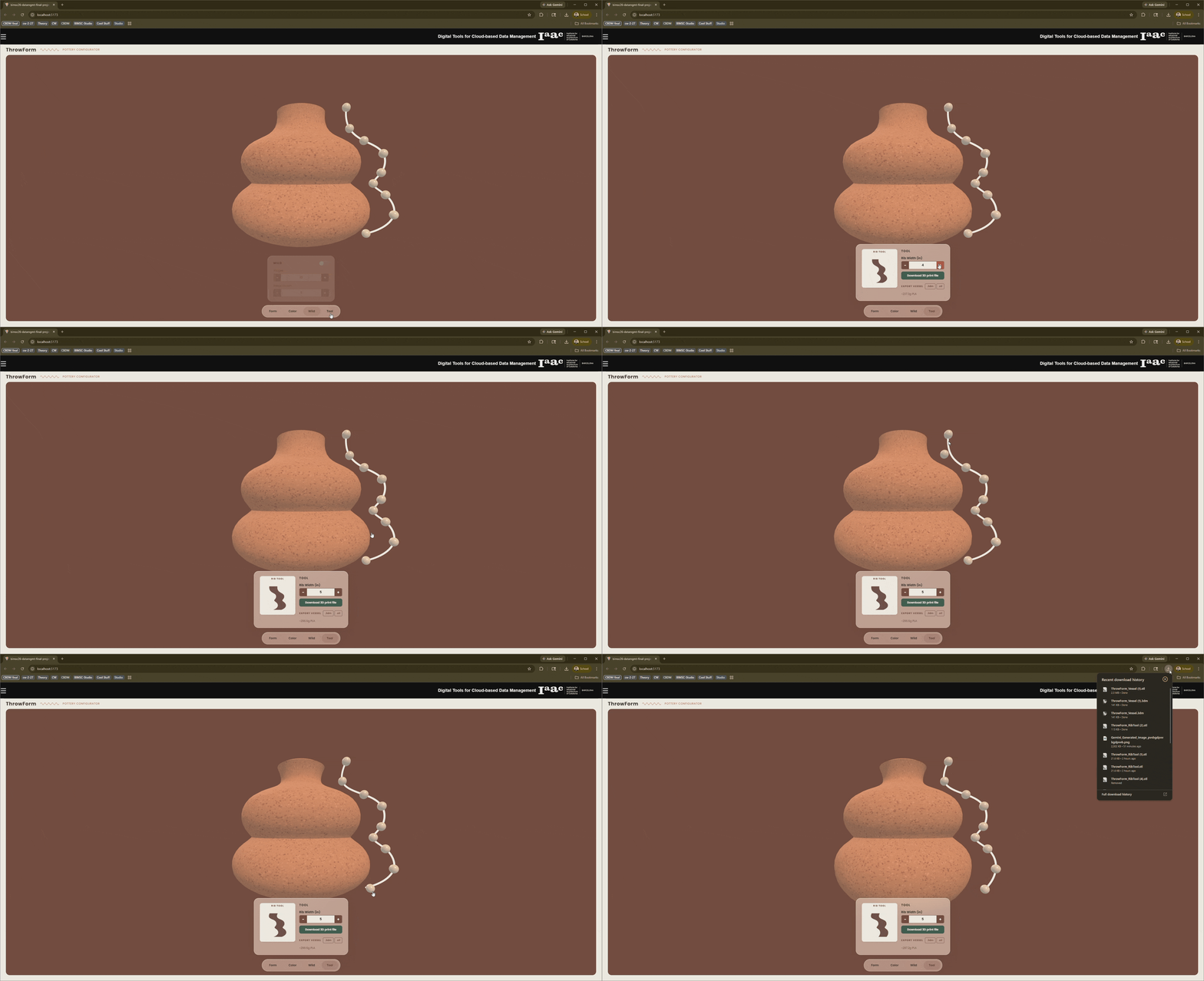
The Tool panel generates a custom rib tool matched to your vessel’s profile. You see it in a top-down orthographic preview and can adjust its width for easier handling. The panel shows the estimated PLA weight for 3D printing. Download the rib tool as a .3dm file, or export the vessel itself as .3dm or .stl, ready for any 3D printer or further CAD customization.
RESULTS
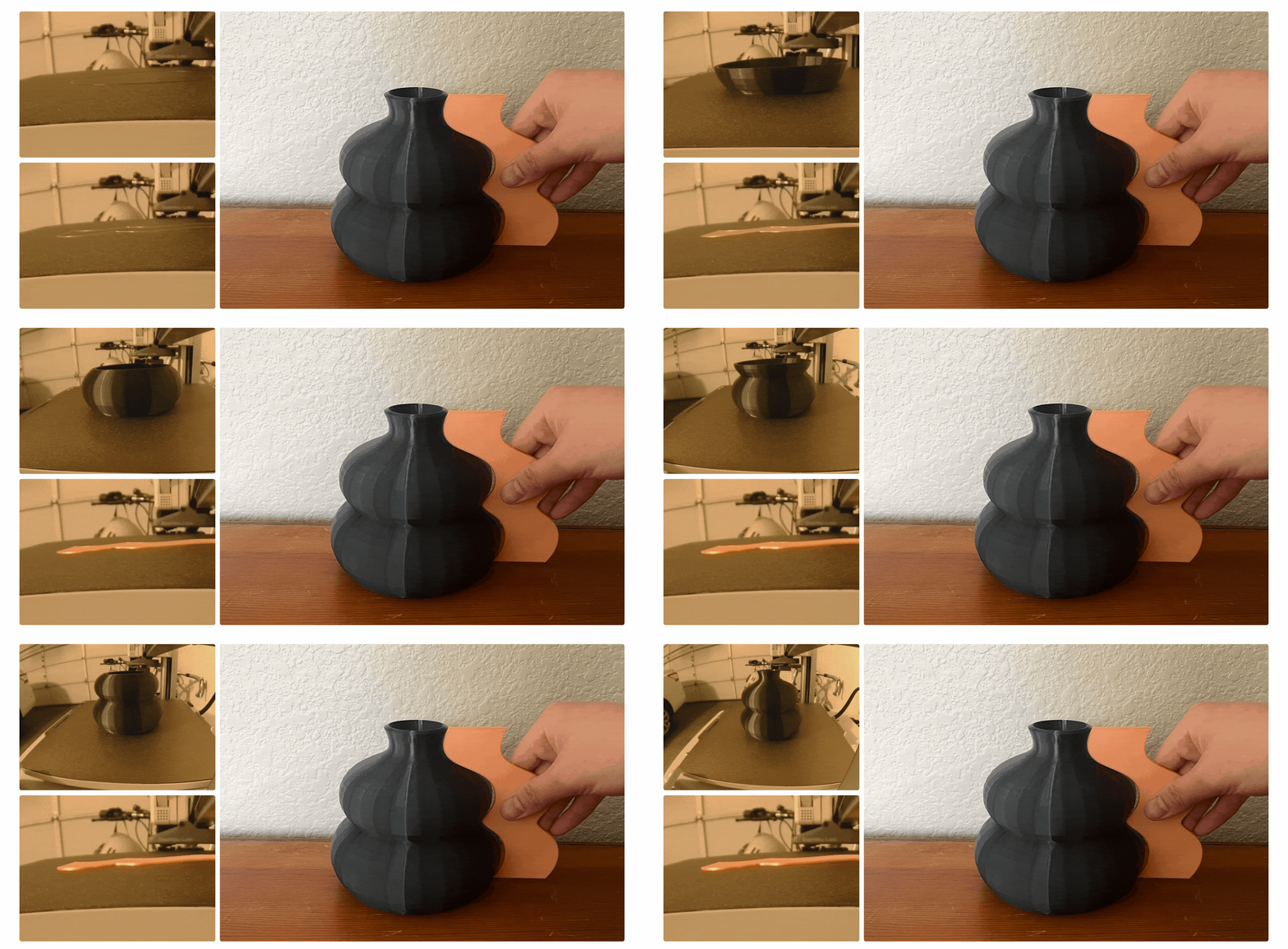
These are the actual 3D prints produced from ThrowForm’s exports, both vessels and rib tools, printed in PLA. Along with the rib tool that fits in the hand, the vessel print serves as a scale model to reference. What started as dragged points on a screen became objects you can hold and throw clay with.
CONCLUSION
ThrowForm keeps the interface close to the ceramicist’s natural workflow: shape, color, texture, tool. The geometry is sculpted in a browser, computed in the cloud, and printed on a build plate. The real test was whether the prints would hold up, and they did.
