Designing dynamic, adaptive skyscrapers is no longer just a conceptual exercise; it is a computational reality. The true challenge lies not just in creating fluid, parametric geometries, but in translating those complex forms into rigorous, actionable building information models.
Developed during the Master in Advanced Computation for Architecture & Design (MaCAD) Integrative Modeling Seminar at IAAC, this project tackles that exact challenge. It demonstrates a robust framework for managing a highly modular, kinetically driven high-rise complex using advanced interoperability between Rhino, Revit, and Autodesk Construction Cloud (ACC).
Here is a deep dive into the project’s objectives, computational logic, and the real-time documentation workflow that made it possible.
Project Objectives: Parametric Logic and Programmatic Adaptation
The primary challenge of this project was to establish a conceptual framework capable of modifying key architectural parameters, such as radius, volume, dimensions, and element density, across a building’s exterior. These adjustments are entirely driven by the architectural program.
At the heart of this system are Programmatic Capsules. These modules integrate both static and kinetic systems designed to evolve over time. By adapting the program as needed, these capsules dynamically resize and shift based on their specific function. Though they vary in size, modules share functional qualities based on their specific dimensions and spatial positioning.
The 5-Step Interoperability Workflow
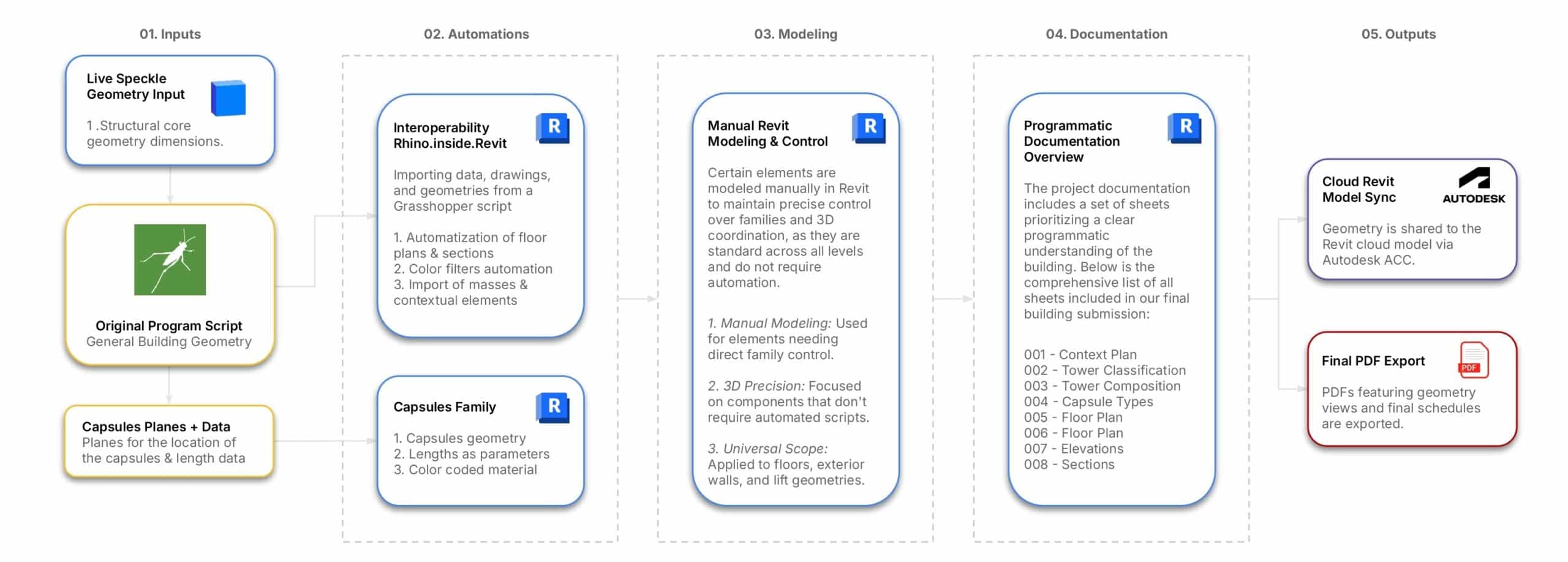
To handle the complexity of dynamic capsules, the team implemented a five-step workflow that automates the transition from conceptual studio geometry to a fully documented Revit model. This pipeline relies heavily on Rhino.Inside.Revit and cloud collaboration.
- 1. Inputs: The process begins with live structural core and geometry inputs streamed via Speckle.
- 2. Automations: Grasshopper acts as the interoperability engine, importing data, drawings, and geometries. It automates the creation of floor plans, sections, filter applications, and the initial massing of the capsule families, while embedding critical parameters like length and color-coded materials.
- 3. Modeling: Native Revit modeling takes over for manual, rigorous control. Elements like curtain walls over complex facades and 3D categorizations are managed natively to maintain precision and standardized annotation across all levels.
- 4. Documentation: The project relies on programmatic documentation. A strict hierarchy dictates view creation, ensuring elements like specific floor plans, schedules, and elevations are automatically prioritized and formatted for final submission.
- 5. Outputs: The synchronized Cloud Revit Model is shared with the team via Autodesk Construction Cloud (ACC), culminating in automated PDF exports of sheets containing geometry views and final schedules.
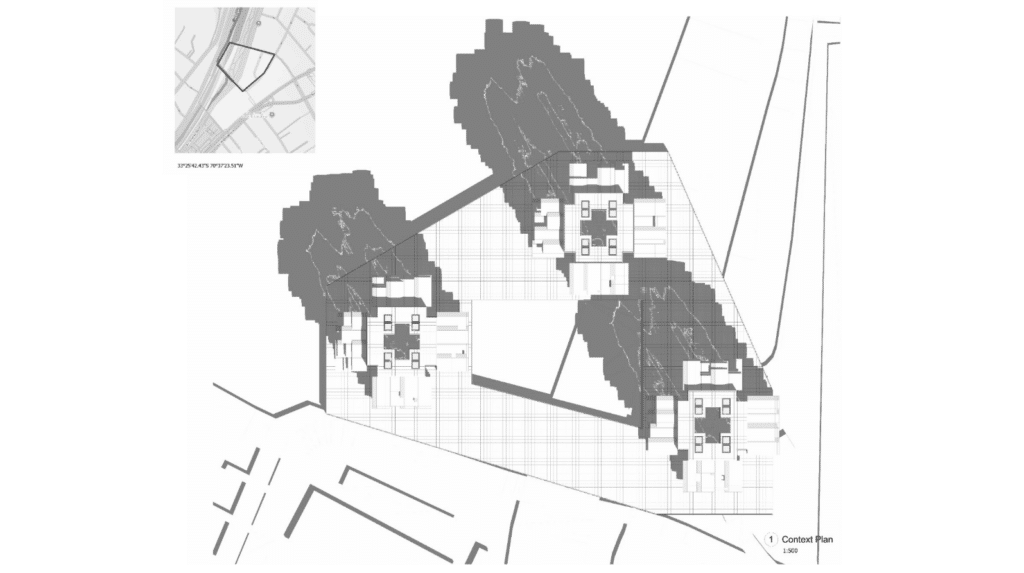
Triple Tower Morphologies and Modular Distribution
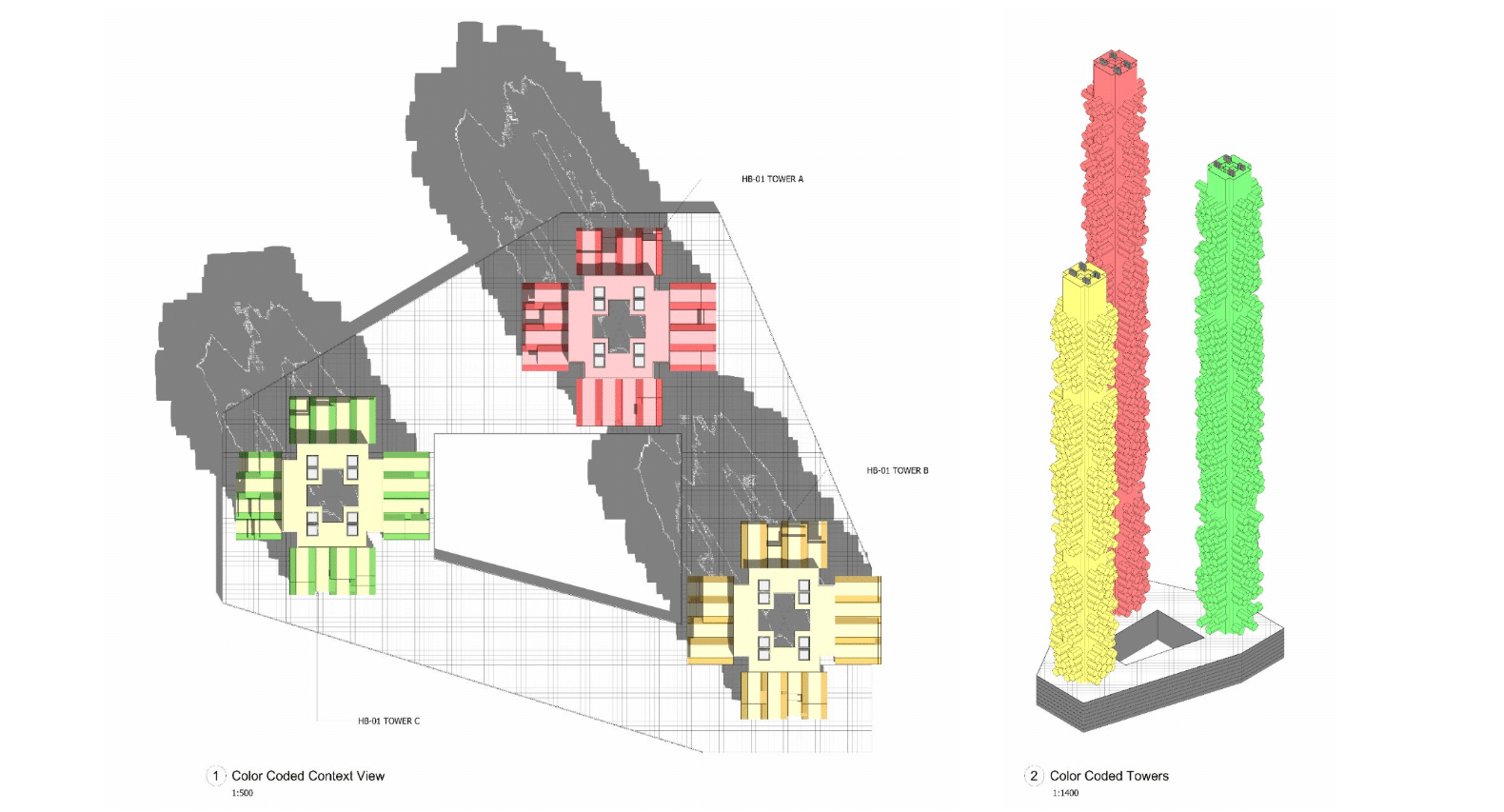
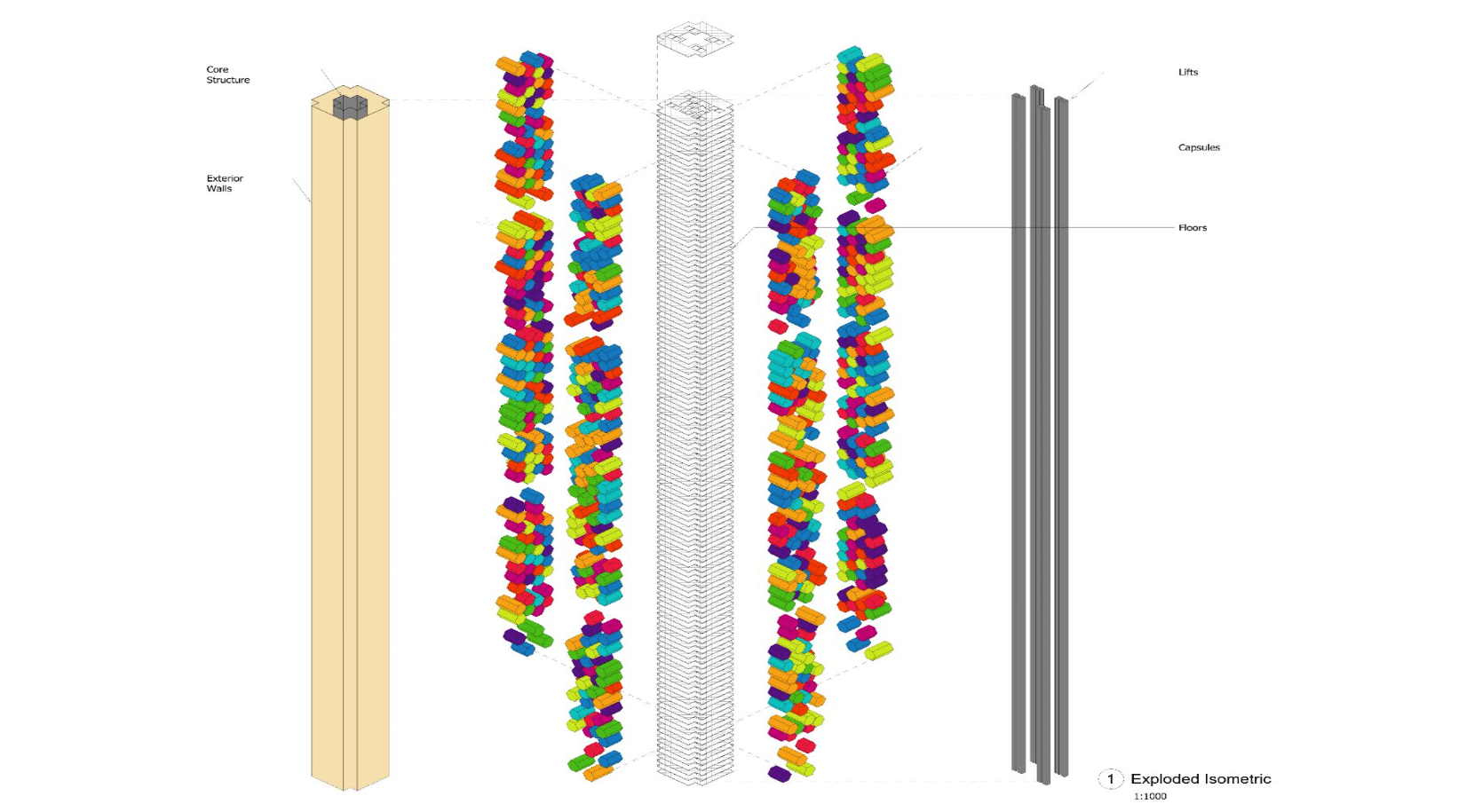
The complex is composed of three primary towers (Tower A, Tower B, and Tower C). While each tower follows a specific functional logic, they all share a unified architectural language built upon five hierarchical layers:
- Primary Core: The internal structural skeleton.
- Peripheral Plates: Radiating floor planes.
- Vertical Infrastructure: Integrated circulation and transit hubs.
- External Envelope: A protective outer skin and silhouette.
- Adaptive Pods: Color-coded modular capsules for programmatic evolution.
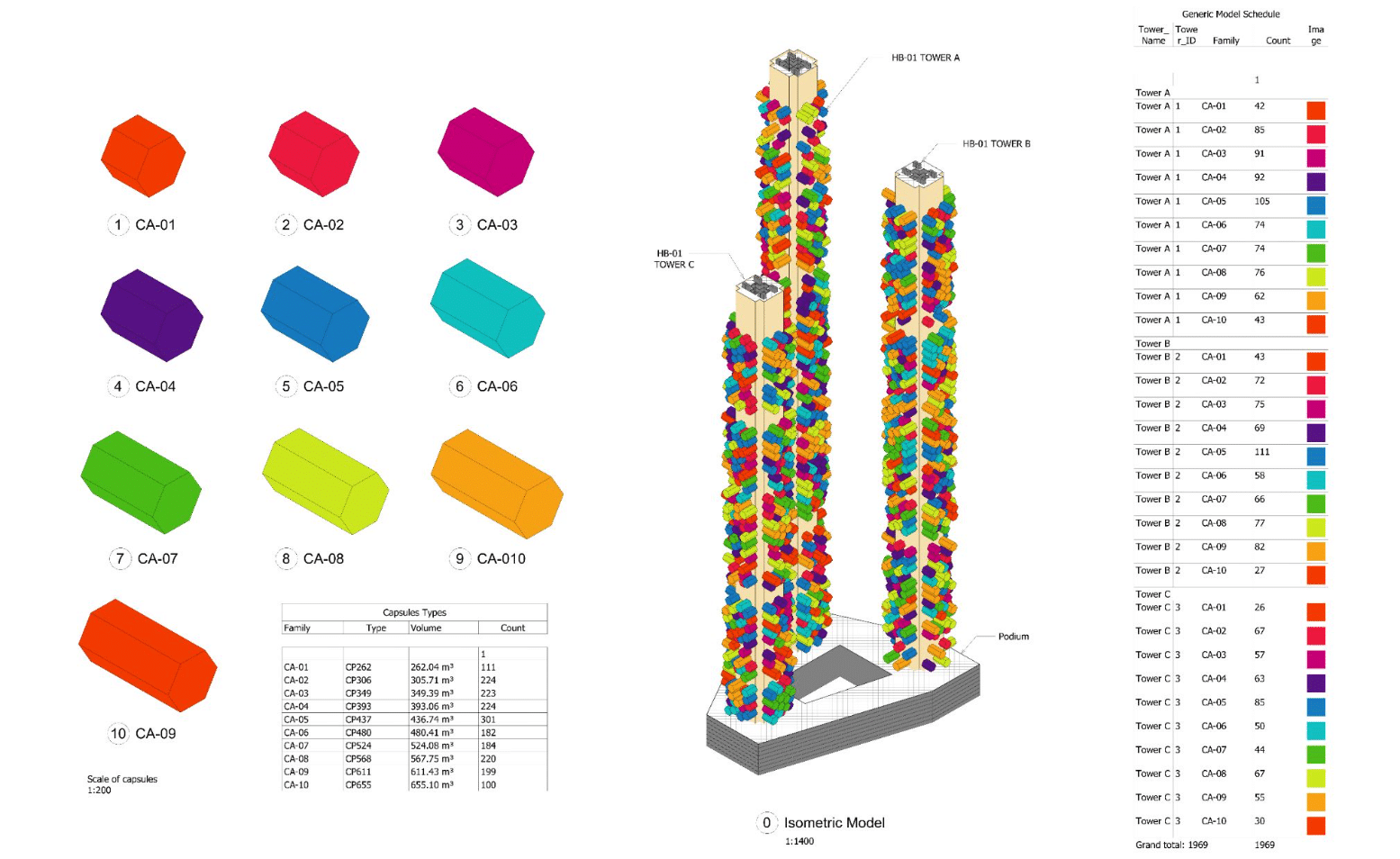
The capsules themselves are divided into ten distinct types and distributed across the three buildings. What makes this system truly dynamic is the kinetic program: capsule positions and distributions vary across the building’s elevation. Their lengths and geometries are not fixed; they are driven by parametric data responding to environmental conditions and specific site requirements.
Data Logic and Vertical Spatial Variation
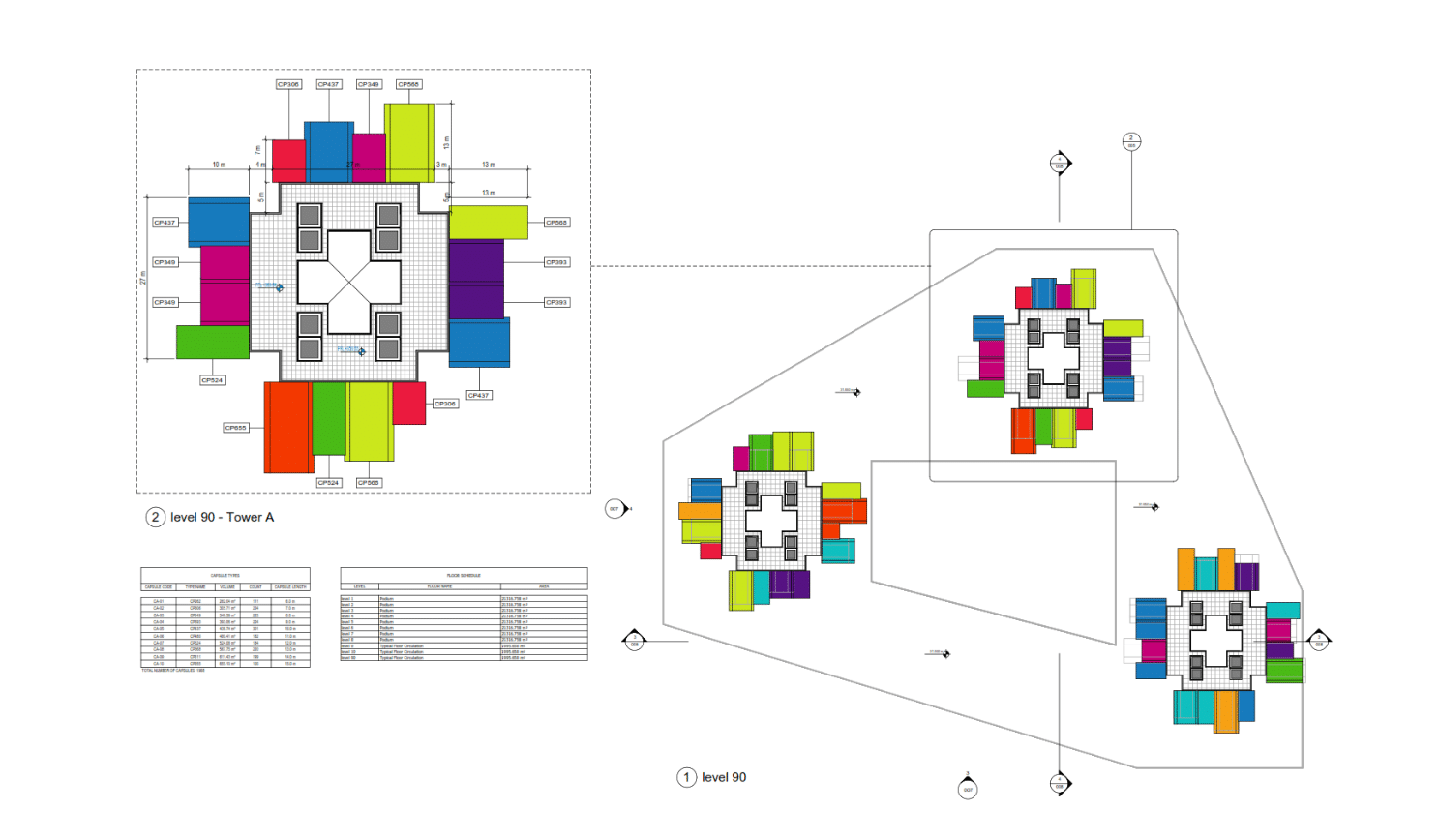
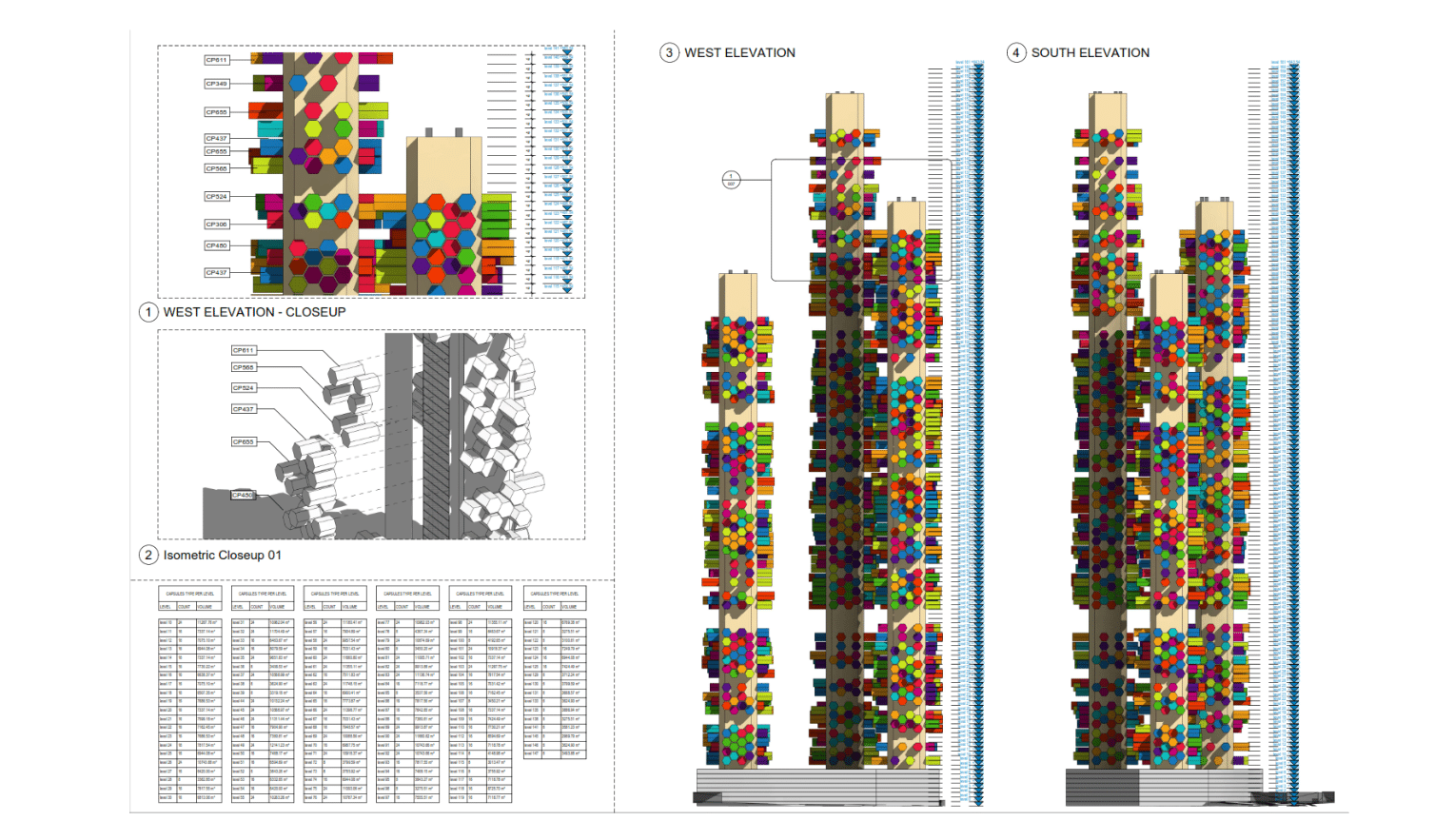
To read the building as a cohesive modular system assembled at a high-rise scale, every capsule type is categorized by a specific color. This visual data logic translates directly into the Revit documentation.
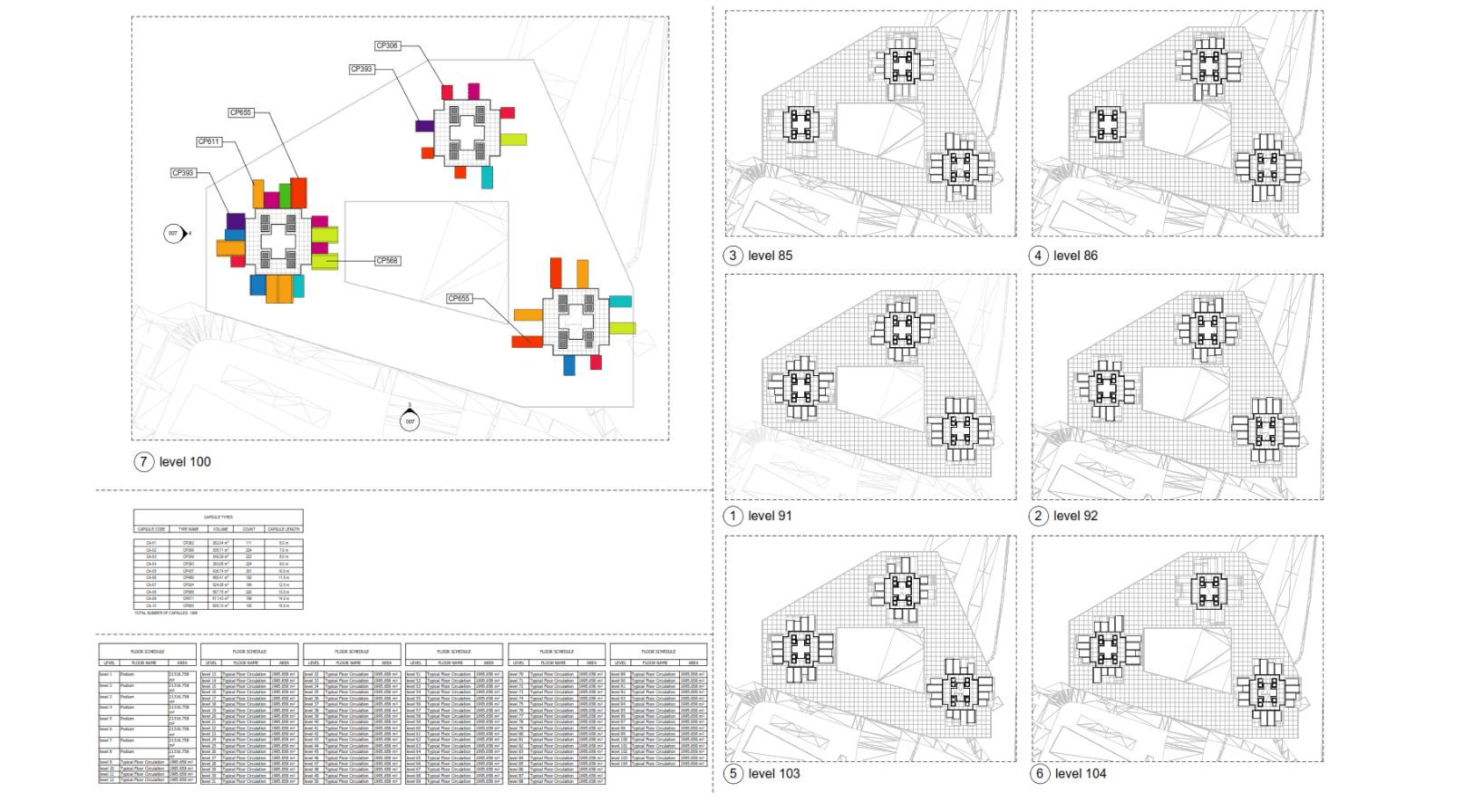
- Floor Plans: Moving up the towers (e.g., Levels 85 to 104), the floor plans illustrate how the capsules dynamically shift and rotate as they rise. This creates spatial variation while maintaining functional efficiency.
- Schedules: Accompanied by meticulous Revit schedules, the color-coding ties directly into precise BIM data. The schedules validate the model’s complexity by tracking exact module counts, areas, and volumes per level.
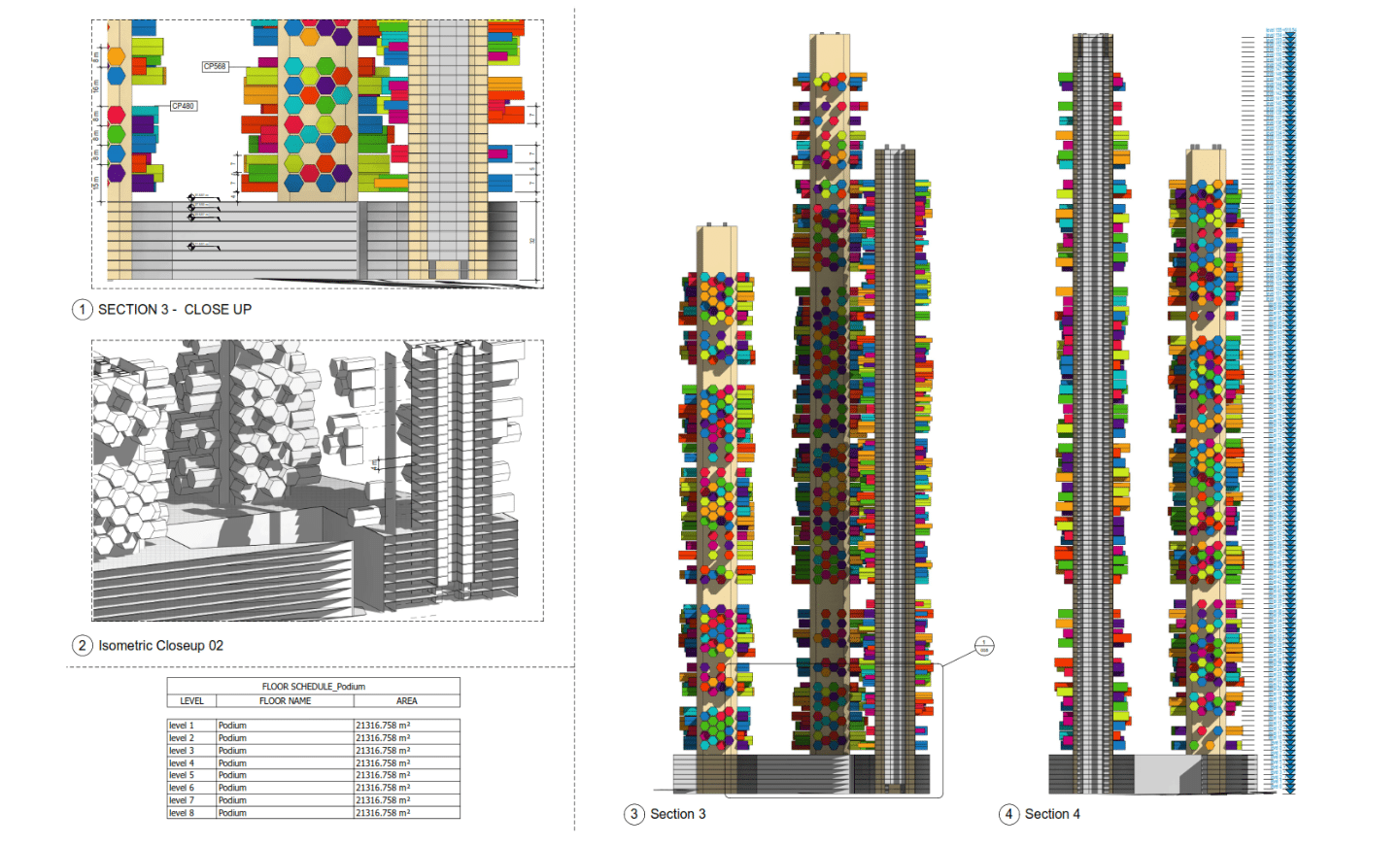
- Elevations and Sections: Full-height elevations display the dynamic distribution of the color-coded organs across the towers, making the variation legible across the entire structure. Detailed sections and isometric cutaways reveal the internal core and the specific plug-in mechanism that anchors each modular capsule to the main structure.
By bridging complex parametric geometry with actionable, cloud-synchronized BIM data, this workflow ensures total control over a highly adaptable architectural organism.