
Introduction
Life Cycle Assessment is increasingly required in the building industry, yet it remains difficult to integrate into the actual design workflow. The challenge is that LCA operates across multiple scales, from macro-level building decisions to micro-level material choices, which makes the process both complex and time-consuming.
This is especially relevant for designers, since they have to engage with these questions from the conceptual phase through to execution. In other words, carbon assessment is not only an evaluation step at the end, but something that should inform decision-making throughout the project.
However, what is currently missing is a design-integrated tool. In most cases, designers still depend on external tools and disconnected workflows to perform these calculations. This creates friction, slows down iteration, and makes it harder to use carbon feedback as an active design parameter.
So, the gap we identify here is the lack of seamless integration between embodied carbon calculation and the design process
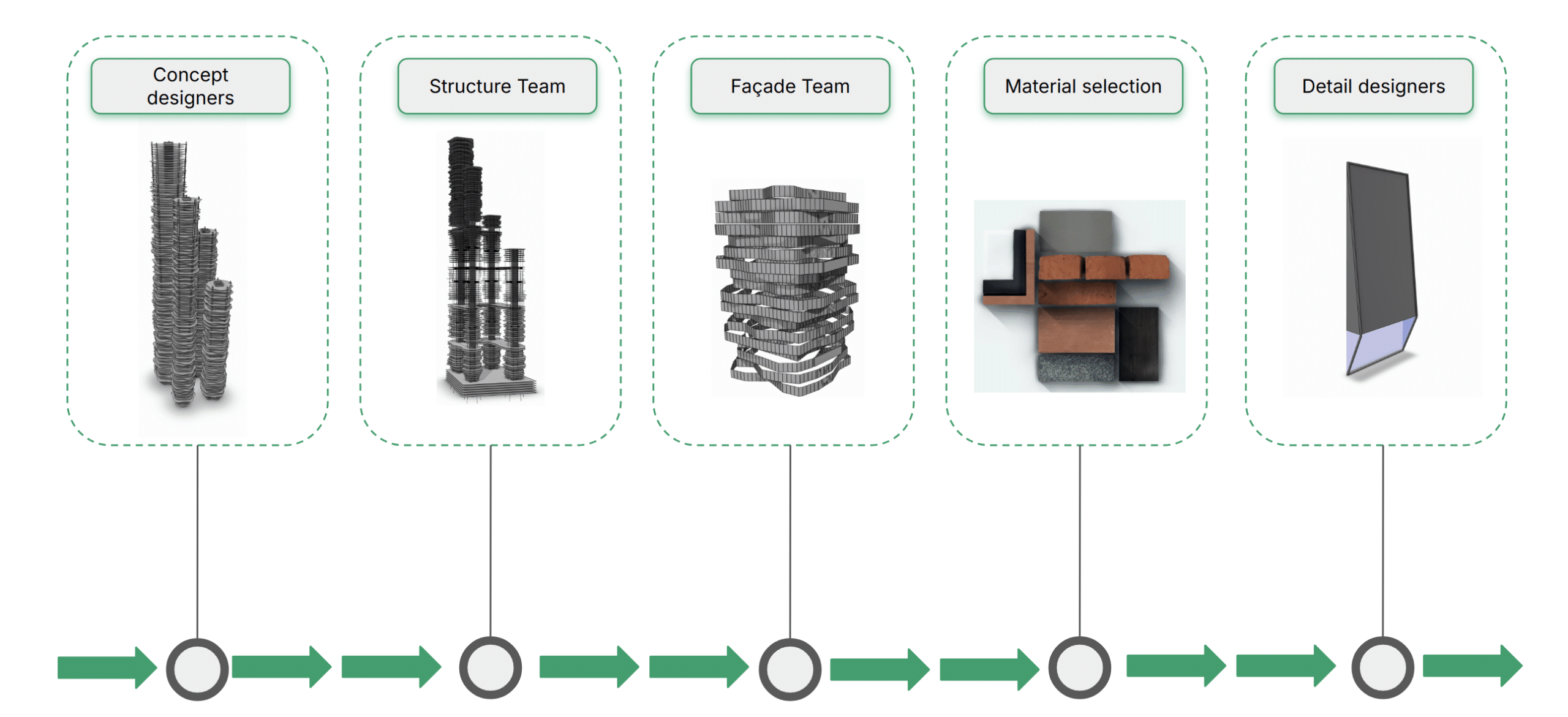
Our Speckle Automate function solves this by delivering LCA results fast, putting data exactly where it needs to be. This empowers everyone from concept and structural teams evaluating massing, to façade and material specialists comparing intensities, and finally to detail designers refining components.
Proposed Solution
The proposed solution features a speckle function that works as an embodied carbon calculator. The tool calculates, for each selected layer, the element quantities, area, volume, mass, and carbon emissions. and automatically generate the documentation The goal is to make embodied carbon assessment faster and more directly connected to the design workflow.
The embodied carbon calculator we developed. It is an automated tool that evaluates each selected layer and generates the key quantities needed for carbon assessment. For each layer, it calculates the element quantities, area, volume, mass, and the related carbon emissions.
The goal is to simplify the workflow by connecting geometric information with carbon calculations in a more direct and automated way. Instead of extracting this data manually, the tool helps generate the main values needed for embodied carbon assessment and supports a more efficient design process
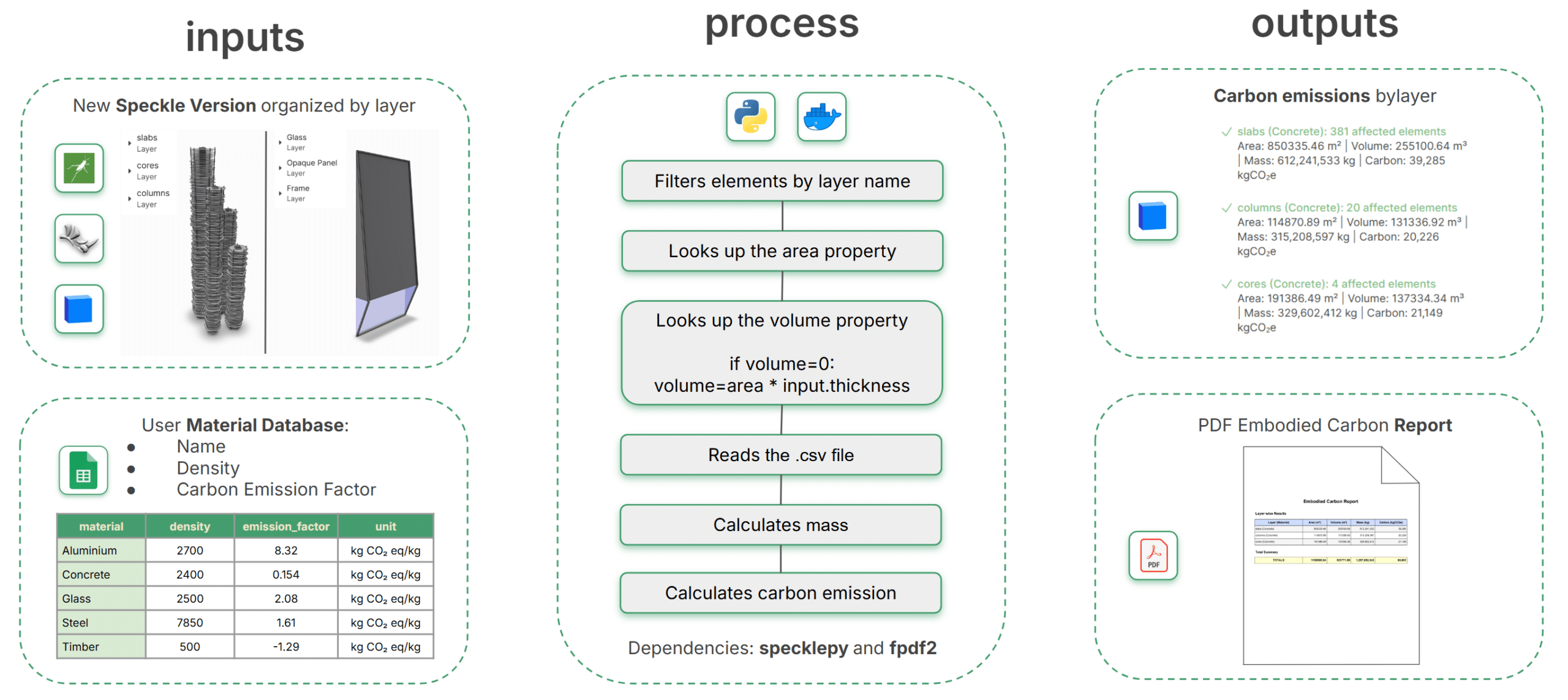
On the input side, the tool uses a Speckle model organized by layers, together with a user-defined material database on Google Sheet that includes material name, density, and carbon emission factors.
In the process phase, the python script filters the elements by layer name, reads their area and volume properties, and when volume data is equal to 0, for example for surfaces or open meshes, it calculates it by multiplying area by thickness inputted by the user. It then reads the material data from the CSV file, calculates the mass of each element, and finally computes the embodied carbon emissions.
On the output side, the tool generates carbon emission values for each layer and compiles the results into a PDF embodied carbon report.
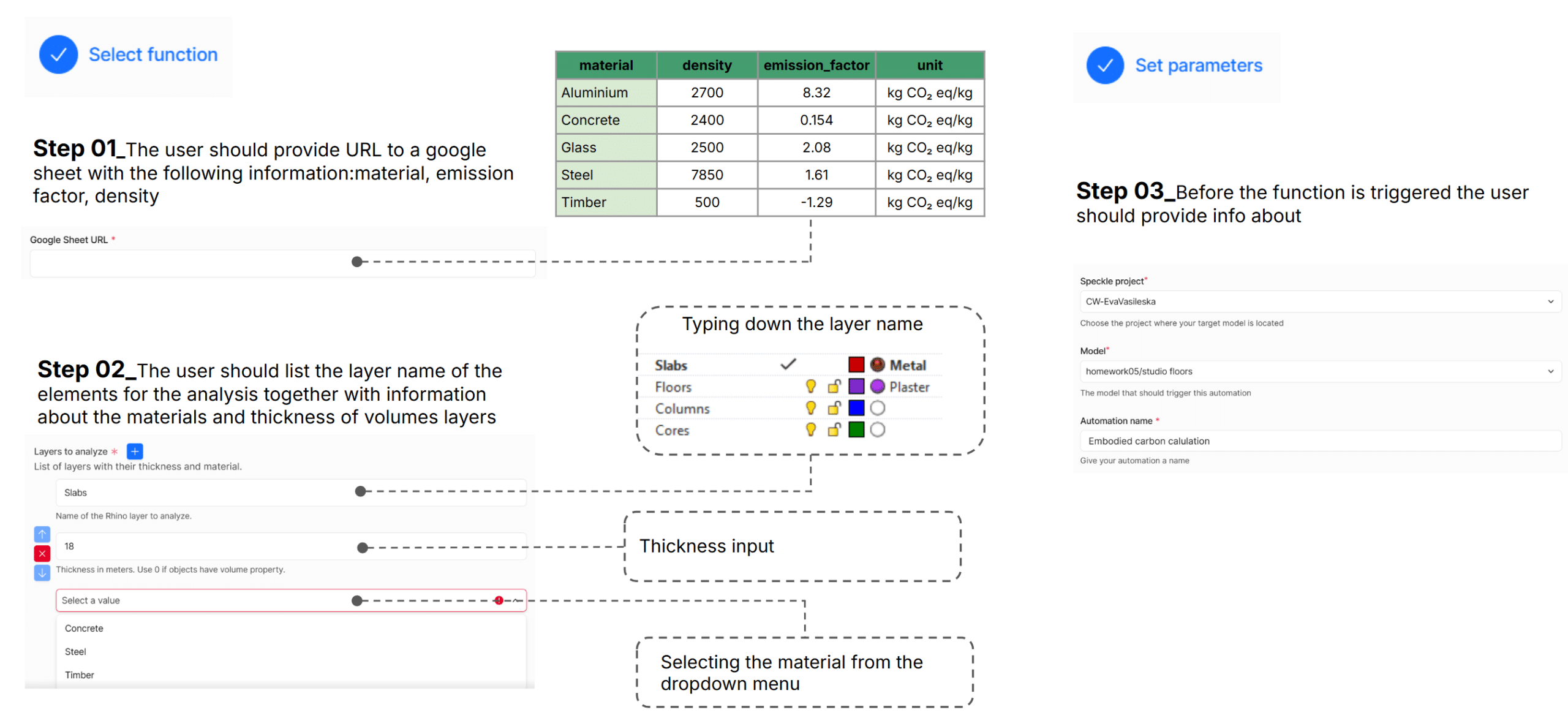
The users first add the URL of the Google Sheet with the material database containing the key properties for each material. Then, they can define the layer names they want to analyze, select the material from the dropdown menu, and specify thickness information where needed Finally, they set the project parameters in Speckle and trigger the function.
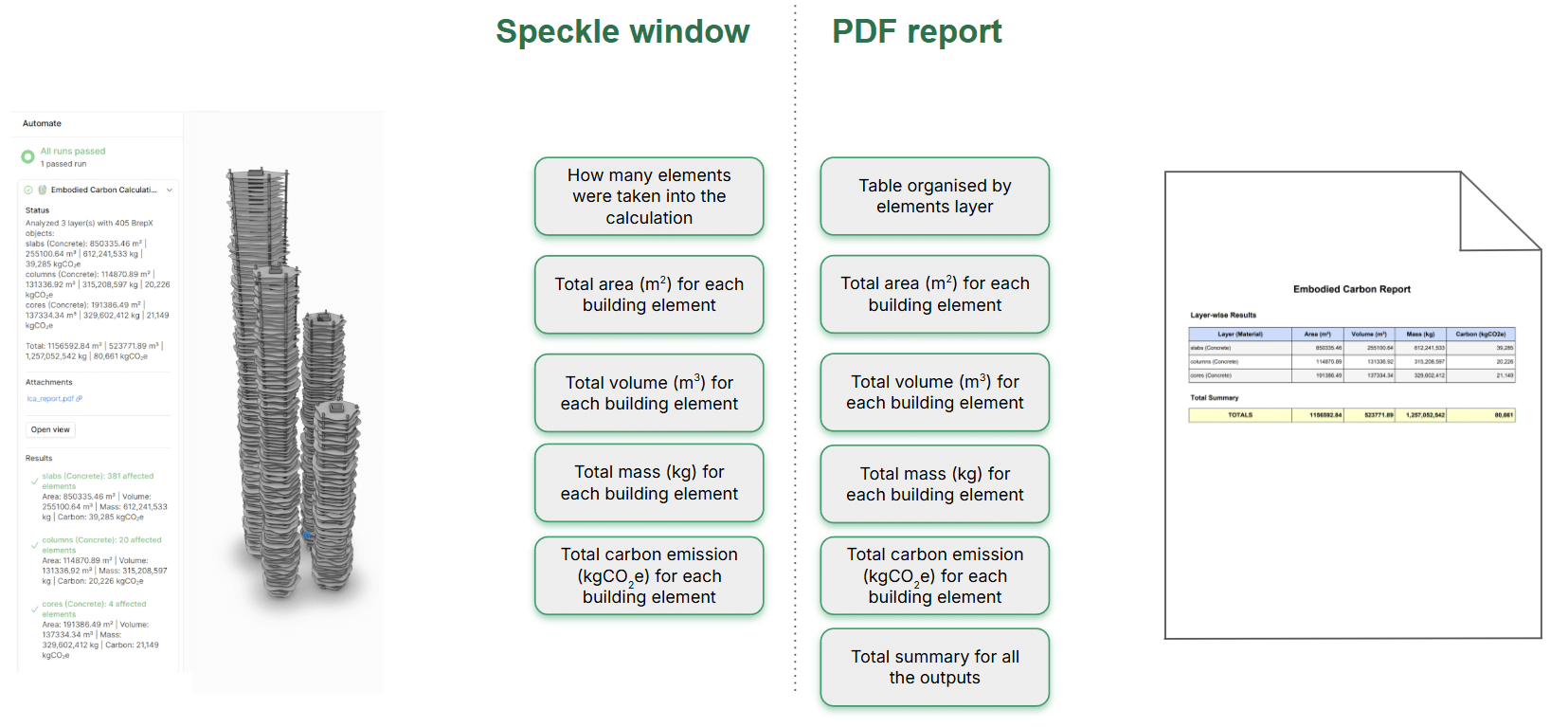
The tool provides direct feedback in the Speckle window, including the number of analyzed elements and their calculated area, volume, mass, and carbon emissions. At the same time, it generates a PDF report that organizes the results in a more readable table format and includes an overall summary.
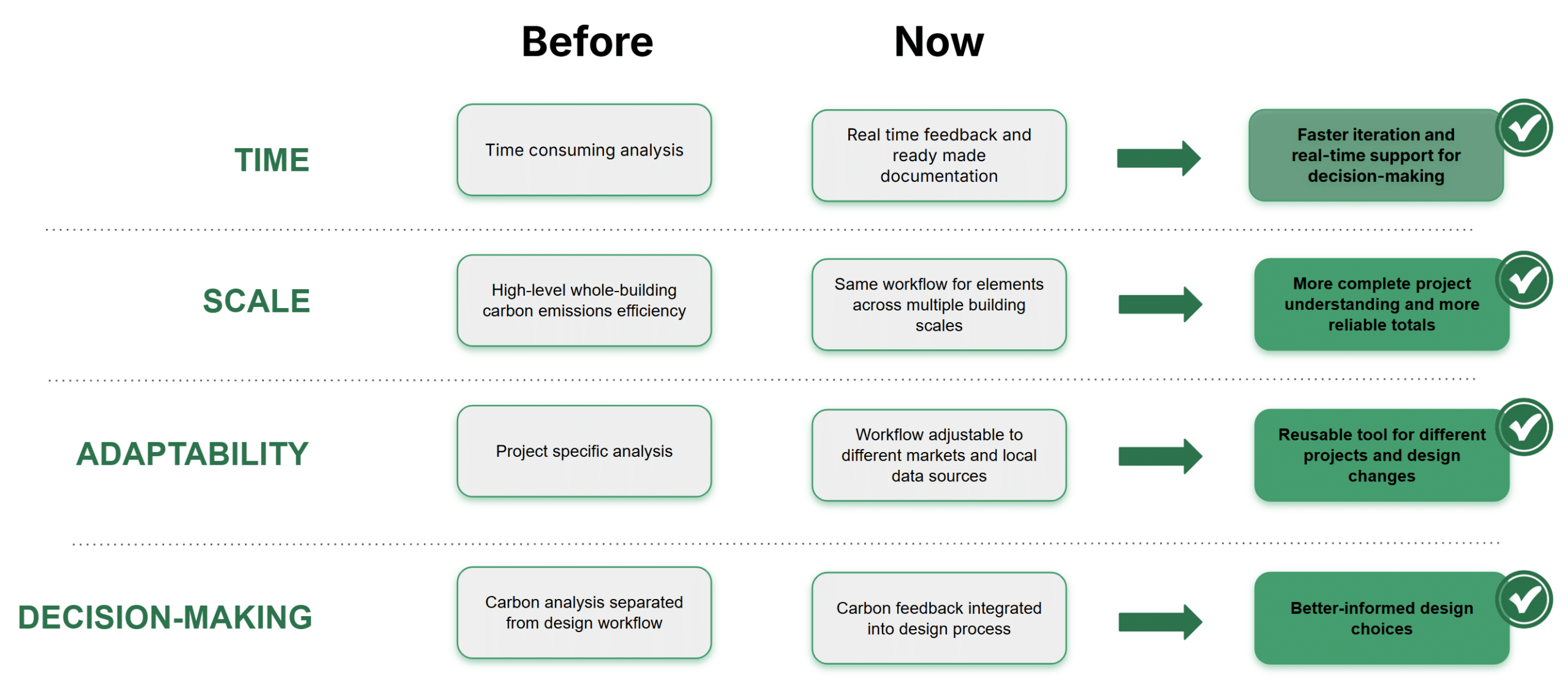
In terms of time, carbon analysis was previously a slow and time-consuming task, while now the workflow provides real-time feedback and ready-made documentation. This allows faster iteration and supports real-time decision-making.
In terms of scale, analysis was often limited to high-level whole-building estimations. Now, the same workflow can be applied to elements across multiple building scales, which leads to a more complete project understanding and more reliable totals.
In terms of adaptability, analysis used to be project-specific, while the current workflow can be adjusted to different markets and local data sources. This makes the tool reusable for different projects and design changes.
Finally, in terms of decision-making, carbon analysis was previously separated from the design workflow. Now, carbon feedback is integrated directly into the design process, which supports better-informed design choices.
What’s next?
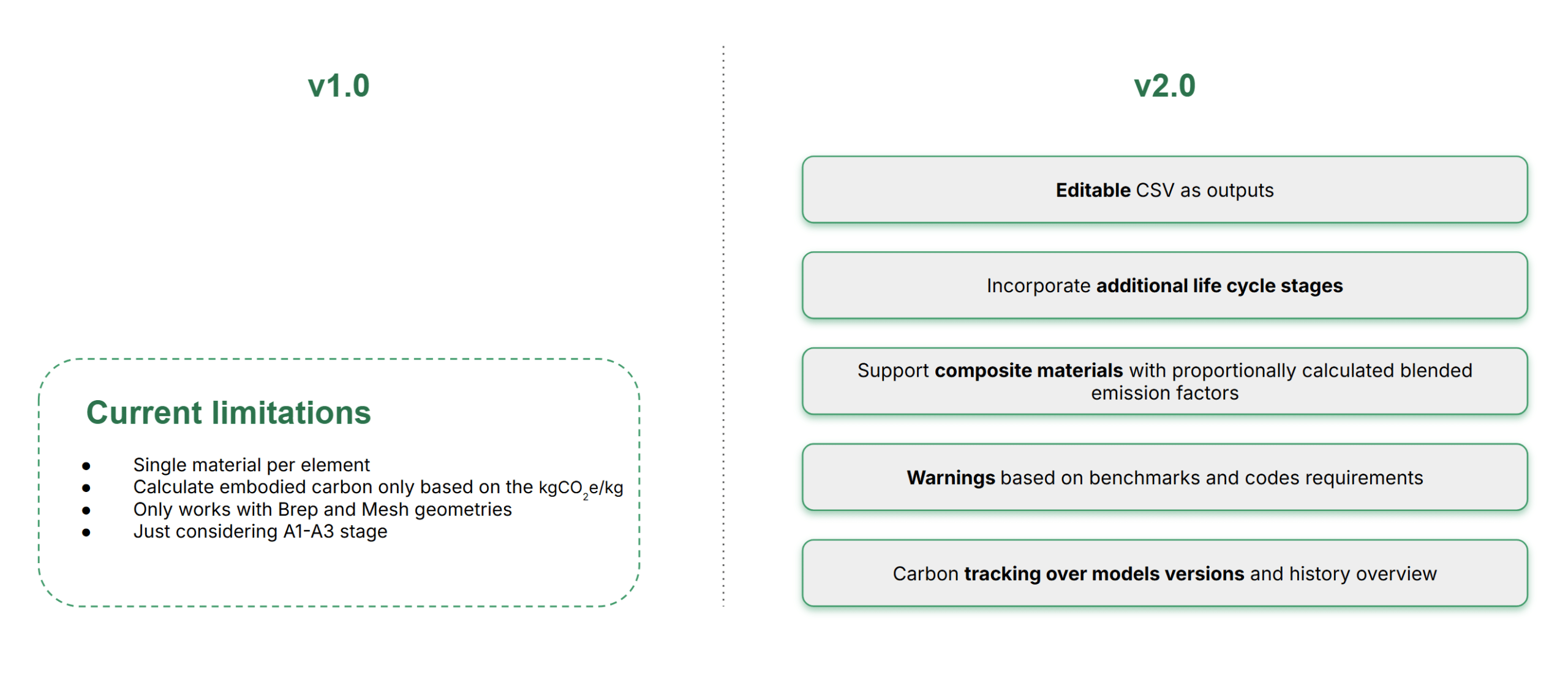
At the moment, the workflow still has several limitations. Each element can only be assigned a single material, the embodied carbon calculation is based only on the emission factor in kilograms of CO₂ equivalent per kilogram, it currently works only with Brep and Mesh geometries, and it only considers the A1 to A3 life cycle stages.
These limitations also define the direction for version 2.0. The next step would be to make the outputs editable as CSV files, incorporate additional life cycle stages, and support composite materials by calculating blended emission factors proportionally. We also see potential for adding warnings based on benchmarks or code requirements, as well as tracking carbon values across model versions over time.
