
Built on Vue.js + Grasshopper + Rhino Compute
This documentation presents the design, development, and technical implementation of a browser-based G-code slicer built as part of the Digital Tools for Cloud-based Data Management course at the IAAC
Problem Statement
Commercial 3D printing slicers, such as PrusaSlicer, Bambu Studio, and Ultimaker Cura, are designed as general-purpose tools covering a broad spectrum of printing scenarios. While comprehensive, this generality introduces significant overhead: these platforms expose hundreds of parameters, many of which are irrelevant to a given project, and they do not offer the parametric flexibility needed for custom or experimental toolpath generation.
For teams working on specific fabrication projects, particularly those exploring non-standard surface geometries, wave-based toolpaths, or attractor-driven surface patterns, existing slicers provide no mechanism to integrate parametric design logic directly into the slicing process.
Furthermore, operational teams and fabrication staff who do not use Rhino or Grasshopper are excluded from any parametric toolpath workflow, requiring manual G-code editing.
The core problem: how do we give non-technical users precise, parametric control over a 3D print toolpath, directly in the browser, without requiring any desktop CAD software?
Use Case & Target User
Primary Use Case
The tool is designed for fabrication teams working on project-specific 3D printing tasks where standard slicers do not offer sufficient parametric control. The current implementation is optimised for vase-like geometries with a flat base (currently developed for a specific project) continuous single-wall prints that benefit most from wave-based surface texture and seam control.
A concrete example is a custom ceramics or polymer printing project at a fabrication studio, where the surface texture of each print is defined by an attractor-based wave pattern that needs to vary per piece, something no commercial slicer supports natively.
Target Users
- Fabrication and operational staff who do not use Rhino or Grasshopper
- Designers who need parametric control without opening desktop software
- Research teams requiring custom toolpath logic per project
- Studios running repeated print runs with project-specific parameter sets
Scalability
The application is designed to be updated per project as required. Because the Grasshopper definition drives all logic, updating the tool for a new project means updating only the GH file ,the browser interface adapts automatically. This makes it a lightweight, maintainable alternative to proprietary fabrication software.
How the Platform Works
System Architecture
The application is built on three interconnected layers:

User Interface
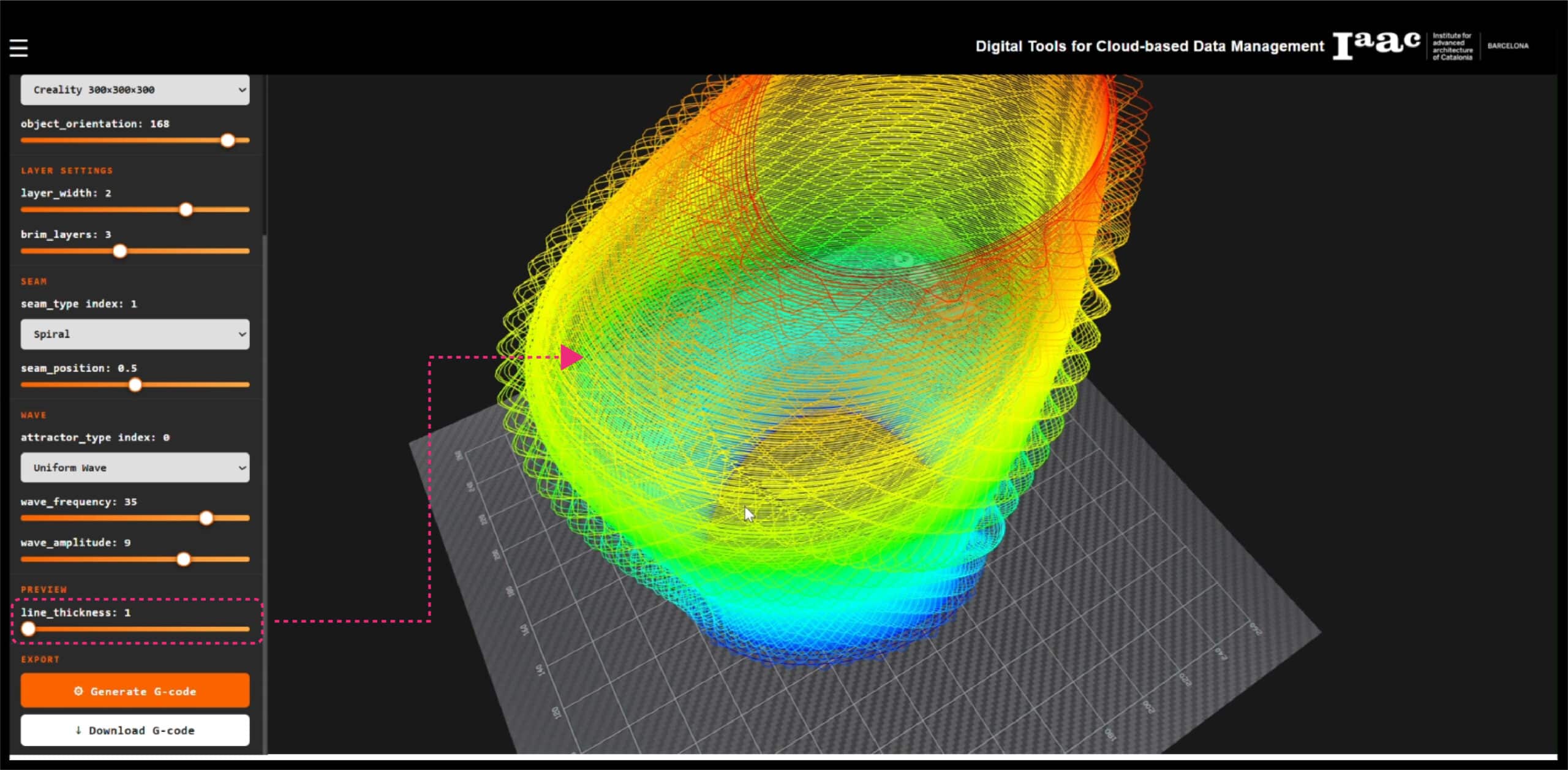
The interface is designed to resemble professional slicing software, with a dark sidebar on the left and a full-screen 3D viewer on the right. The sidebar is organised into clearly labelled sections:
- Geometry : file upload input for the 3DM model
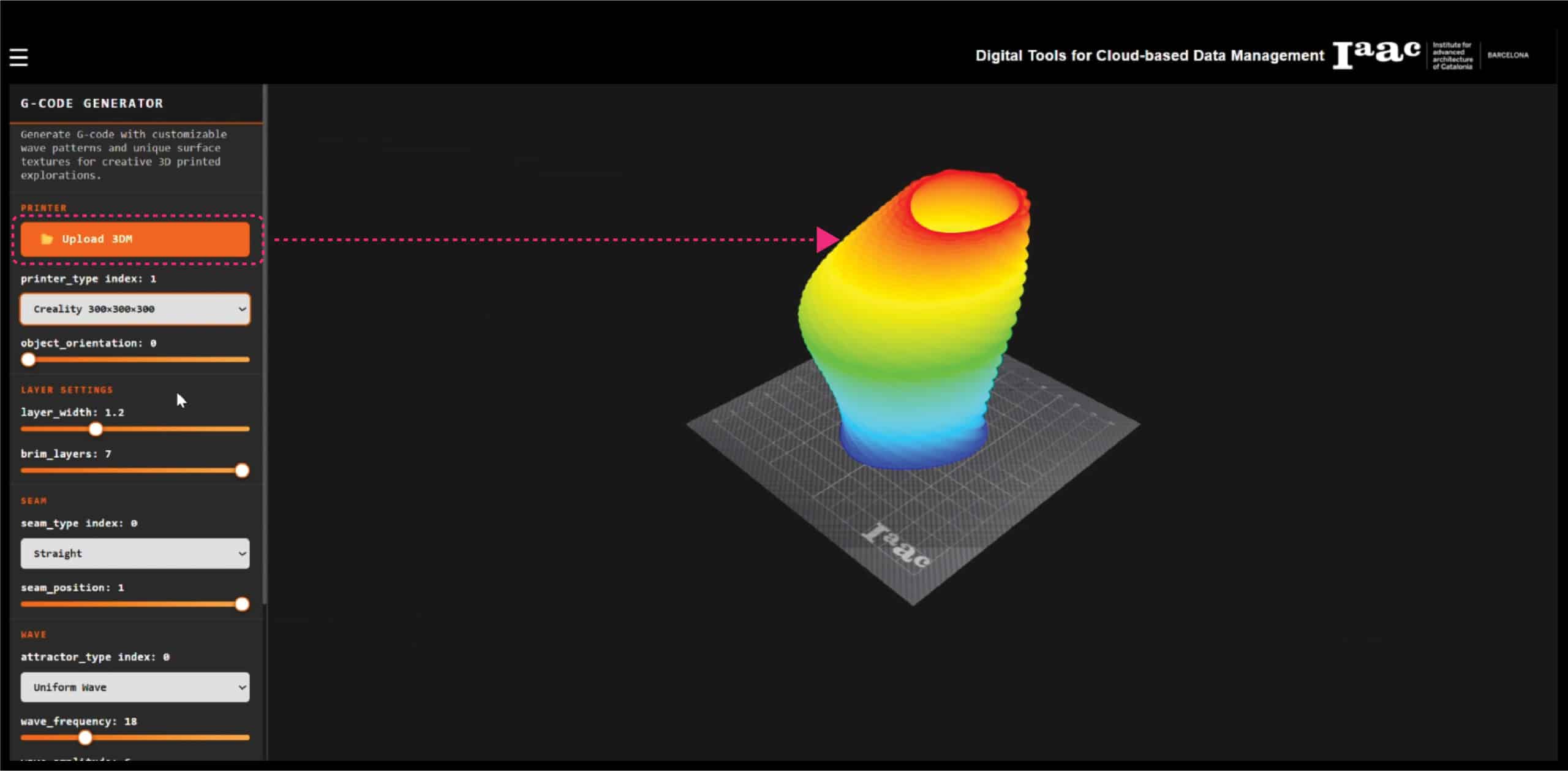
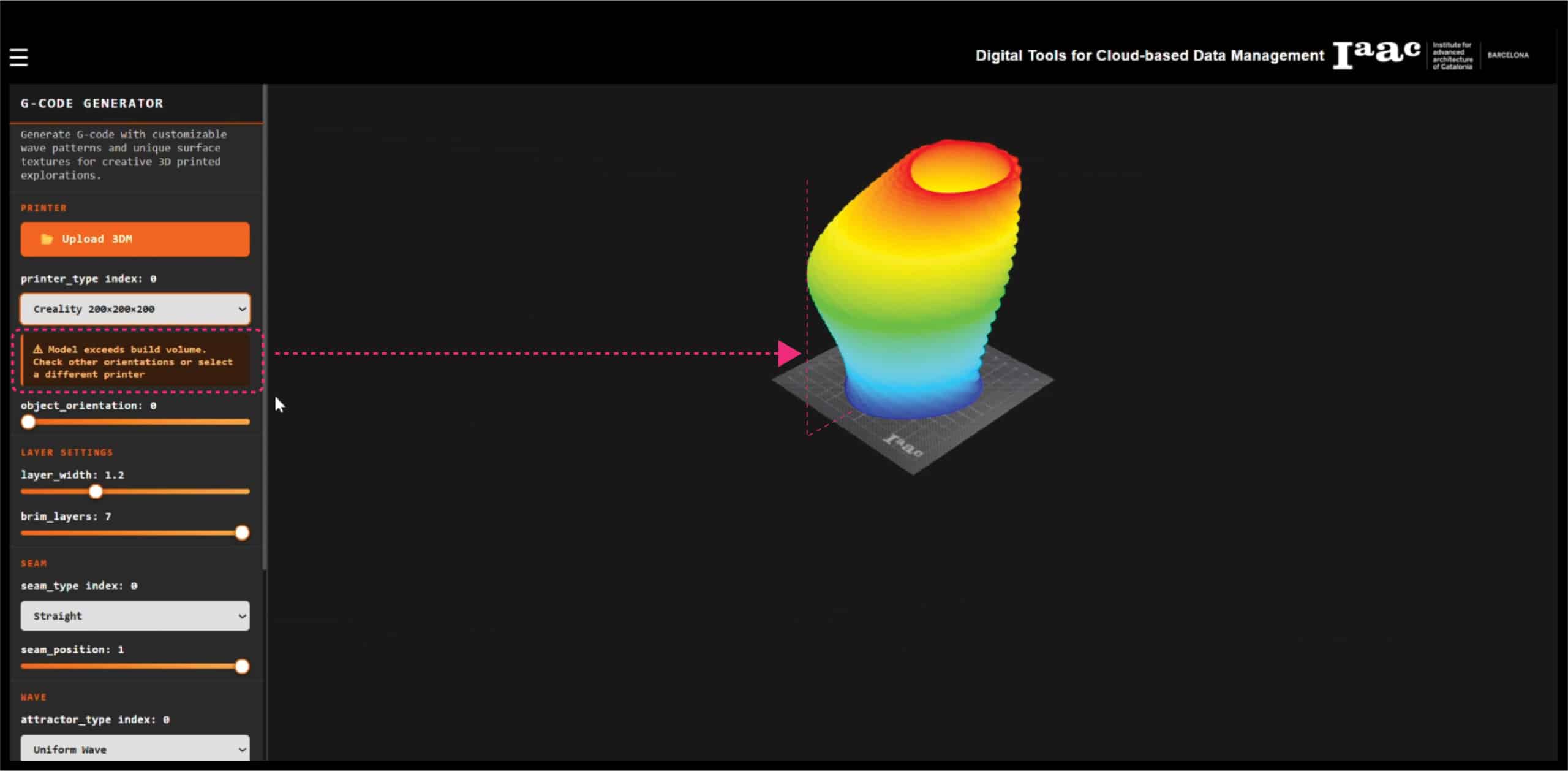
- Printer : machine type selection and object orientation
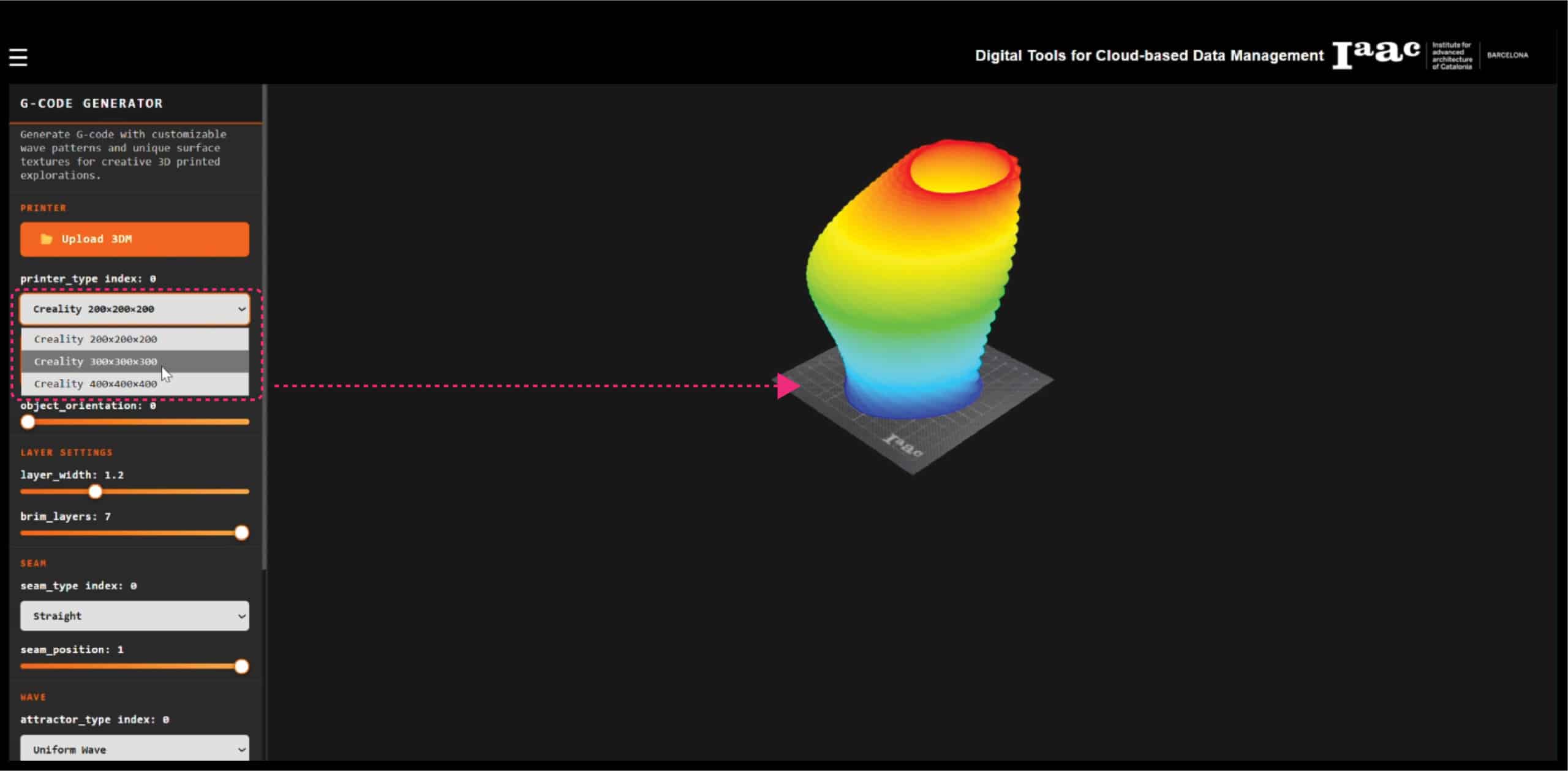
- Layer Settings : layer width and brim layer count
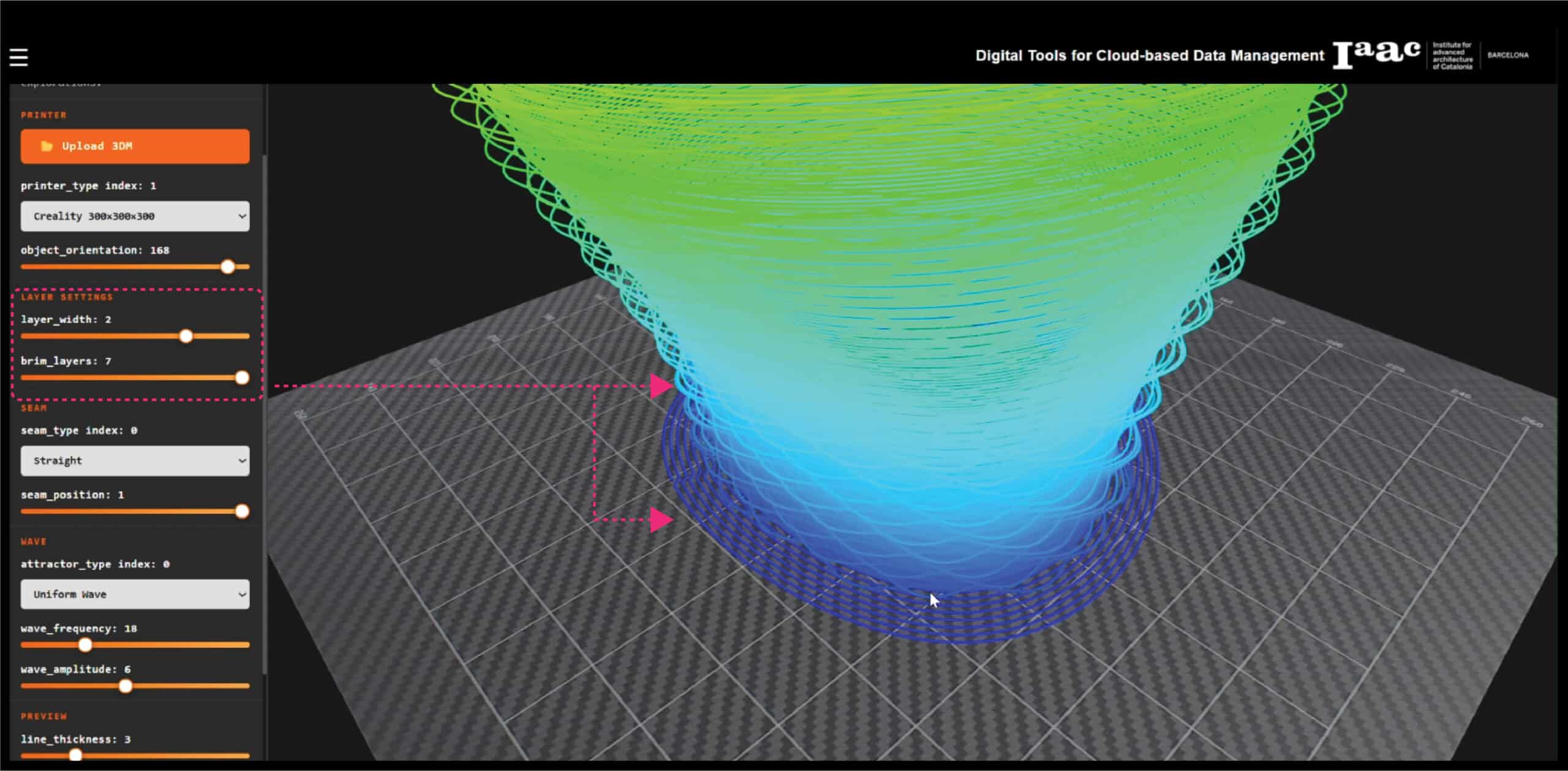
- Seam : seam type (straight or spiral) and seam position
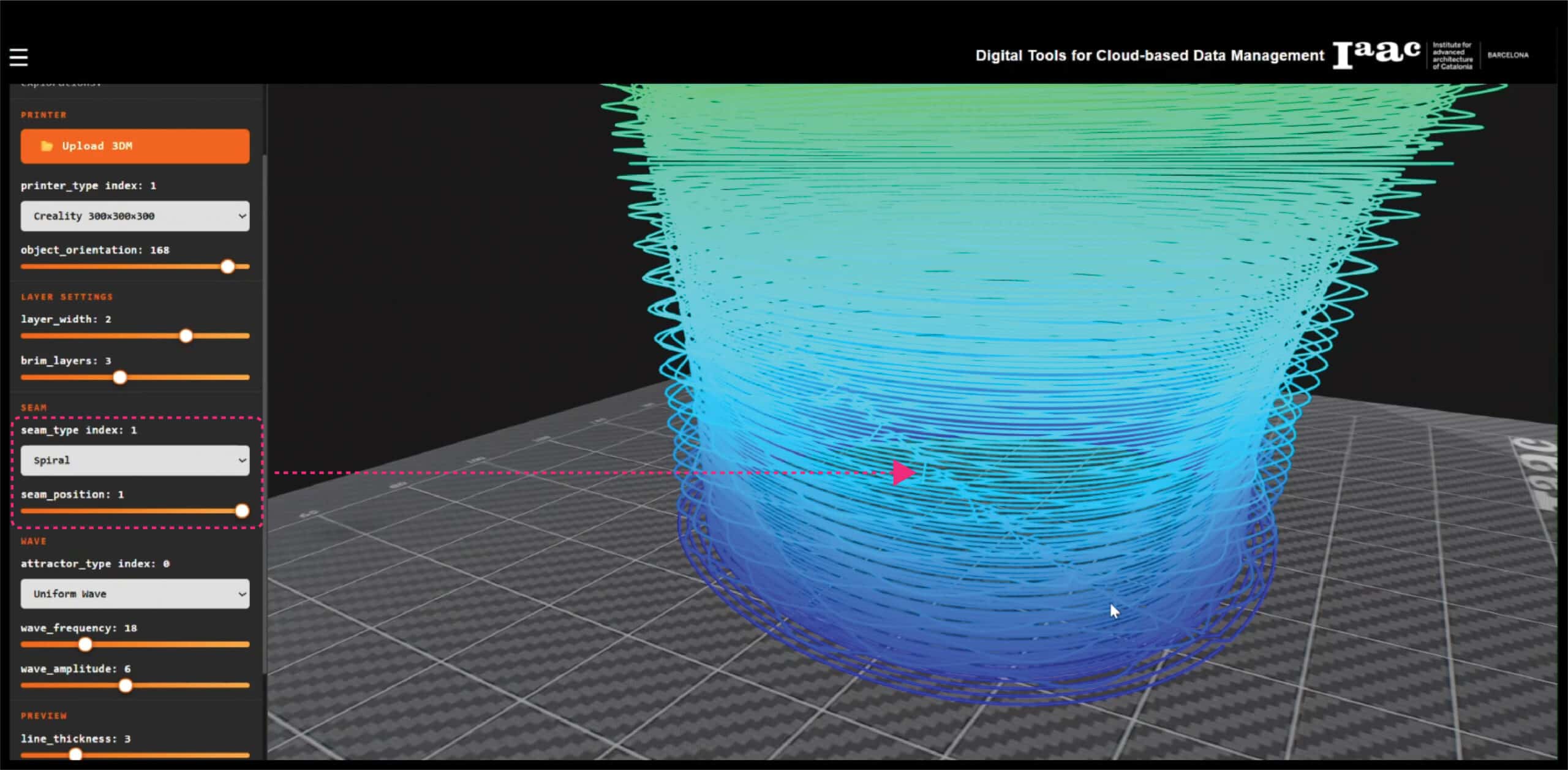
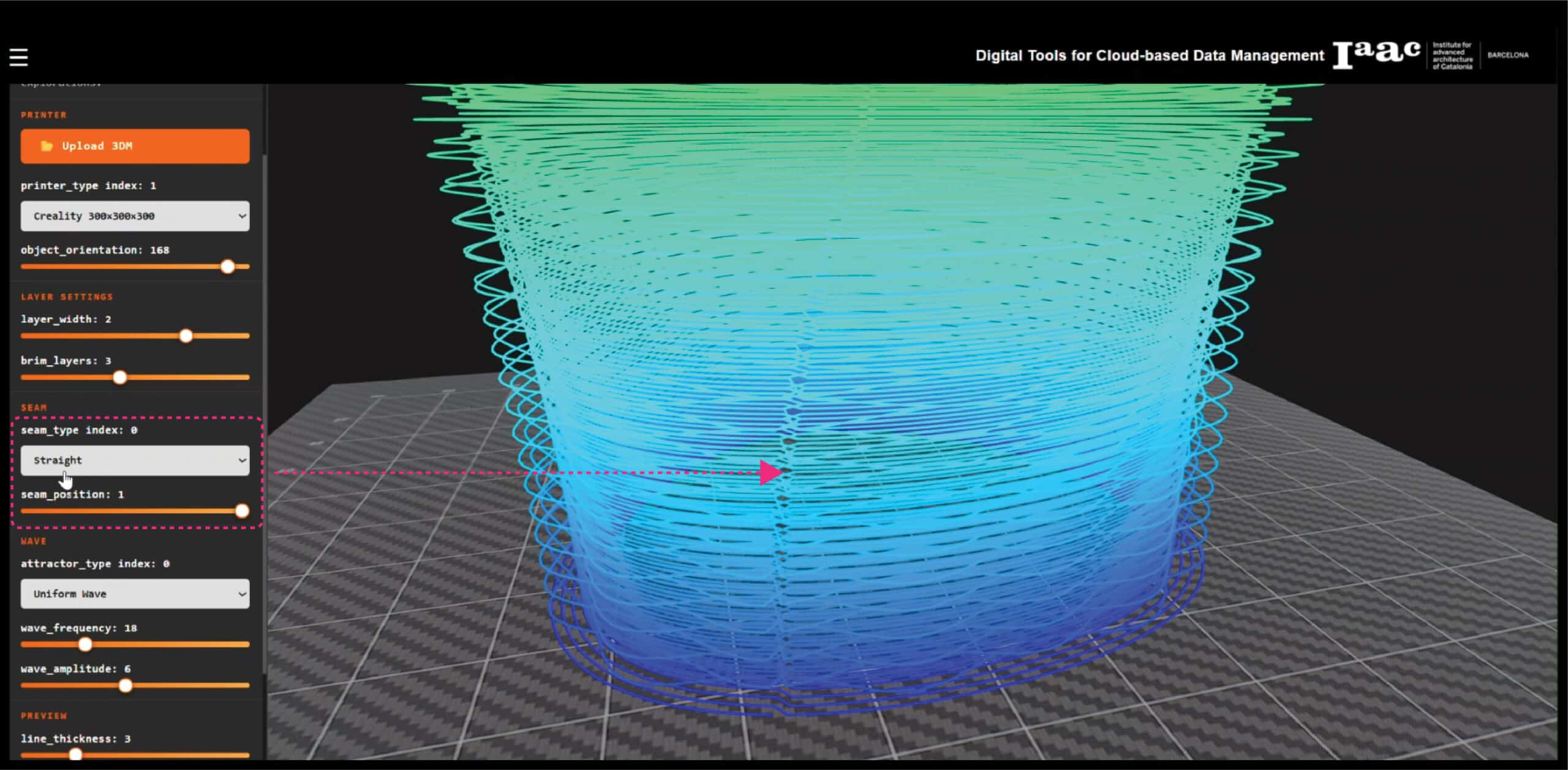
- Wave : attractor type, wave frequency, and wave amplitude
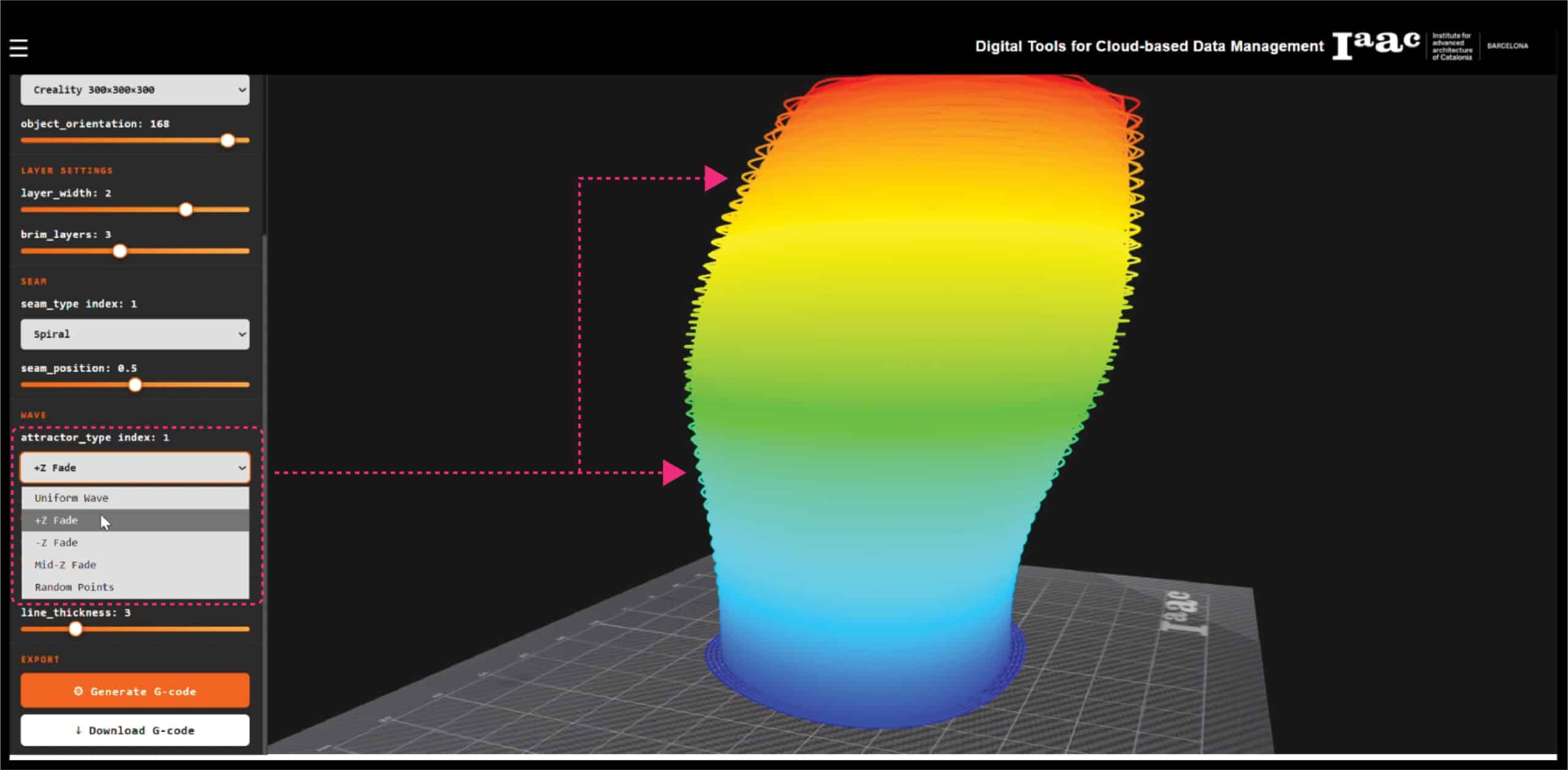
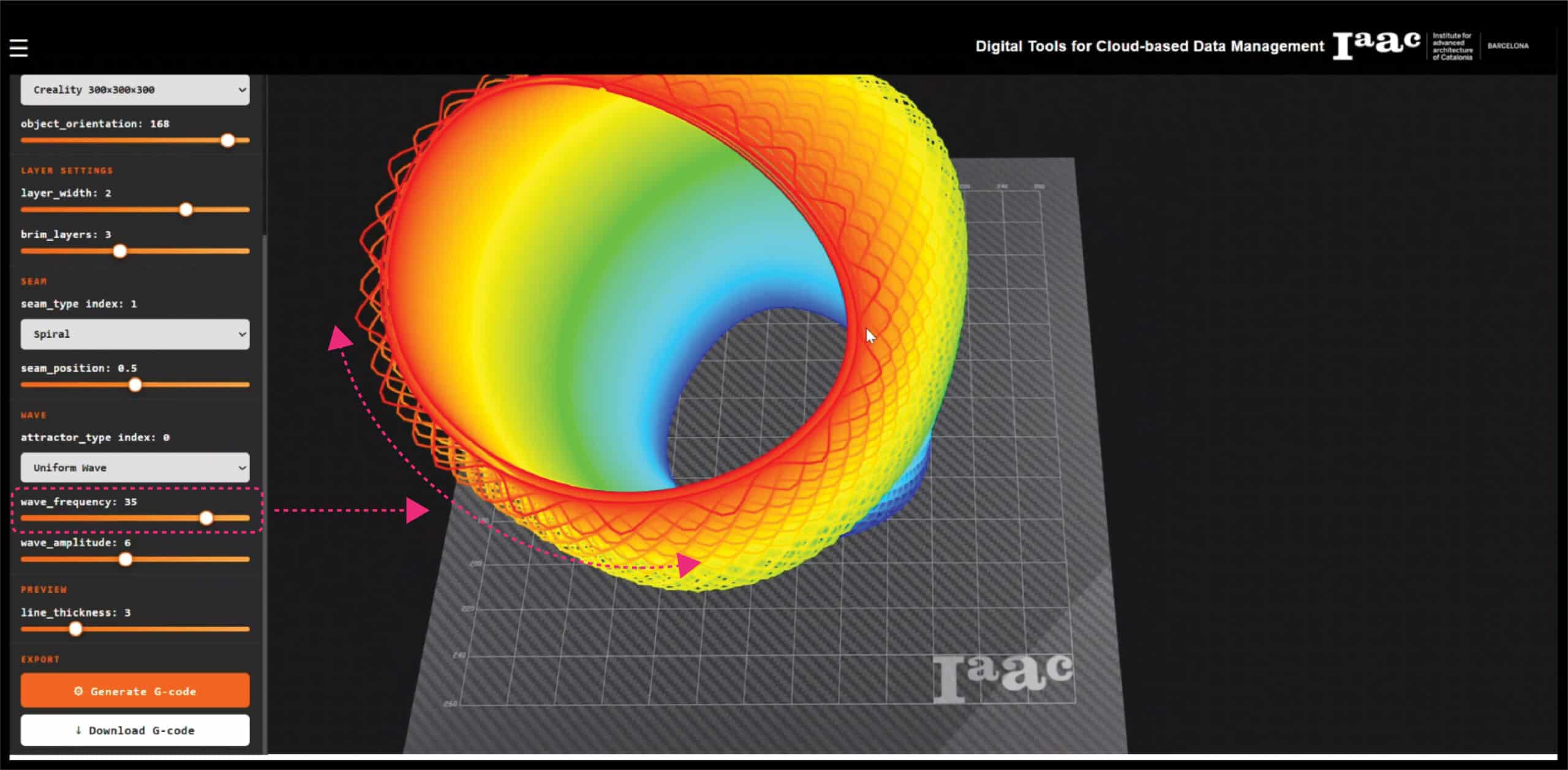
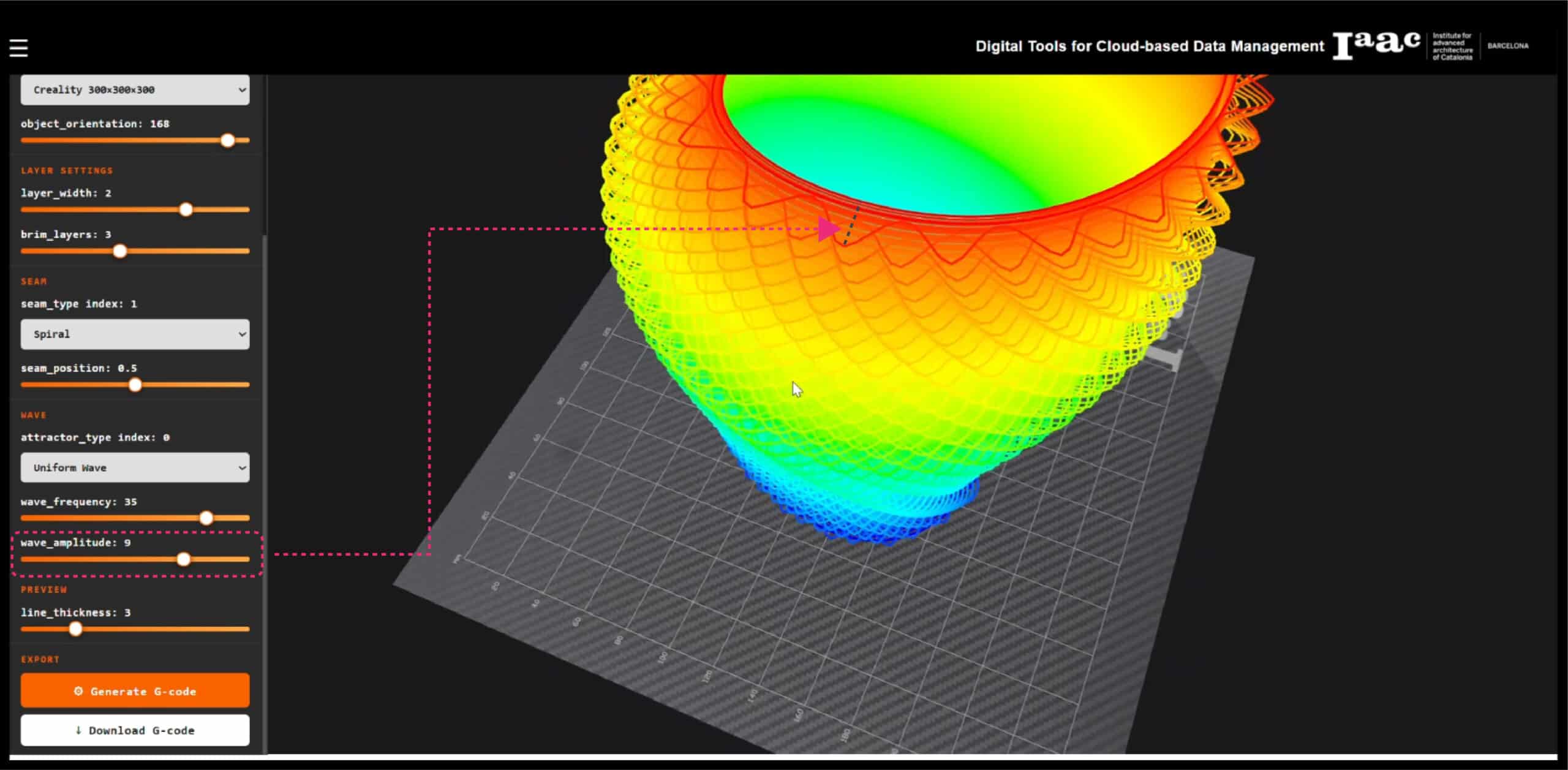
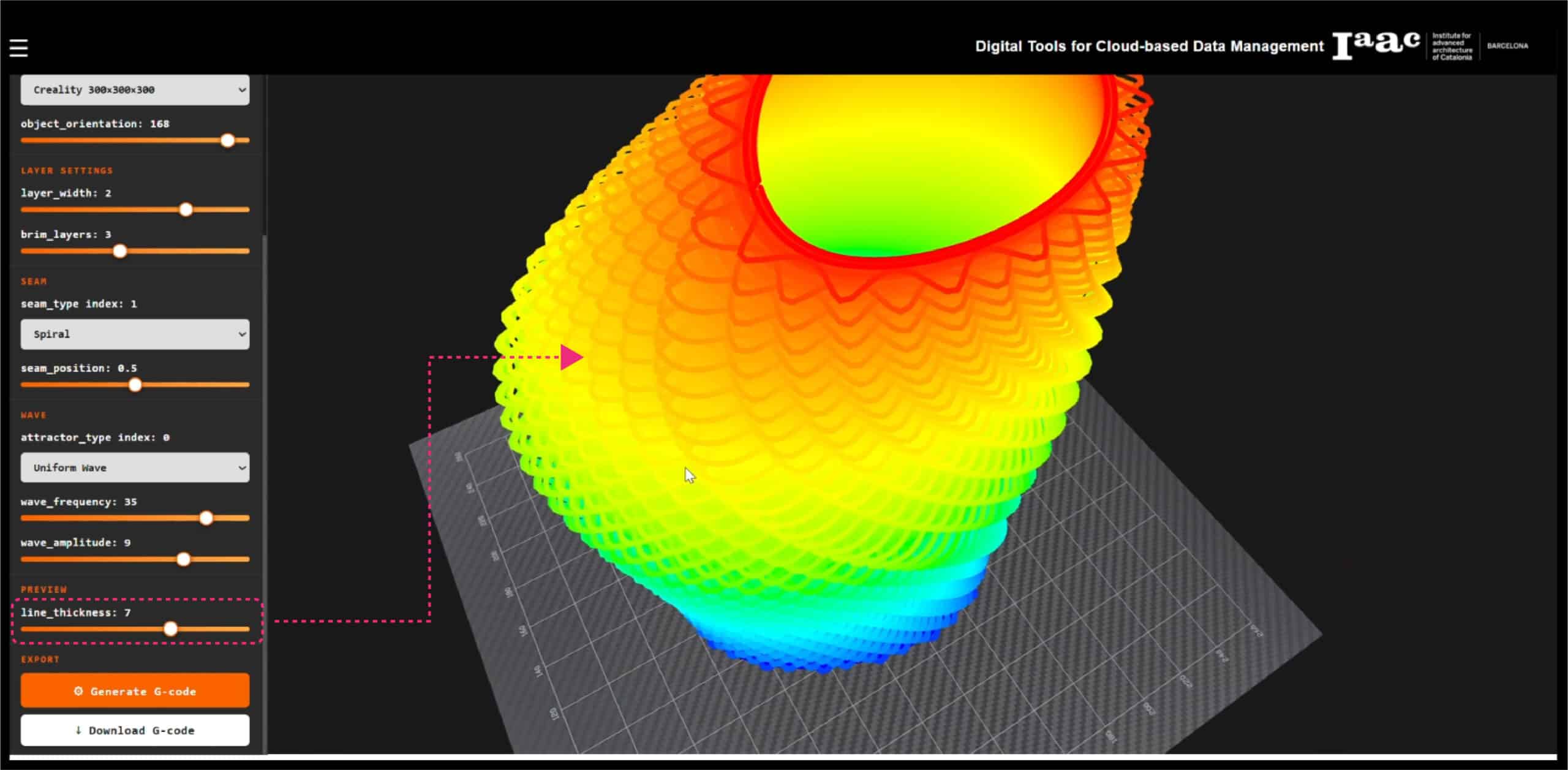
- Preview : line weight control for the toolpath visualization
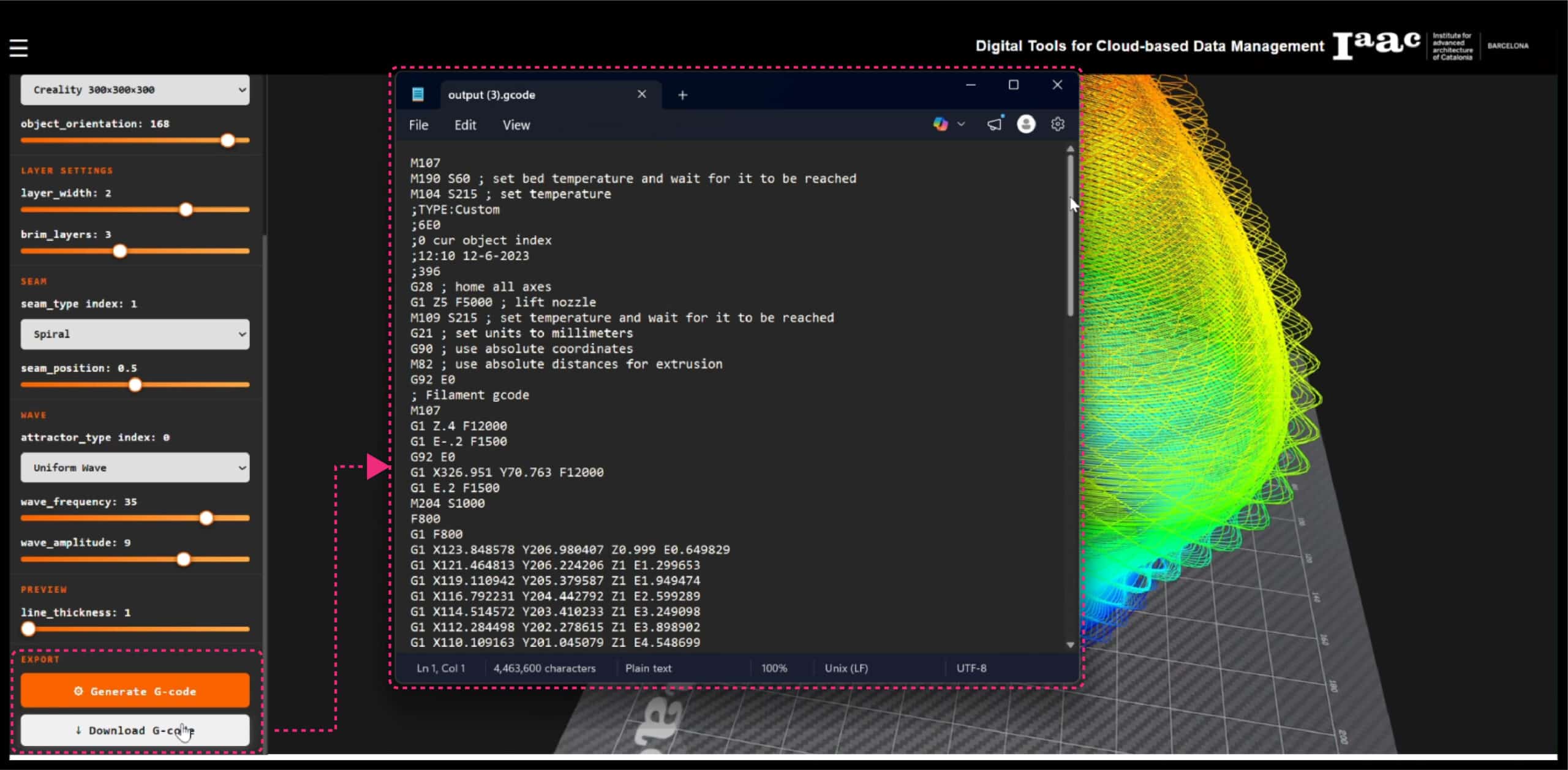
- Export : Generate G-code and Download G-code buttons
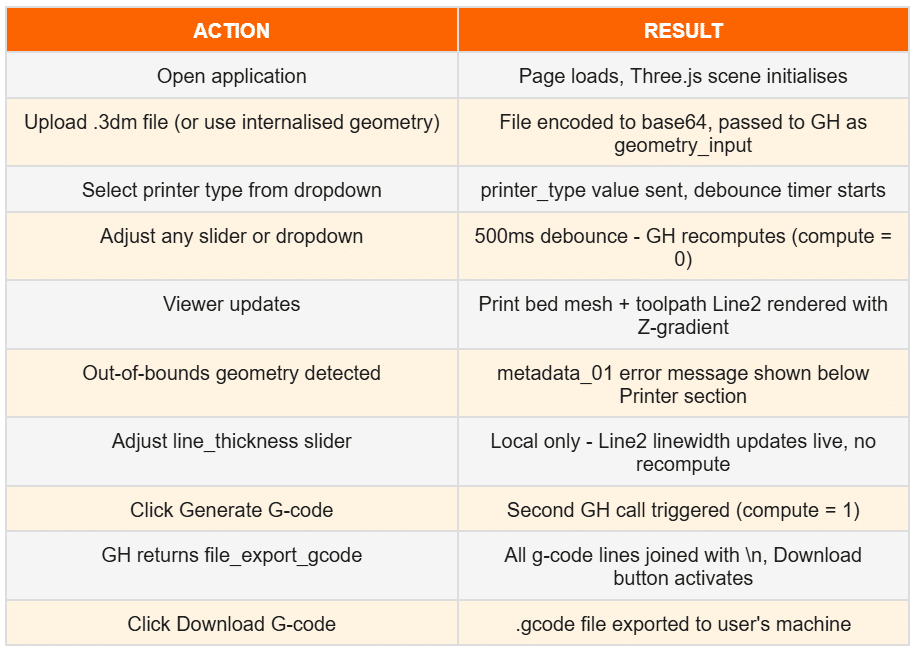
Every parameter change triggers a debounced recompute, meaning the Grasshopper script re-runs automatically 500ms after the last slider interaction, keeping the preview always in sync without flooding the server with requests.
If the uploaded geometry exceeds the selected printer bed dimensions, an error message is displayed directly below the printer selection, flagging the out-of-bounds condition before any G-code is generated.
3D Viewer
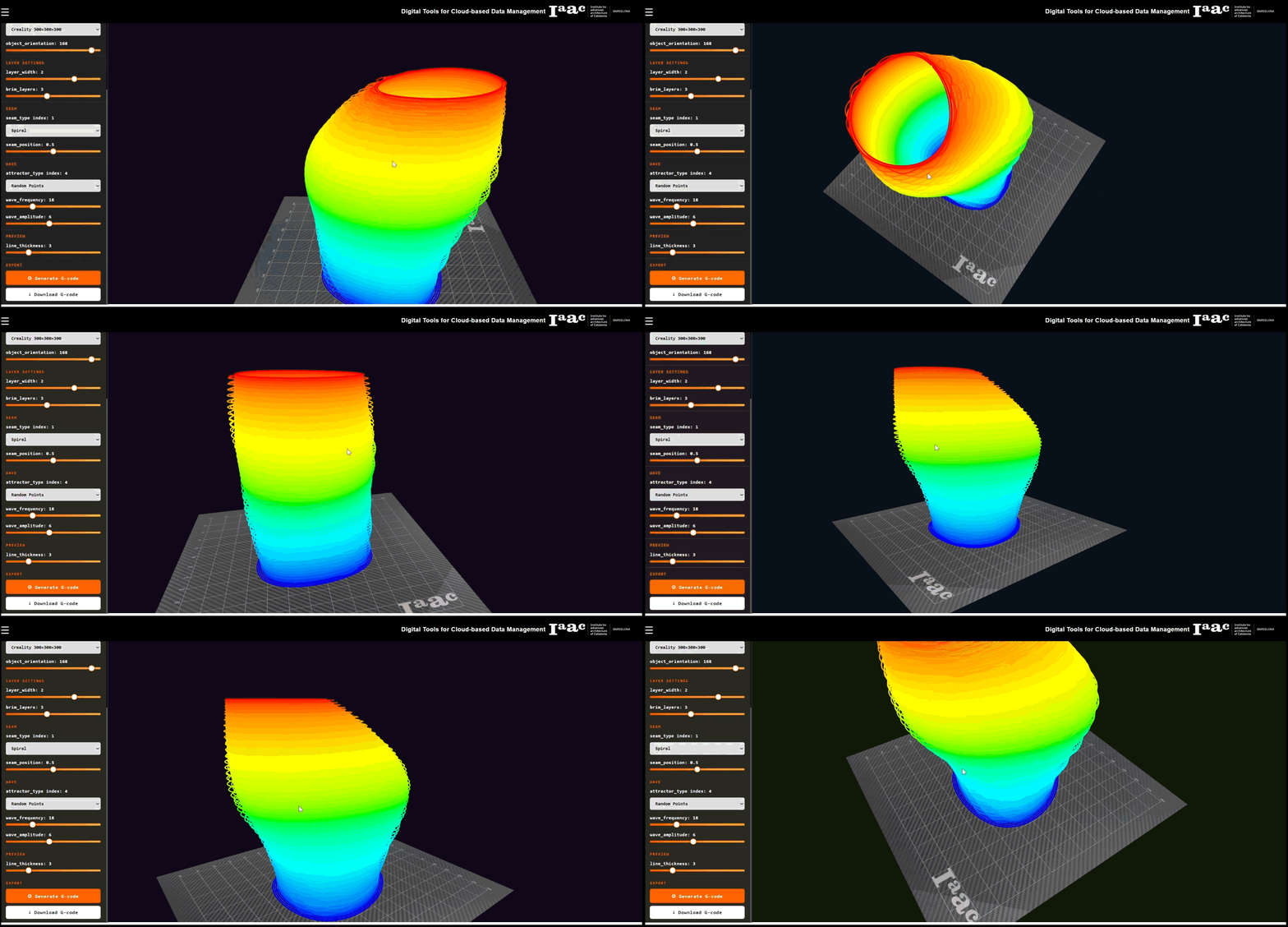
The 3D viewer is built on Three.js and supports full orbit controls like rotate, pan, and zoom. Two objects are rendered in the scene simultaneously:
- Print Bed : a flat mesh output from Grasshopper, displayed with a JPG texture representing the physical build plate surface
- Toolpath : a polyline with 150,000+ vertices, rendered using the Line2 class from the Three.js extended lines module to reduce compute time of viewing a piped geometry
The toolpath uses a Z-height colour gradient, blue at the base layers, transitioning through cyan, green, and yellow, up to red at the top, providing an immediate visual read of print height progression without requiring any layer isolation controls.
The line weight of the toolpath preview can be adjusted independently via a local slider, allowing the user to control visual density without affecting any print parameters.
G-Code Generation
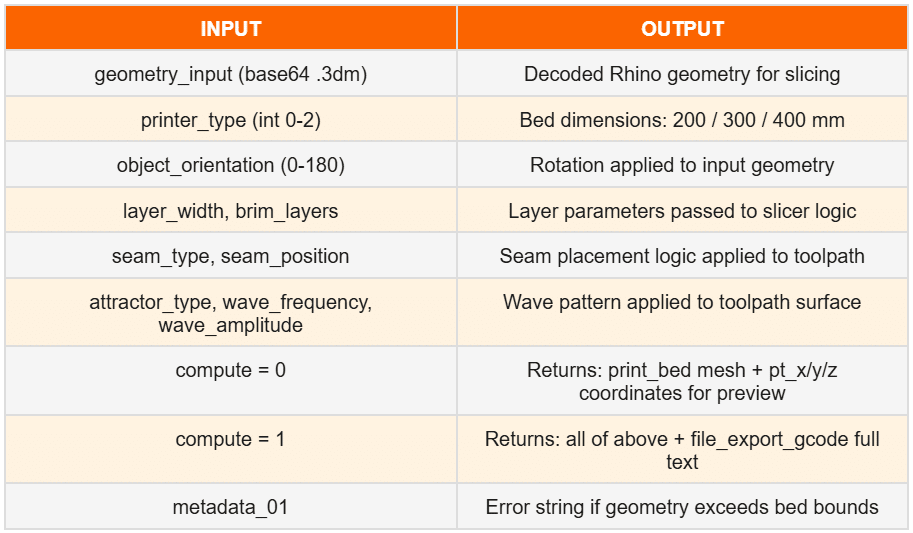
The platform uses two separate compute calls to Grasshopper, one for geometry preview (with compute = 0) and one for G-code generation (with compute = 1). This separation ensures that the preview remains fast and lightweight, while the full G-code pipeline only runs when explicitly requested.
Once the Generate G-code button is clicked, Grasshopper processes all parameters and returns the complete G-code as a text string. The Download button then becomes active, and the file is exported directly to the user’s machine as a printer-ready .gcode file.
Technical Challenges
Line Rendering : Line2 vs Mesh Pipe
Rendering a polyline with 150,000 vertices presented a performance challenge. The standard approach, converting the polyline to a mesh pipe, was ruled out immediately due to the computational cost of generating and rendering that geometry at scale.
The solution was to use the Line2 class from the Three.js extended lines module (three/examples/jsm/lines/). Unlike the standard THREE.Line, which is limited to 1px on most GPUs due to a WebGL constraint, Line2 uses a screen-space shader that calculates line width in pixels, enabling true pixel-width rendering with per-vertex colour gradients, maintaining full performance at 150k points.
CORS & Deployment
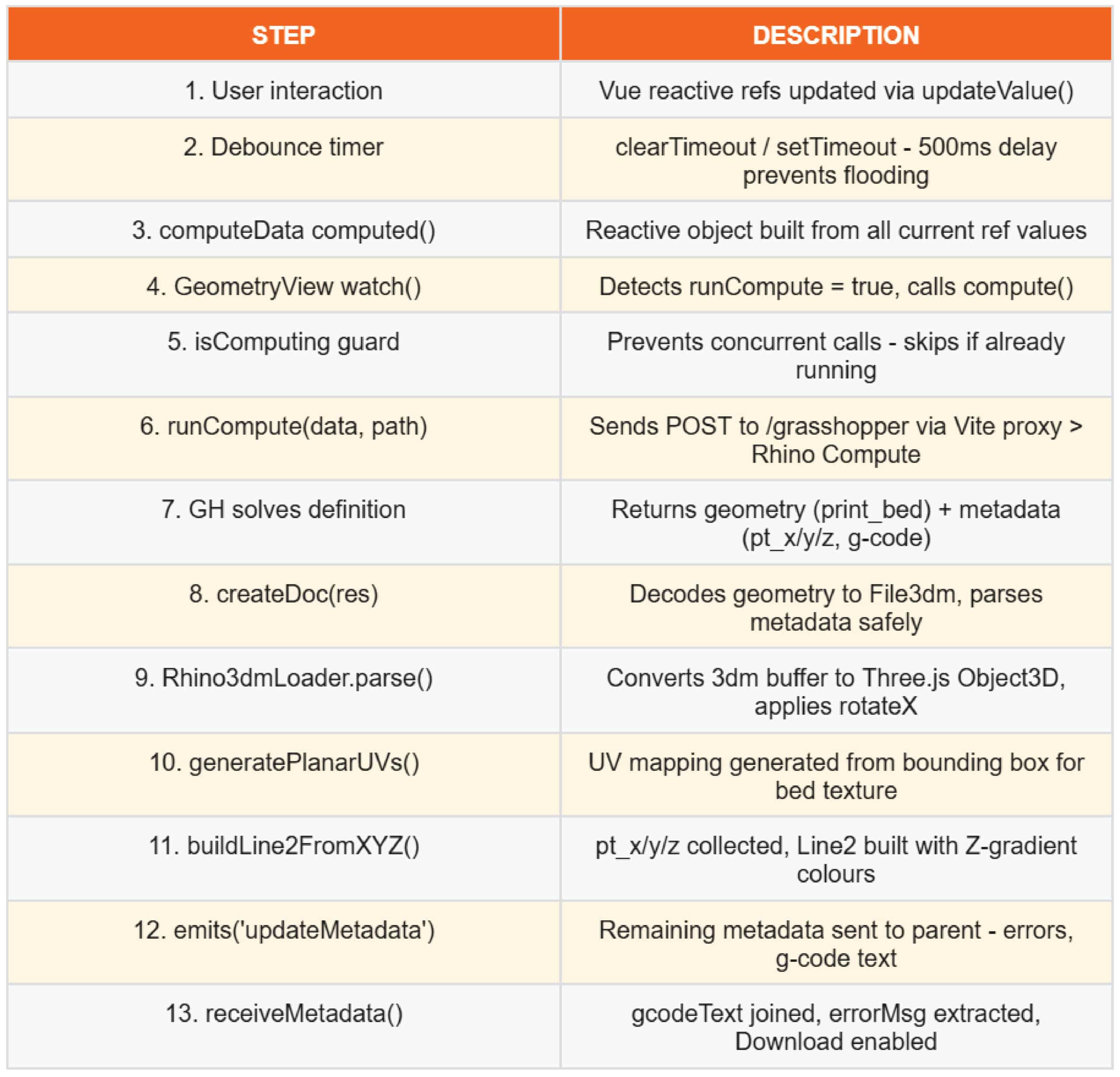
Locally, a CORS conflict existed between the Vite development server on port 5173 and Rhino Compute on port 6001, the browser blocked cross-origin requests between the two. This was resolved by configuring a Vite server proxy that forwards all /grasshopper requests from port 5173 to port 6001 server-side, bypassing the browser’s CORS check entirely.
For the submitted version running on the university’s Rhino Compute server, the geometry is internalised within the Grasshopper definition and a placeholder upload button is retained in the UI, allowing the tool to run cleanly without requiring a file upload.
Coordinate System Mismatch
Rhino uses a Z-up coordinate system while Three.js uses a Y-up system. All geometry arriving from Rhino Compute requires a rotateX(-π/2) correction applied to the loaded object. Additionally, the XYZ coordinate order must be remapped (x, z, y) when reconstructing the toolpath polyline from raw point metadata.
Process Charts
UI Flow : User Interaction
Code Flow : Data Pipeline
Grasshopper Definition Logic
Future Scope & Improvements
Layer Scrubber
A layer scrubber slider would allow users to isolate and animate individual print layers by height – visualising layer-by-layer toolpath progression as the slider moves. This is the most-requested feature in professional slicers and would significantly improve the readability of complex toolpath geometries.
Extended Print Controls
Additional parameters would be introduced over successive project iterations:
- Material temperatures – nozzle and bed temperatures per layer or zone
- Movement speeds – travel, print, and retraction speeds
- Slope analysis tools – highlighting overhangs and steep gradients
- Support for additional machine types beyond Creality
Live Geometry Transformation
Adding in-viewer geometry manipulation – scale, rotate, translate with gimbal controls – would allow users to position and orient the model directly in the browser without returning to Rhino, completing the end-to-end workflow within a single interface.
Robotic Toolpathing
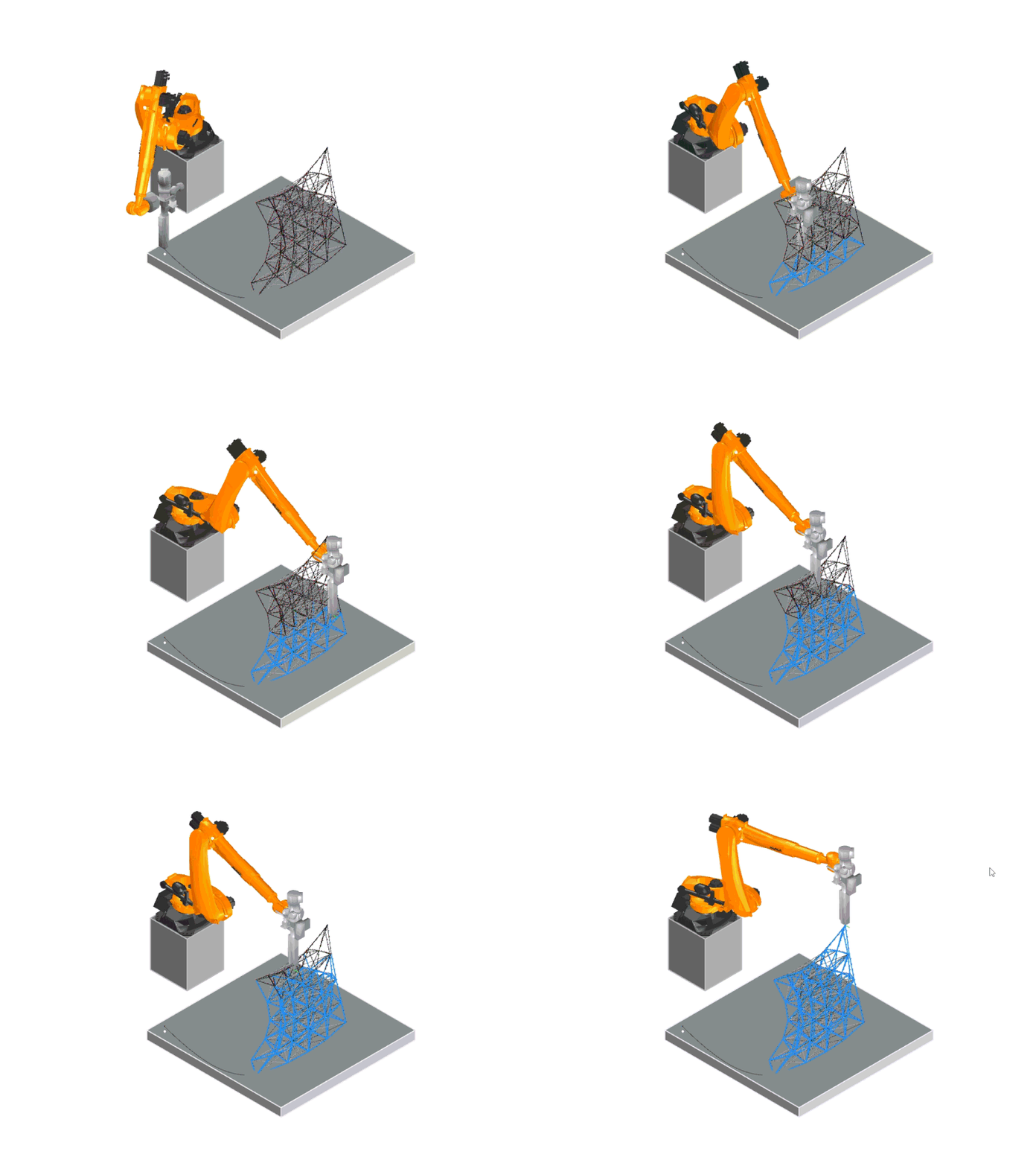
The same architecture – a browser front-end connected to a Grasshopper definition via Rhino Compute – could be extended to robotic toolpathing workflows. This would reduce dependency on expensive proprietary robot programming software such as KUKA or RobotStudio, replacing them with a lightweight, project-updatable web interface.
The Broader Principle
The tool reflects a broader principle: commercial slicers are feature-heavy by design, and a purpose-built alternative allows teams to work only with what is relevant, with the flexibility to evolve the tool as the project demands. Rather than learning a new professional tool for each project, a single lightweight interface can be reconfigured at the Grasshopper level – keeping complexity where it belongs, in the parametric logic, not the user interface.
Conclusion
The G-Code Generator demonstrates that a purpose-built, browser-based slicing tool can provide meaningful parametric control without the overhead of commercial software. By connecting Vue.js to Grasshopper through Rhino Compute, the platform bridges the gap between computational design and fabrication – making parametric toolpath logic accessible to users who have no prior experience with Rhino or Grasshopper.
The technical challenges encountered – particularly around data serialisation, coordinate system mapping, and line rendering performance – produced solutions that are reusable across any similar Rhino Compute integration, and contribute to a broader understanding of how computational design tools can be delivered as lightweight web applications.
