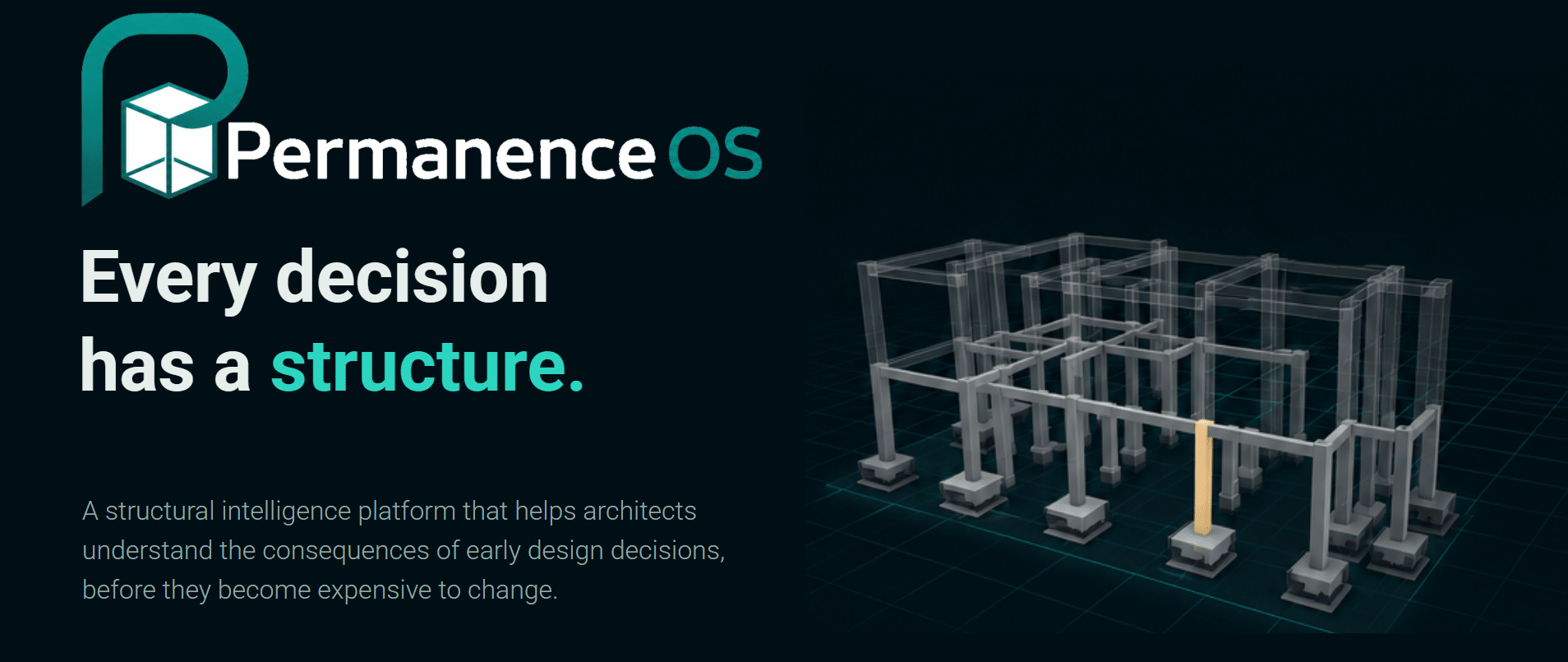
Every design decision has a structure. For the AI studio seminar, we built PermanenceOS , a structural intelligence platform that helps architects understand the consequences of early design decisions, before they get expensive to change.
The Core Problem
In early design, structural decisions get locked in fast and by the time the engineer is brought in, the layout’s often too far along to change cheaply.
PermanenceOS doesn’t replace the engineer, it shifts when they’re needed. It gives the architect enough structural reasoning to make better early decisions on their own, so the engineer comes in later, at the right stage, to validate and detail rather than to untangle.
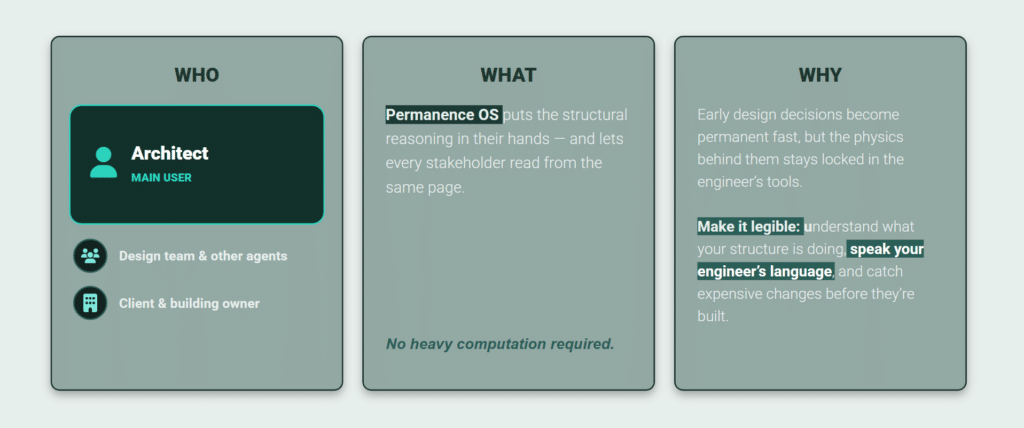
And everyone reads from the same structural source of truth, the design team, the client, other agents, instead of each waiting on a separate pass.
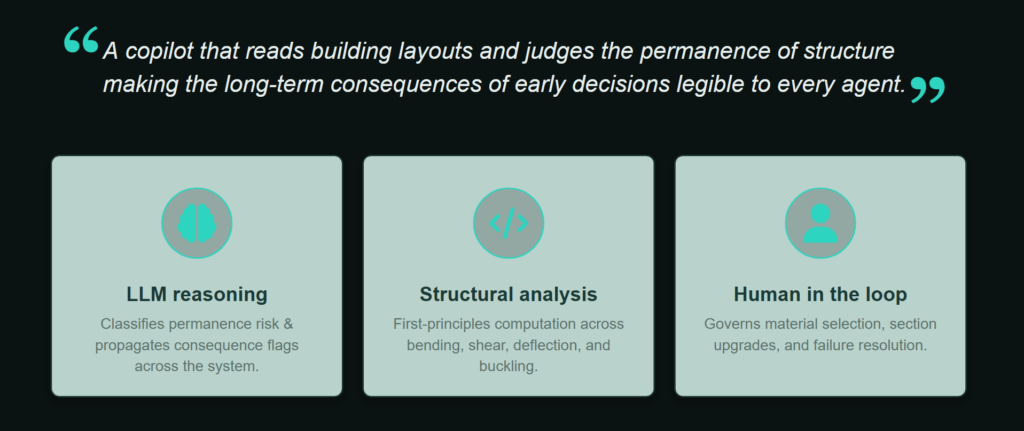
Is is a copilot that reads a building layout and judges the permanence of its structure, making the long-term consequences of early decisions legible to everyone. The reasoning and the language come from an LLM, but the structural analysis runs in Python, from first principles.
What the agent does
You give the agent a layout, it reasons the task, generates a structural grid, adds beams and columns, evaluates them, and returns an updated JSON. Beams and columns can be analyzed in three different materials, concrete, steel, or timber.
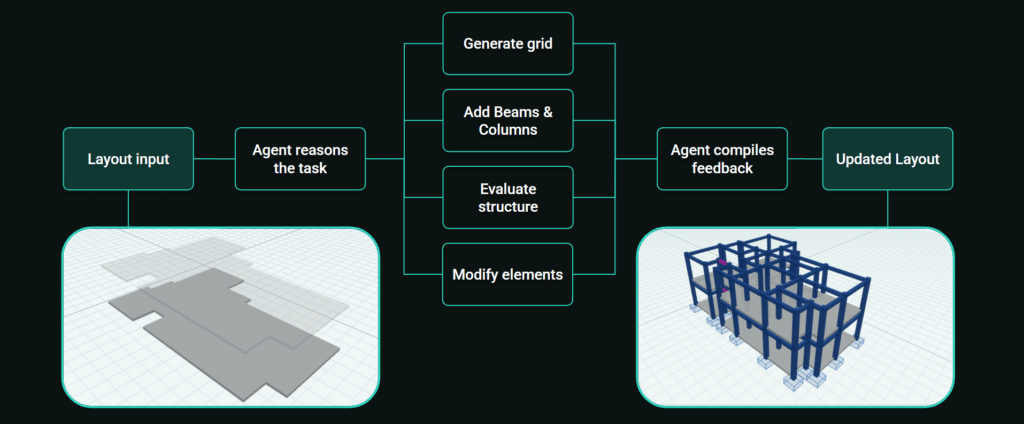
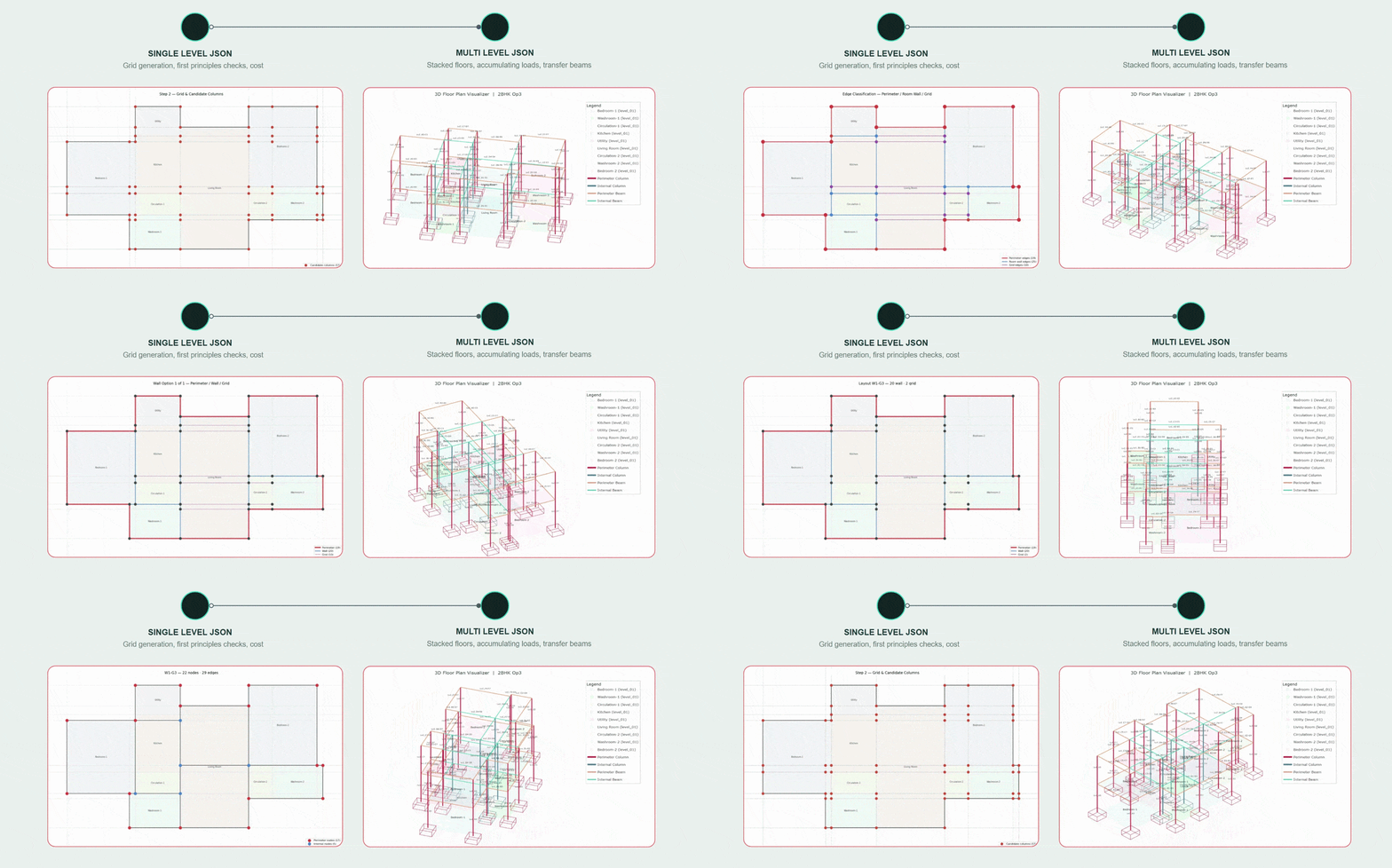
We went from a single-story checker to full multilevel buildings, same agent, same pipeline. A multilevel JSON stacks floors, loads accumulate downward, and when a column is removed under another, the beam below becomes a transfer beam carrying it.
Interaction with the User
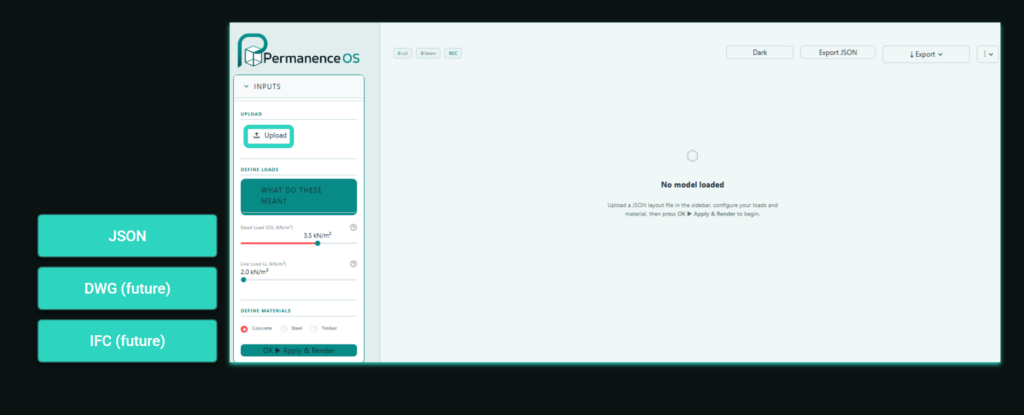
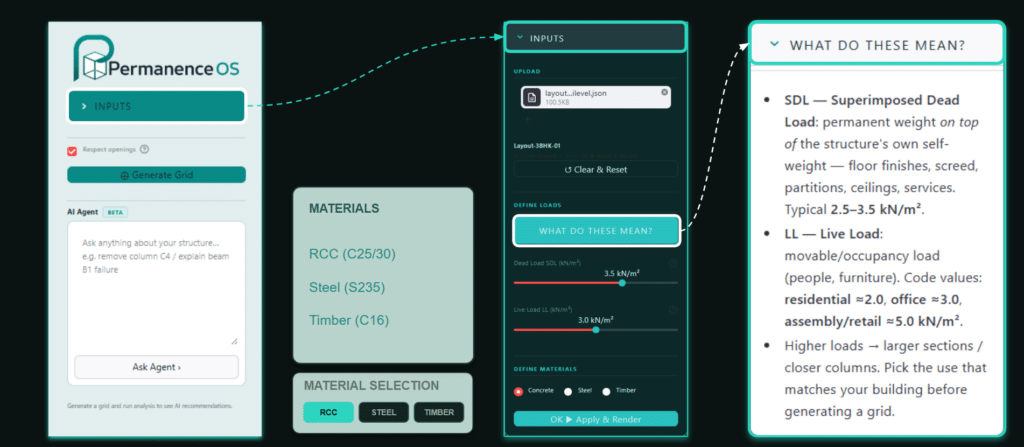
The architect uploads a layout, JSON today, DWG and IFC in future. They define a material, concrete, steel, or timber and the appropriate loads. Then a plain prompt like tag_and_audit generates the grid.
From there it’s a conversation: evaluate the structure, modify what fails, and compare before and after.
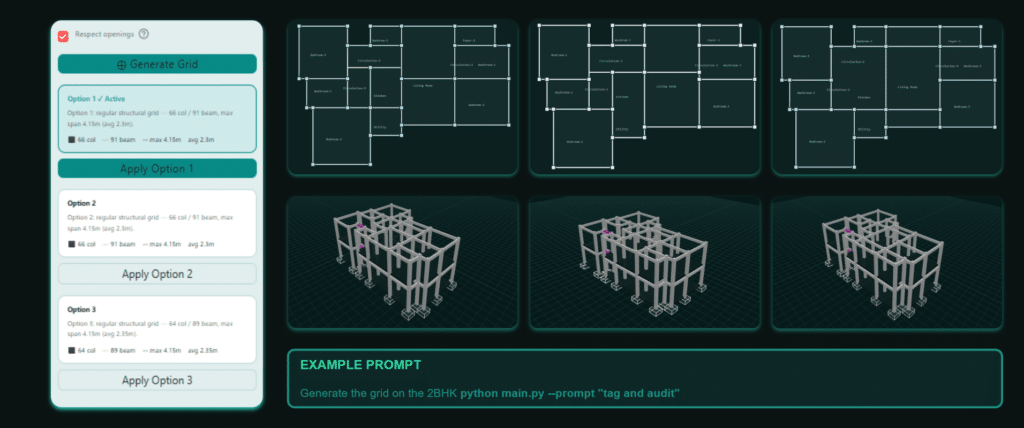
The agent generates multiple grid options for the user to choose from.
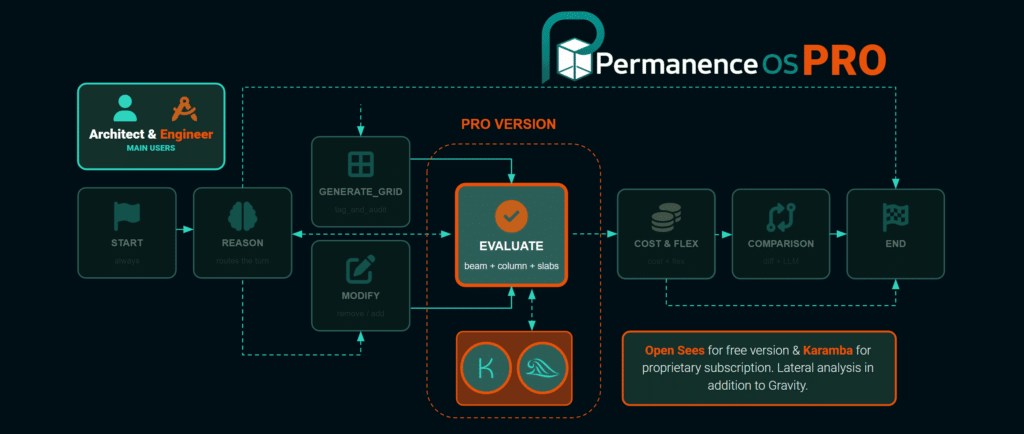
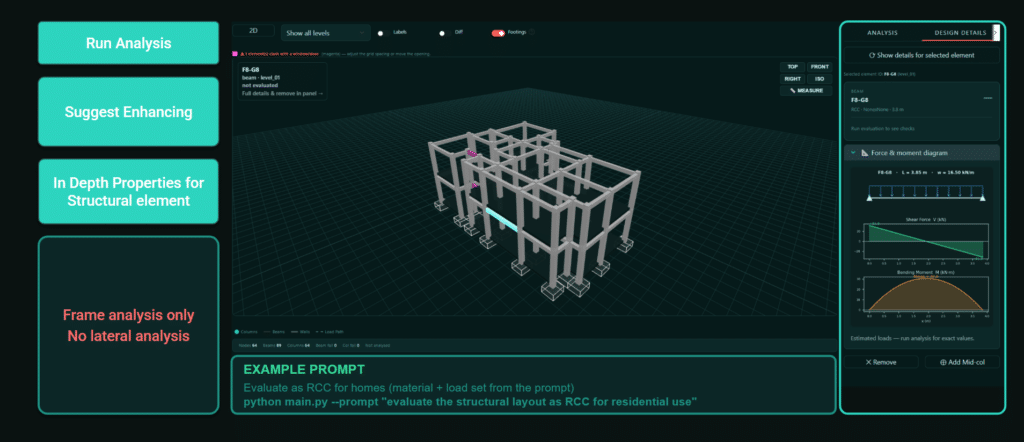
The structural analysis implements gravity checks of beams and columns in three materials. In this version it does not do lateral analysis.
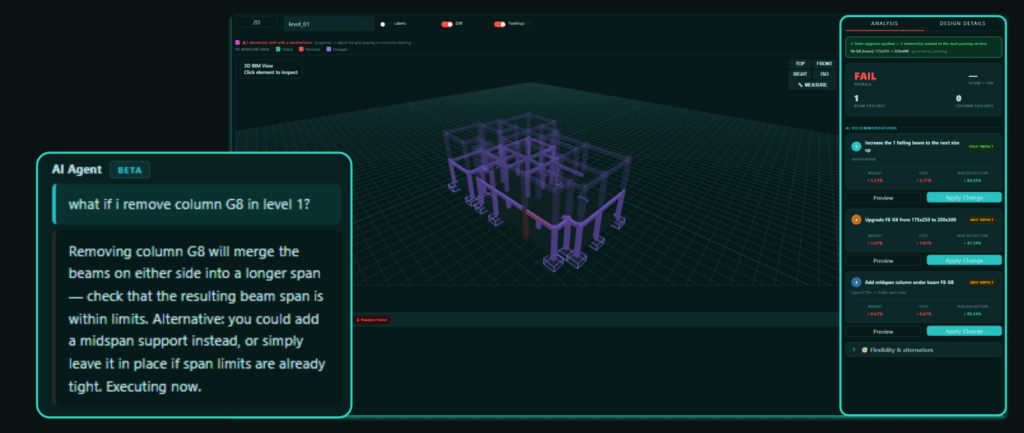
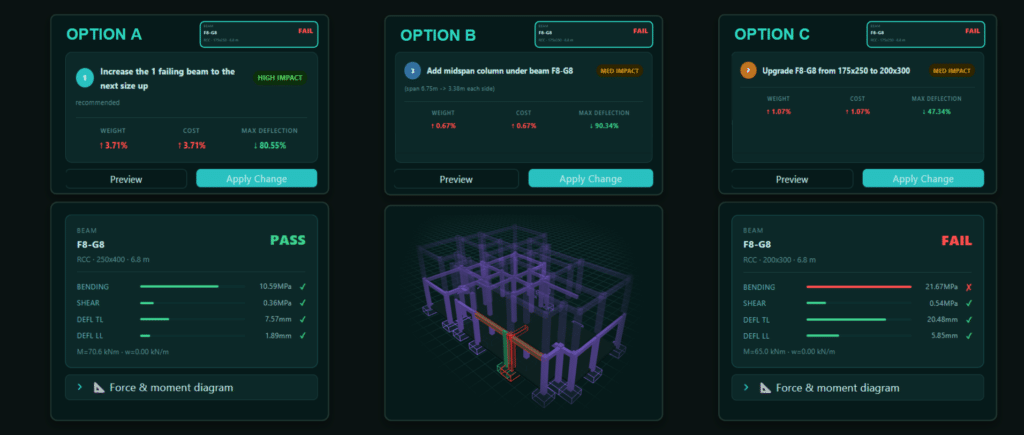
If an element fails, the agent proposes solutions such as, upgrading failing beams or columns, adding a midspan column or upgrading material selection.
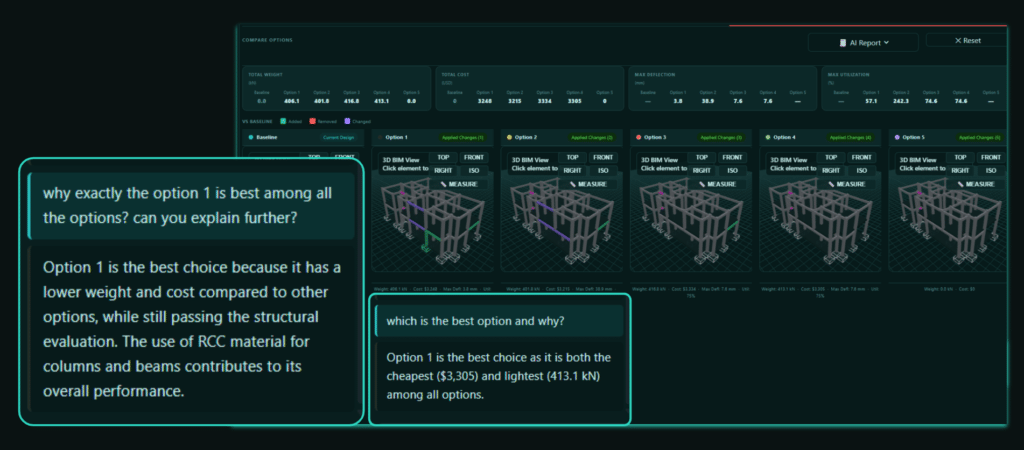
The agent can also compare options and suggest the cheapest and lightest viable solution.
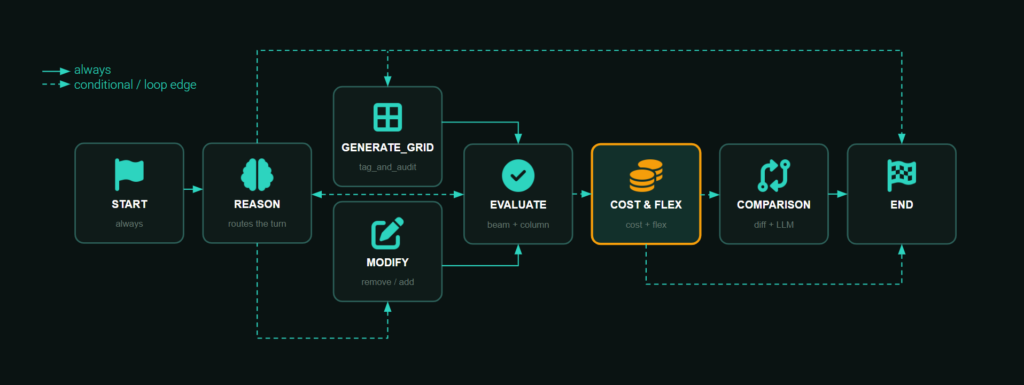
Agent Pipeline: Nodes & Routing
The image below shows it’s a LangGraph cycle. Reason routes each turn: generate a grid, modify, evaluate, or answer and after a change it flows through cost and comparison before ending.
Evaluate: Structural Analysis
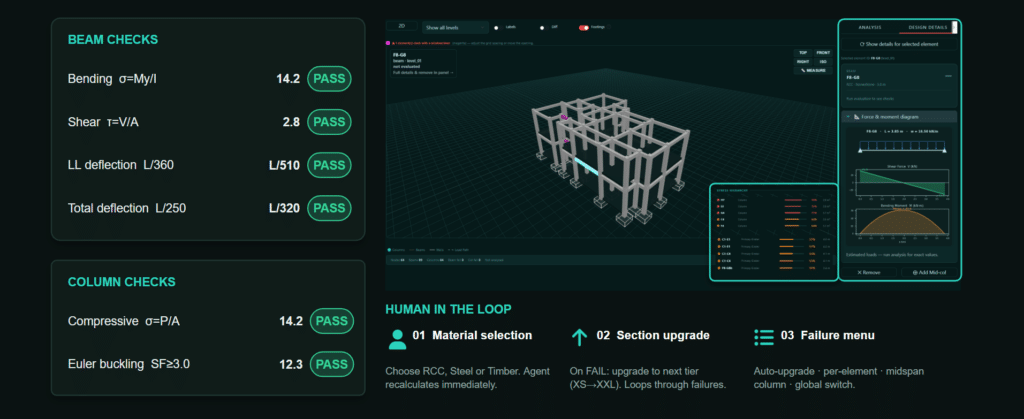
The engine uses first principles, in Python. Beams get bending, shear, and two deflection checks. Columns get compressive stress and Euler buckling.
In the image below, everything passes, with the human in the loop on material and loads.
What-If Simulation & Comparison
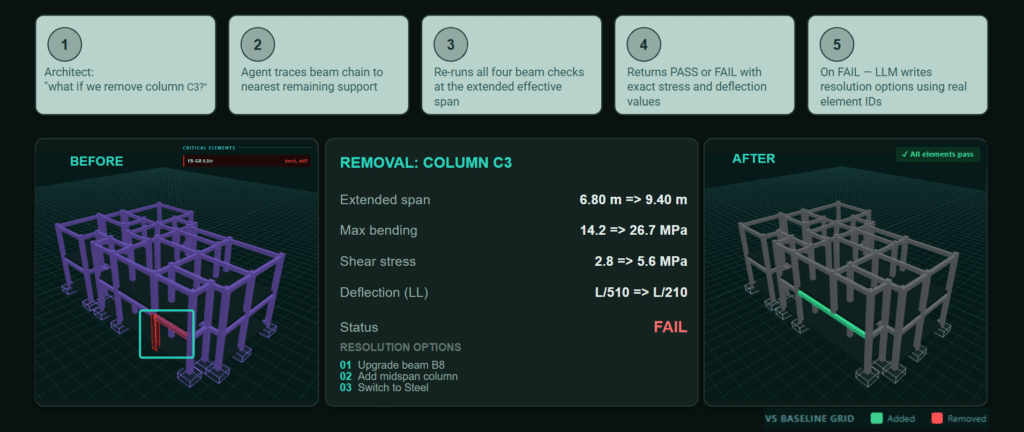
It also simulates removal. Ask ‘what if we remove column C3’ , it traces the beam chain to the nearest support, re-checks all four beam checks at the now-longer span, and tells you whether it still holds, with real element IDs.
Cost & Flexibility
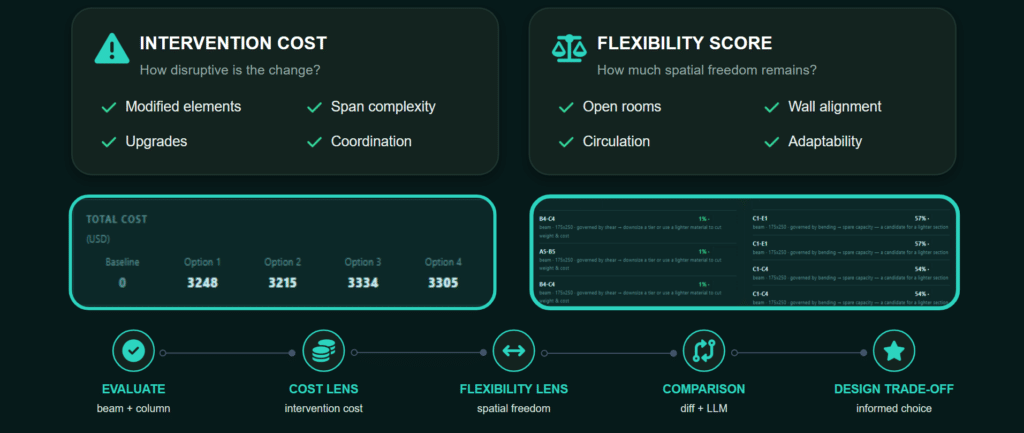
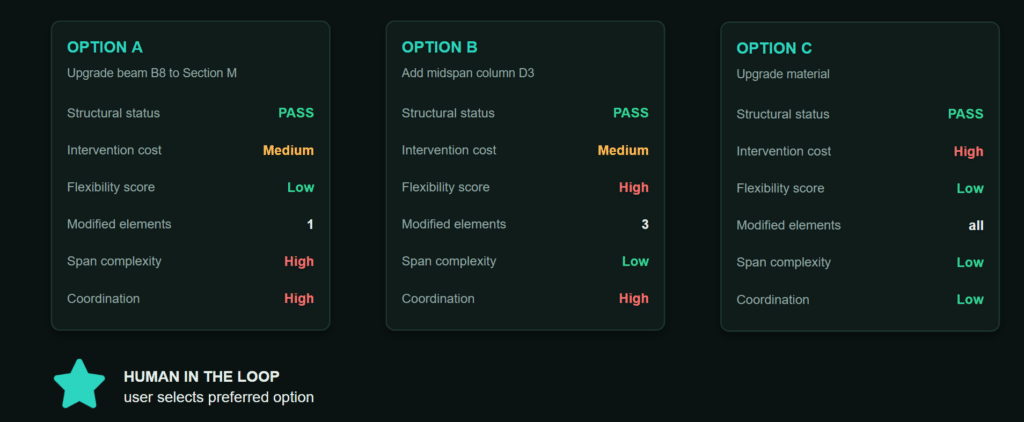
A valid structure isn’t automatically a good one. So beyond safety, the agent weighs the architectural consequences, the intervention cost of a change, and the flexibility it leaves behind. Two options can both pass structurally but differ completely in cost and adaptability and the agent names that trade-off instead of just saying ‘pass.’
Suggestions from the Agent
When something fails, the agent offers a few valid options instead of one, each with a different cost and a different impact on future flexibility. It surfaces the trade-off, so the architect decides based on the design they want, not just on what passes.
Full Offline
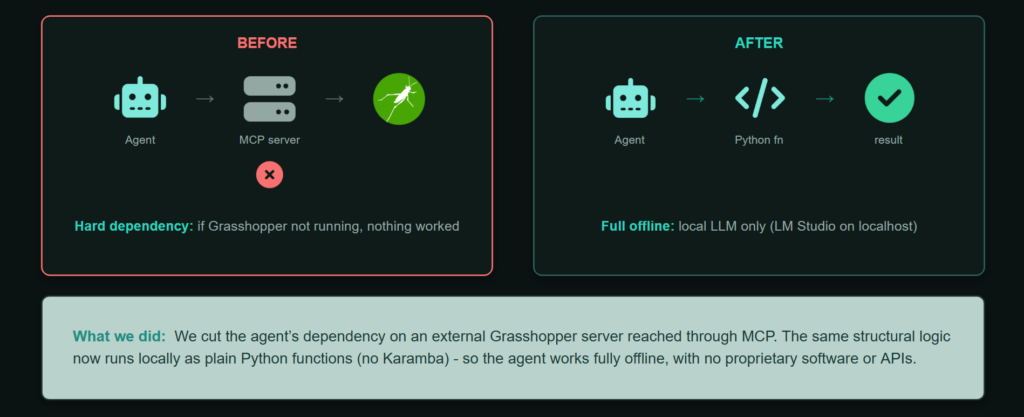
One deliberate decision: the agent runs fully offline. It used to depend on Grasshopper running in the background, if that wasn’t open, nothing worked. Now every tool runs in pure Python with just a local model.
That independence buys us three things: reliability, no external program to install or keep running; portability, it runs anywhere, no Grasshopper, no cloud, no API keys, so it drops into any setup; and privacy, the layout never leaves the machine. The agent doesn’t wait on another tool to be alive to do its job.
Benchmark – Six Local Models
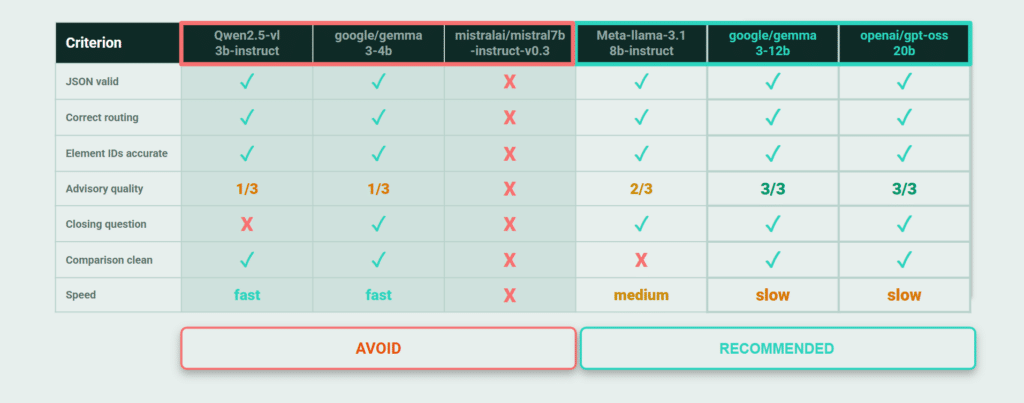
We tested six local models in LM Studio, fully offline. The smaller ones failed in telling ways: one crashes, one inverts the verdict and calls a failing structure safe, one misses the failure entirely. The larger models stayed reliable, so we recommend running a larger local model.
PermanenceOS Demo
The following demos walk through a live session with Permanence OS, from reading a floor plan to evaluating structure, proposing modifications, and returning a cost-aware response.
Step 01
Login -> Upload -> Generate Grid
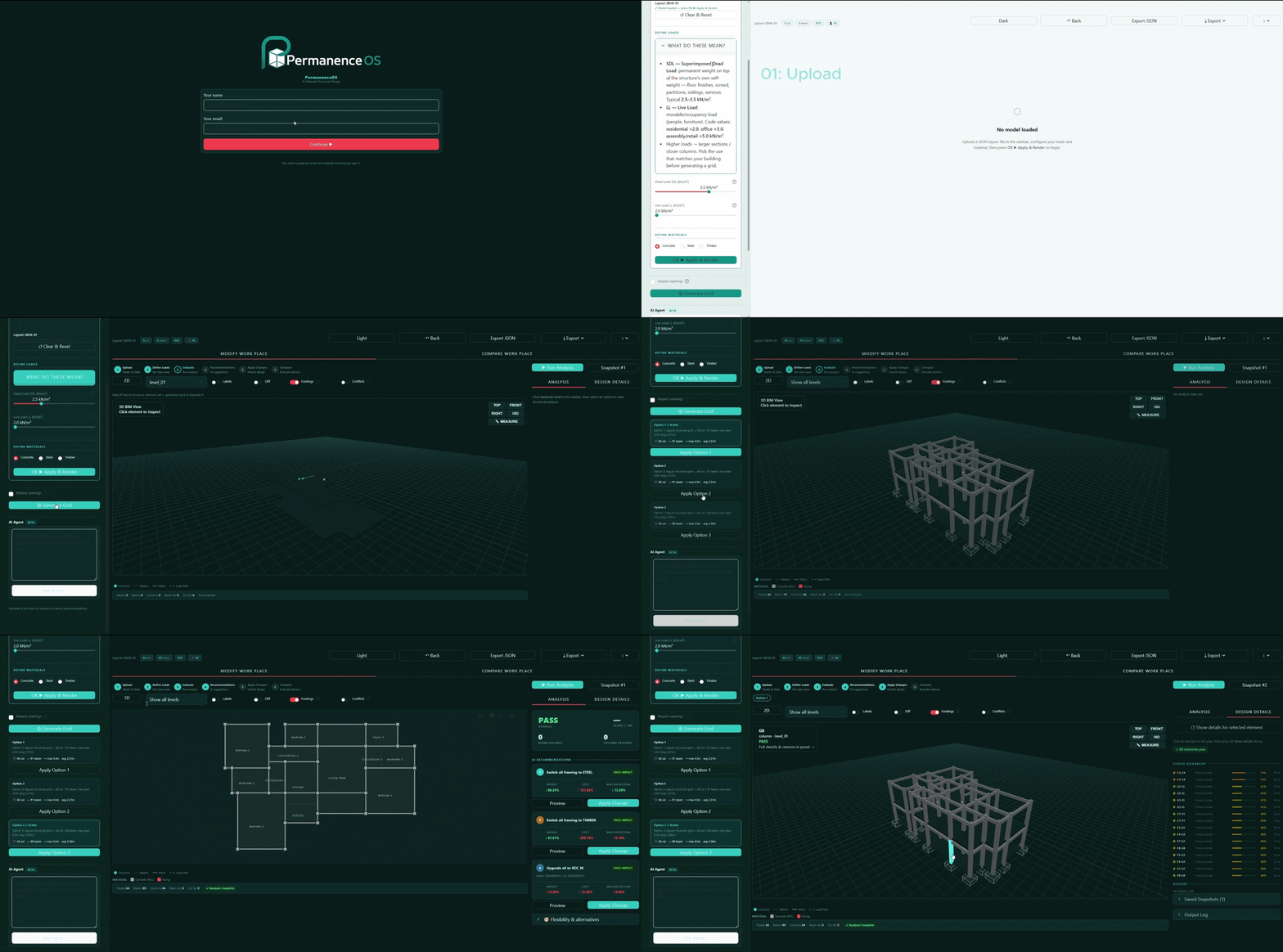
Step 02
Agent Feedback -> Modify -> Evaluate
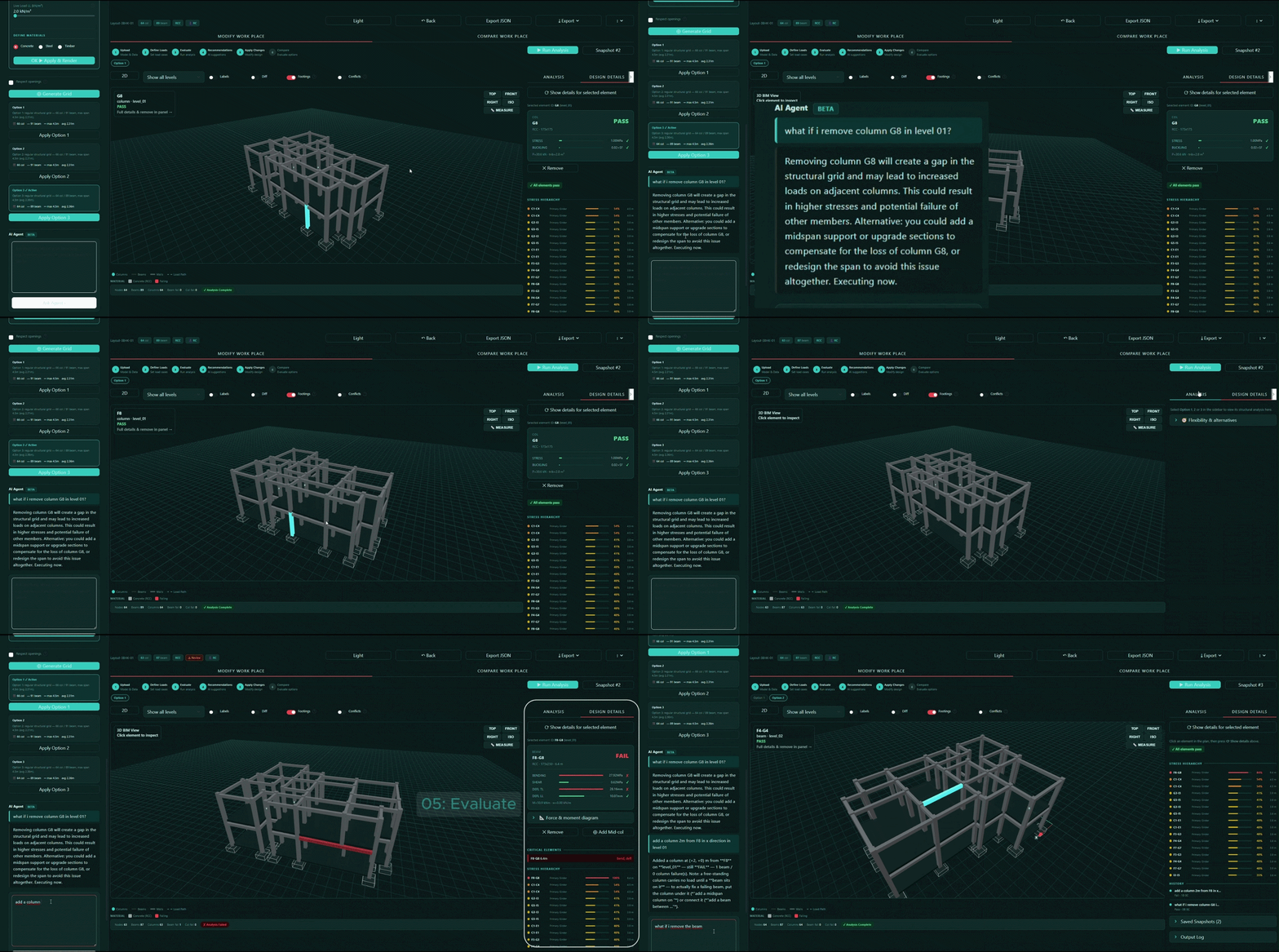
Step 03
Check Consequences -> Show Conflicts
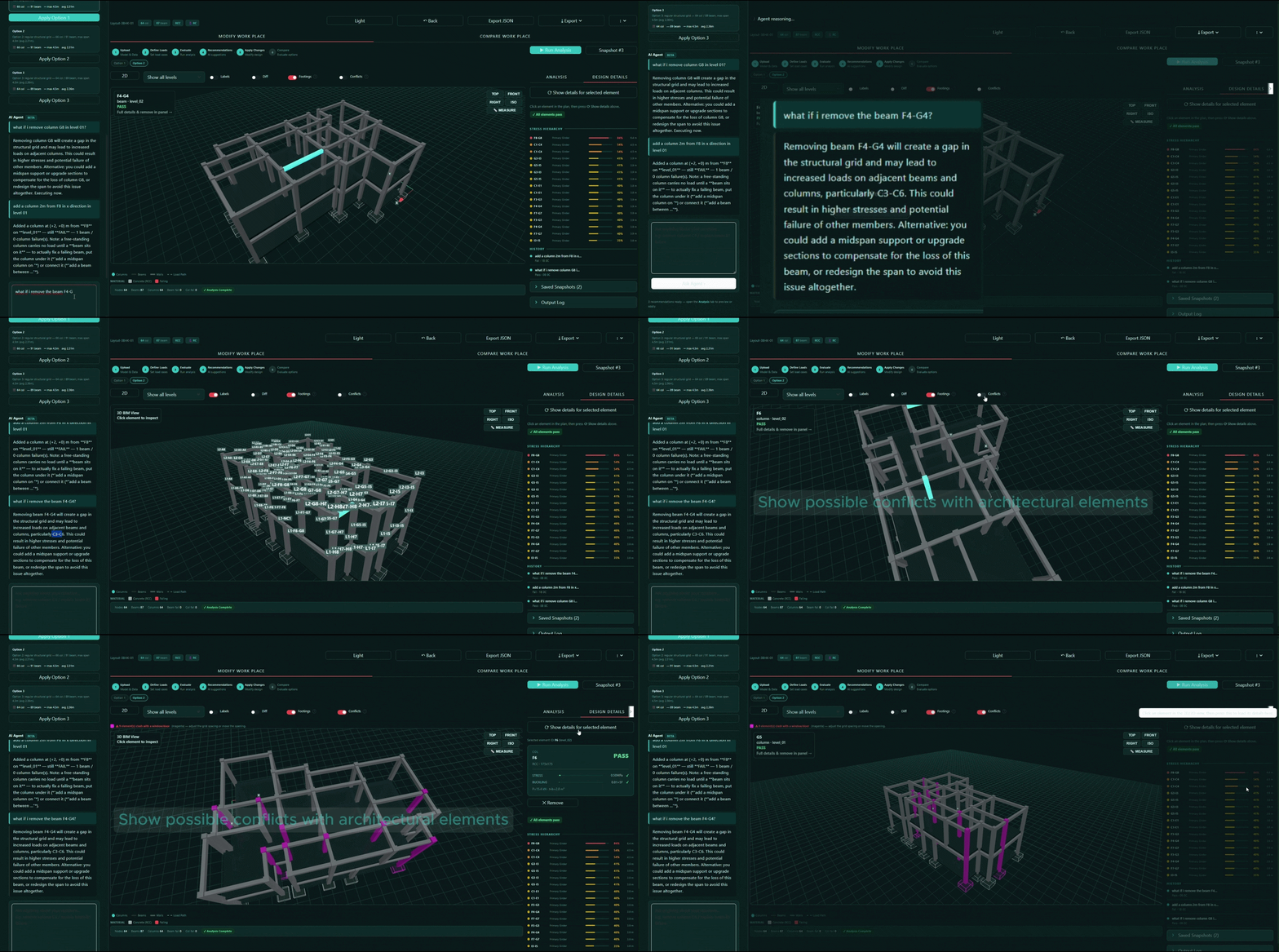
Step 04
Modify Structural Elements -> Check for Accuracy
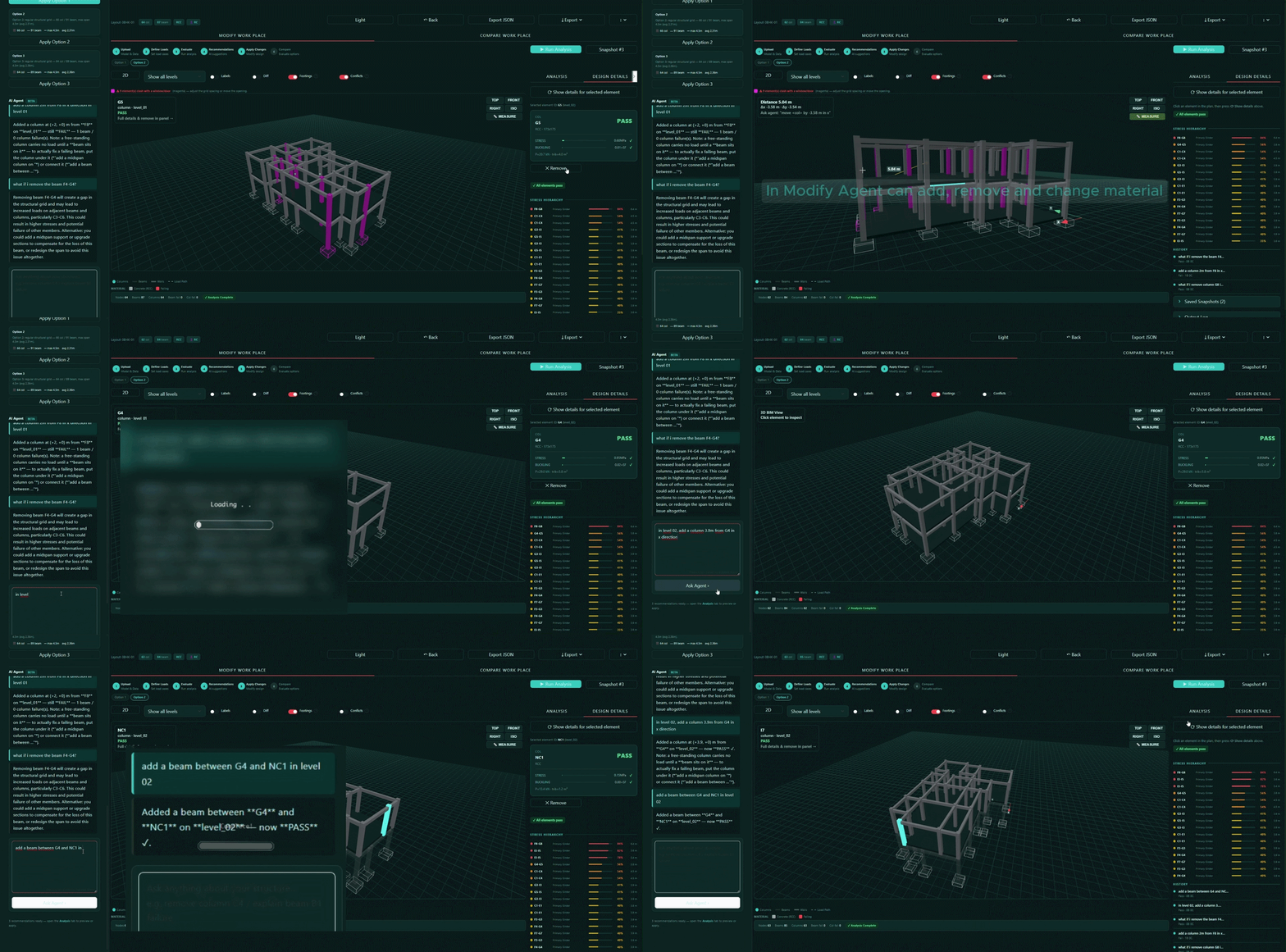
Step 05
Material Modifications (as per the feedback) -> Save Snapshots
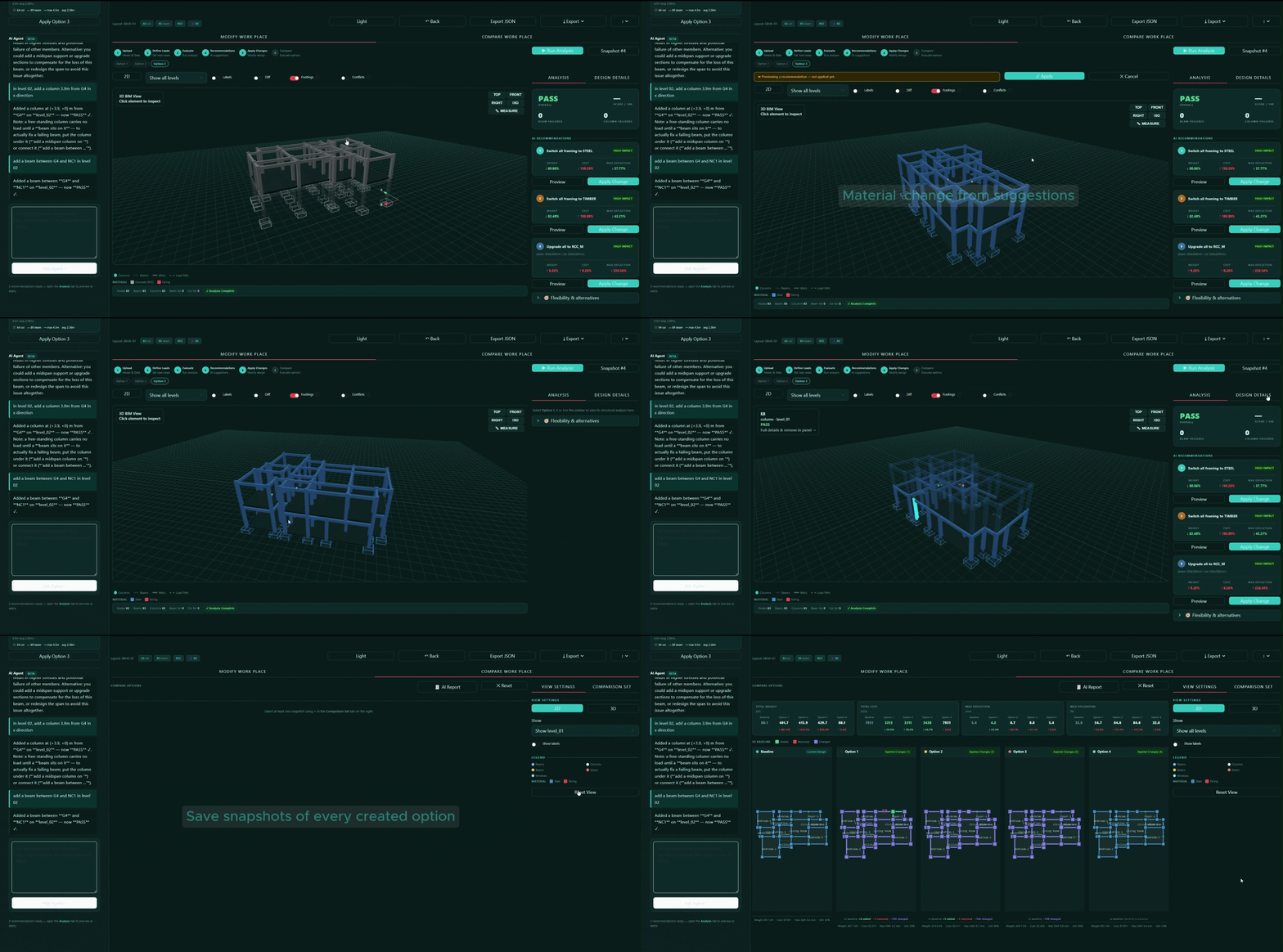
Step 06
Compare -> Export Preferred Option -> Report Generation
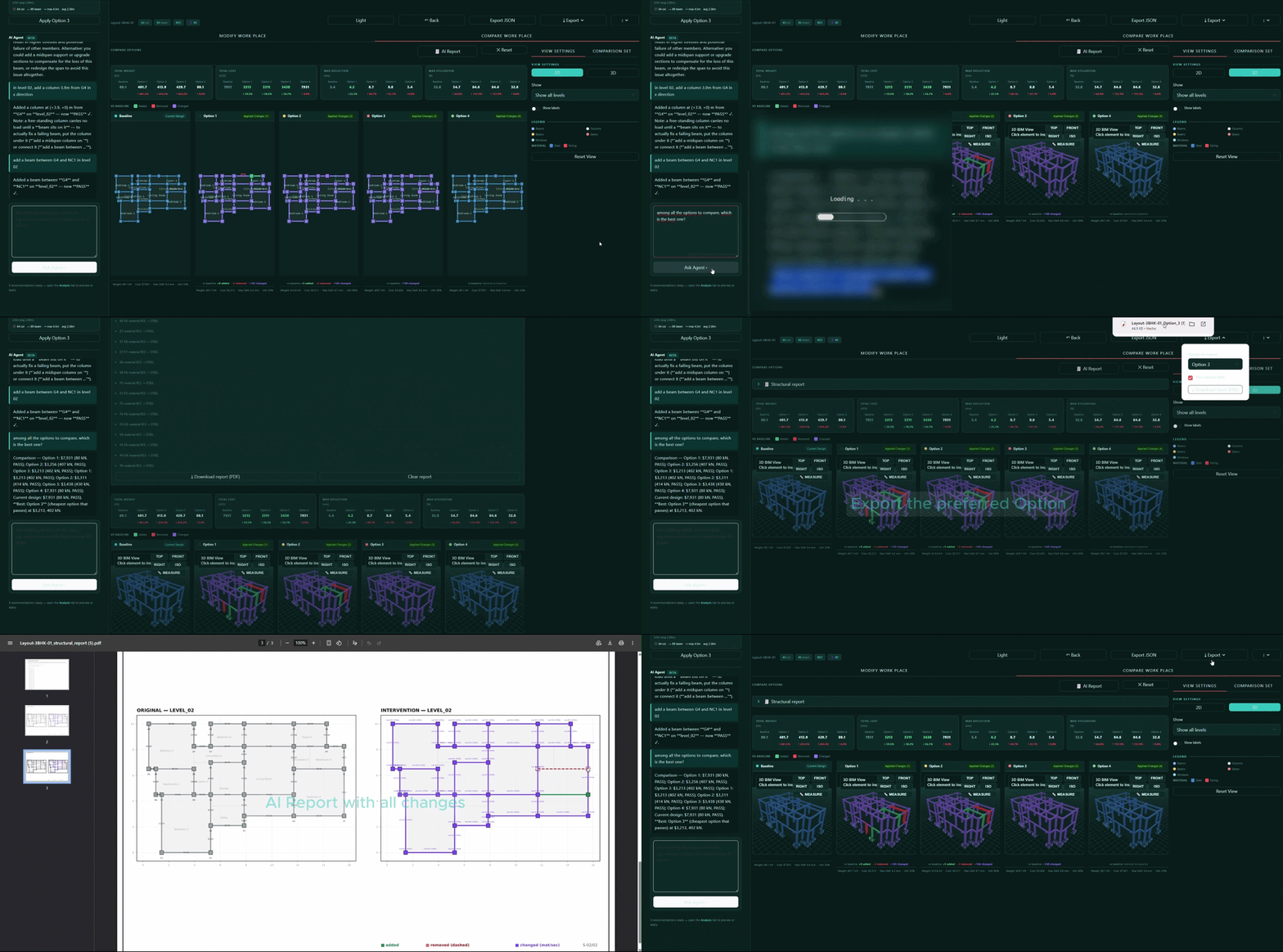
UI – Themes
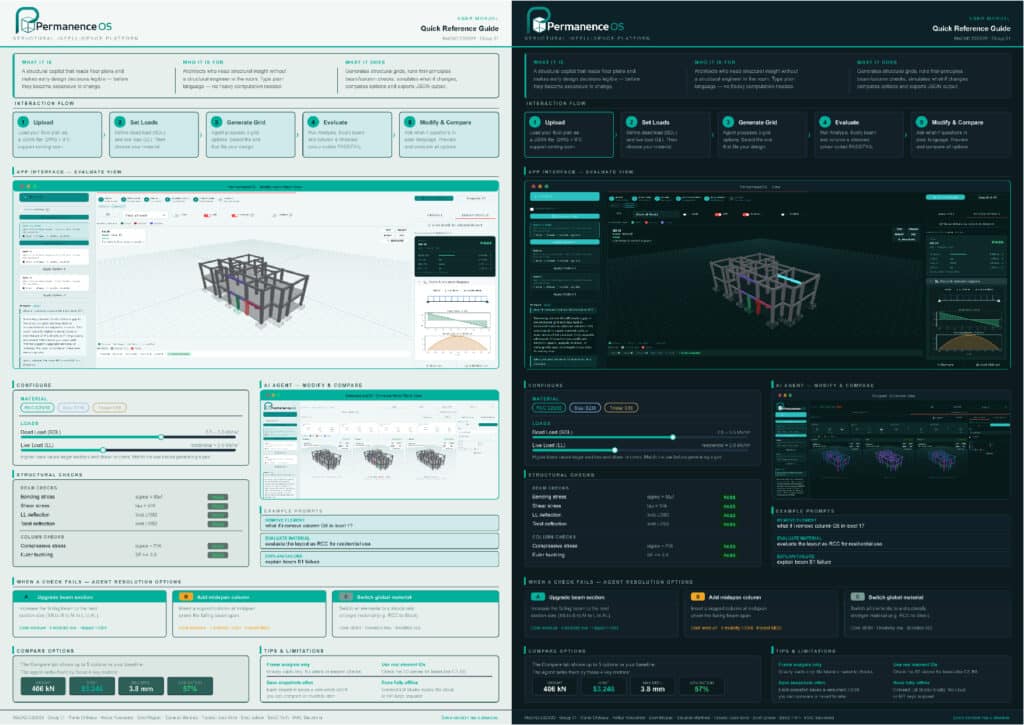
Permanence OS supports both dark and light themes, adapting to your working environment without compromising readability of structural data.
Next Steps
Where we take it next. First, broadening the inputs, reading DWG and IFC, not just JSON, so it plugs straight into how architects already work. Then deeper permanence reasoning across the whole system, so the agent understands how one change ripples through the building rather than judging elements in isolation. And longer term, the PermanenceOSPro path: full structural simulation through OpenSees for a free version or Karamba for a proprietary one, adding lateral analysis, wind and seismic, on top of the gravity checks we do today.