
Hyperbuilder is a web-based parametric design app that transforms complex architectural modeling into a seamless, rapid-iteration process. Powered by a Grasshopper backend, it allows users to effortlessly generate, evaluate, and configure complex building massings and program distributions through a highly intuitive, simple interface.
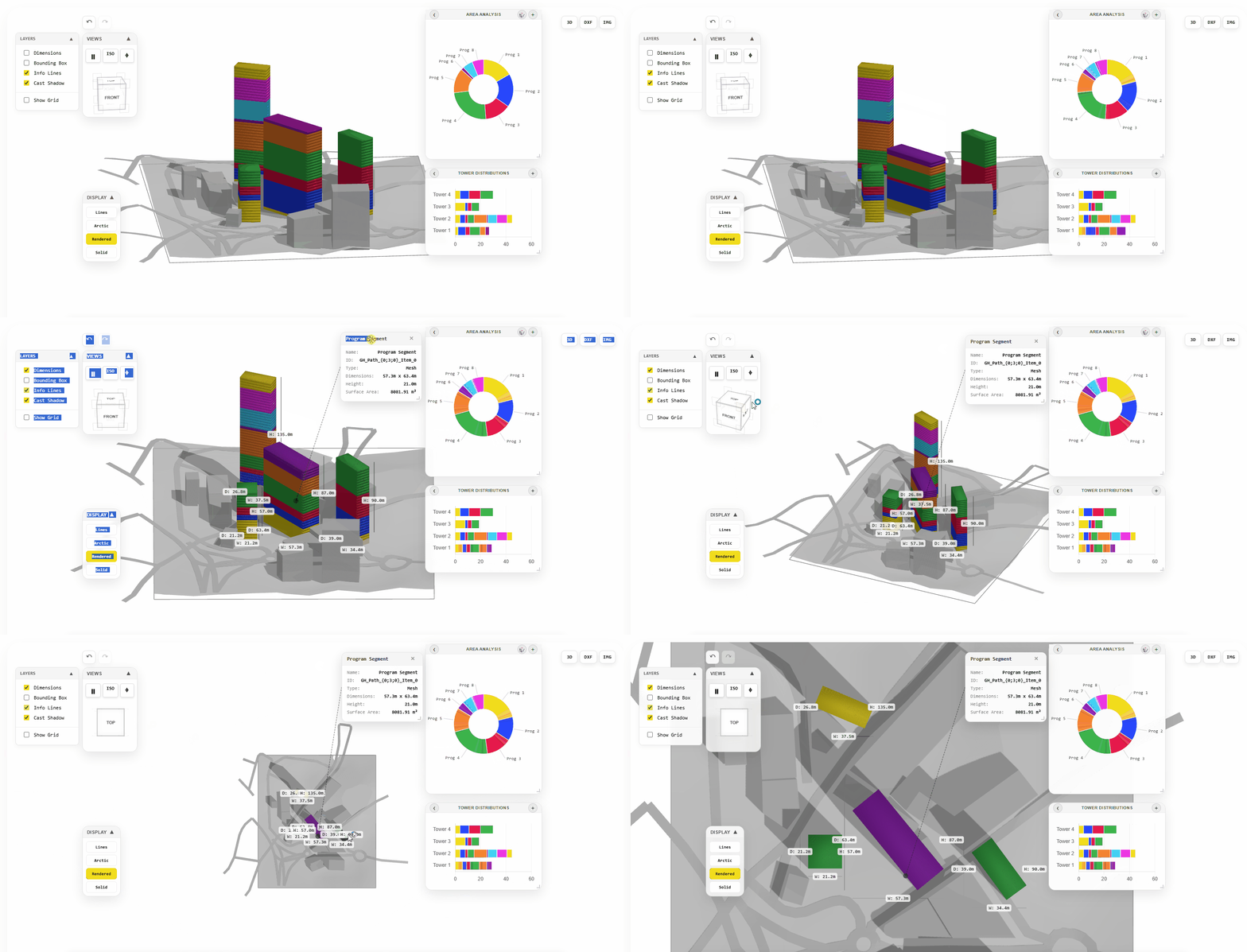
The Vision: Vertical Communities, Quantified
The architectural industry is obsessed with “final” results, but we’ve been ignoring the most critical part of the process: the space between the sketch and the BIM model. For too long, urban designers have been forced to oscillate between static CAD drawings and complex simulations that take hours to update. This “lag” kills creativity. I developed Hyper Builder to bridge that gap and create a real-time, cloud-based environment where data doesn’t just follow design, it actually drives it.
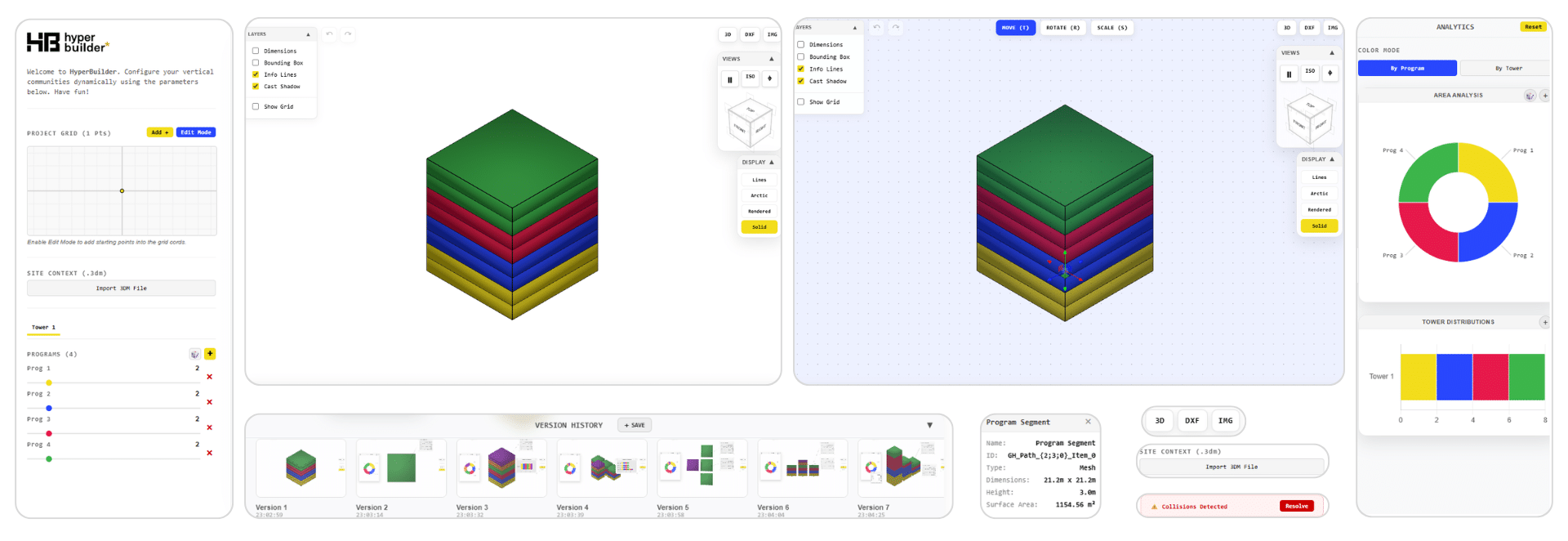
Core Components of the Platform
The tool features several key components that make up the Hyper Builder interface. The software’s editing capabilities prioritize both precision and viewport visibility, allowing for seamless screenshots and real-time iterations. These can be easily exported and shared using the system’s integrated tools and cards.
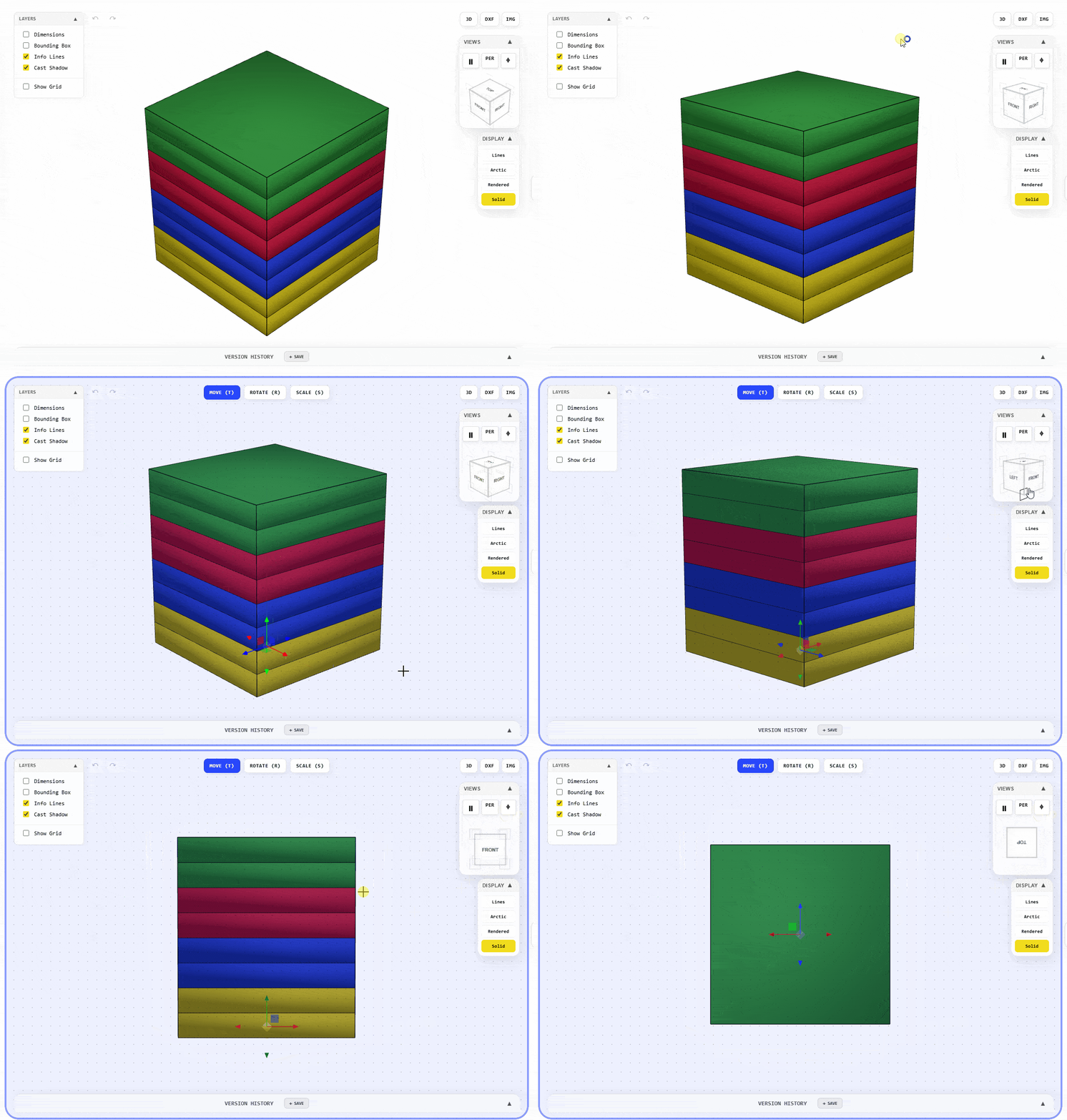
1. The Interactive Viewport
At the heart of the app is a 3D environment that renders your geometry in real-time. It’s not just a viewer; it’s a workspace. You can toggle between architectural views (3D, Top, Front, Perspective) and display modes like wireframe or rendered. The viewport handles the visualization of individual floor “programs” through a color-coded system, making the building’s functional makeup visible at a glance.
2. Parametric Control Panel (The Inputs)
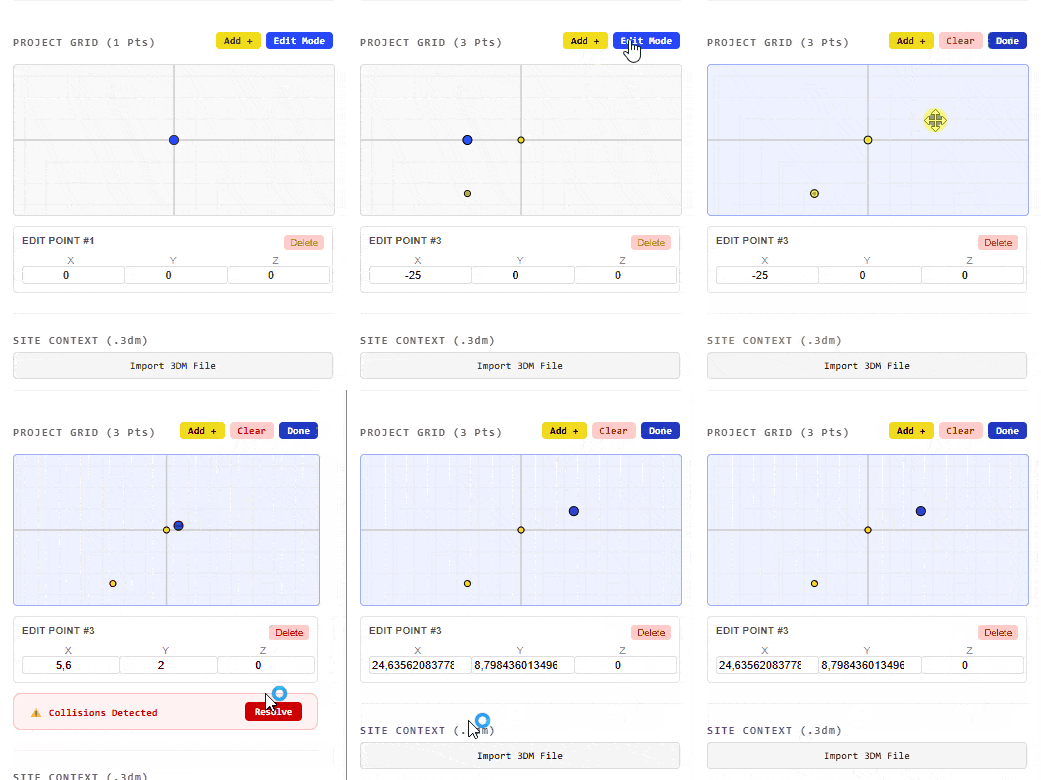
Designing with Hyper Builder feels more like “composing” than drawing. Users can:
- Define Grids: Set the project grid via an interactive UI.
- Manage Towers: Add or remove towers with a single click.
- Programmatic Sliders: Adjust the height and program mix for each tower. As you move a slider, the 3D model in the viewport updates instantaneously.
- Site Context: Import 3DM files or context data to see how your vertical community sits within its actual environment.
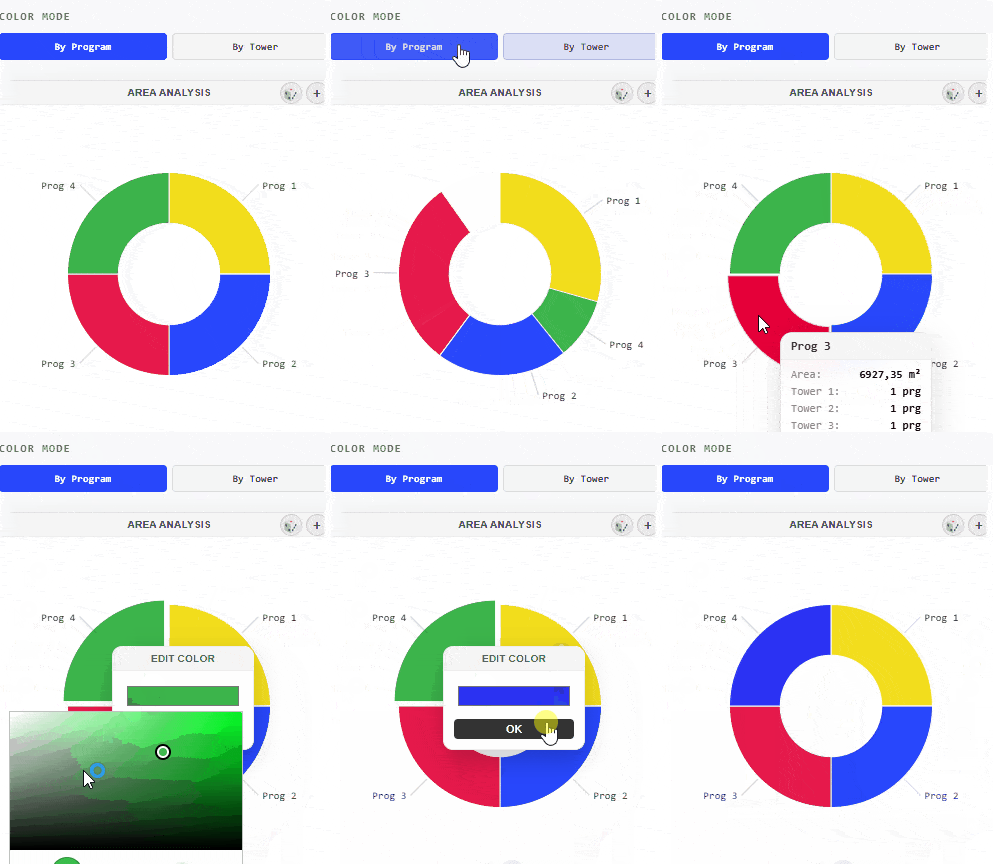
3. Real-Time Analytics Dashboard
Design without data is just a pretty picture. The right-hand sidebar of Hyper Builder is dedicated to Live Analytics. It features:
- Program Distribution: A dynamic donut chart showing the overall percentage of each use across the whole project.
- Tower Distributions: Bar charts that break down the specific programmatic makeup of each individual tower. If your retail-to-residential ratio is off, you’ll see it long before you ever hit “export.”
4. Version History Panel
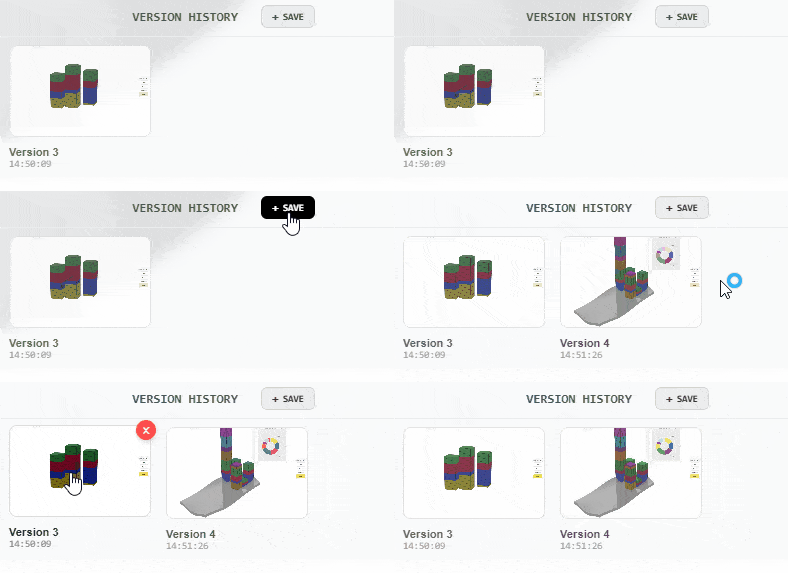
A manual history panel at the bottom of the screen saves every parameter iteration, allowing you to easily browse and revert to previous design versions. This streamlines the iterative process, allowing you to backtrack and maintain a comprehensive record of all previous versions. It preserves everything from diagrams and parameter configurations to specific viewport visualization settings.
Why This Matters
We are moving toward an era of Augmented Design, where the architect’s role is to define the parameters and let the machine handle the quantification. Hyper Builder is a step toward that future. It is a tool that makes the design of vertical communities more agile, more transparent, and ultimately more human-centric.
